Chapter 3: Installation
724-746-5500 | blackbox.com
Page 17
3.1.15 Console connections: Power
There is no on/off switch on the DCX3000 Remote module, so operation begins as soon as power is applied. The supplied power
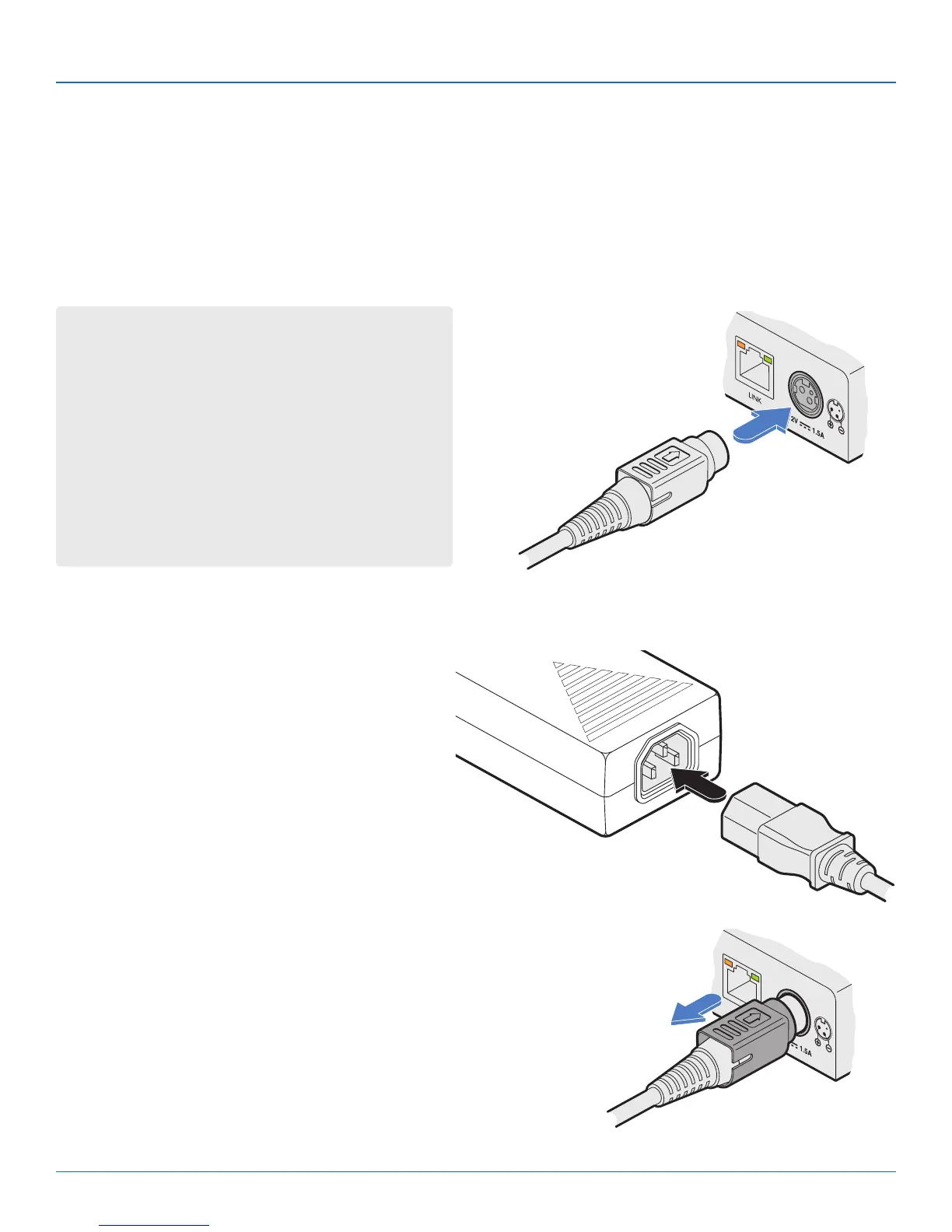
adapter uses a locking-type plug to help prevent accidental disconnections; please follow the instructions given right whenever
disconnecting a power adapter.
3.1.15.1 To connect the power adapter
1 Attach the output plug of the supplied power adapter to either power input socket on the rear panel of the DCX3000
Remote module.
2 Connect the IEC connector of the supplied country-
specific power cord to the socket of the power
adapter.
3 Connect the power cord to a nearby main supply
socket.
4 Where power redundancy is required, repeat steps 1
to 3 for a second power adapter.
From the
power adapter
3.1.15.2 To disconnect the power adapter
1 Isolate the power adapter from the mains supply.
2 Grasp the outer body of the power adapter plug where it connects
with the module.
3 Gently pull the body of the outer plug away from the module. As the
body of the plug slides back, it will release from the socket and you
can fully withdraw the whole plug.
IMPORTANT: Please read and adhere to the electrical safety
information given within the Safety information section of
this guide. In particular, do not use an unearthed power
socket or extension cable.
Note: Both the modules and the power supplies generate
heat when in operation and will become warm to the
touch. Do not enclose them or place them in locations
where air cannot circulate to cool the equipment. Do not
operate the equipment in ambient temperatures exceeding
40 degrees Centigrade. Do not place the products in con-
tact with equipment whose surface temperature exceeds
40 degrees Centigrade.
Gently pull back the plug outer
body to release the lock













 To Next Page