DCX3000 Switch
724-746-5500 | blackbox.com
Page 28
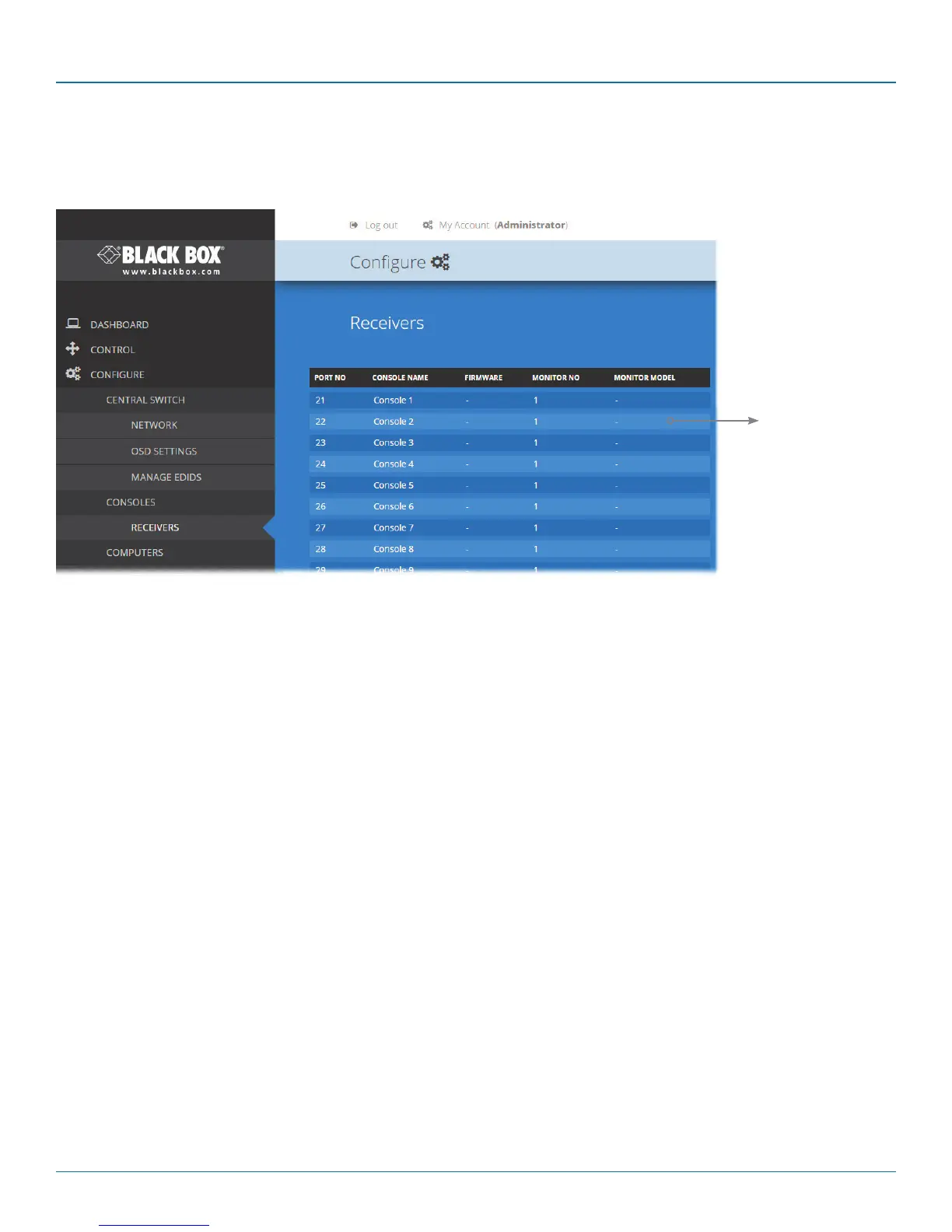
4.7 Configure > Consoles > Receivers
At the heart of each console (the collective term for a set of peripherals connected to the DCX system) is a receiver called a
DCX3000 Remote module.
Listed in order of the DCX3000 Switch port to which they are attached, this page shows various details for each DCX3000
Remote module:
• Firmware - the current internal software version for each DCX3000 Remote module.
• Monitor No - an index number for each video display. The first monitor for any console will be indexed as ‘1’. Where a
console has more than one video display associated with it (by using additional DCX3000 Remote modules), this column will
show ‘2’, ‘3’, etc. against the secondary, tertiary, etc. DCX3000 Remote module(s).
• Monitor model - indicates the video display model as reported to the DCX3000 Remote module to which it is connected.
• USB Enabled - indicates the USB status of the DCX3000 Remote module. Where modules are employed to provide
additional video monitor outputs, the USB connections are usually disabled.
• Unique ID - (shown only when the Maintenance > Settings > Web UI Mode is set to Advanced) this column displays the
unique identifier hardwired into every DCX3000 Remote module.
View details
Click to view
receiver details.













 To Next Page