DCX3000 Switch
724-746-5500 | blackbox.com
Page 22
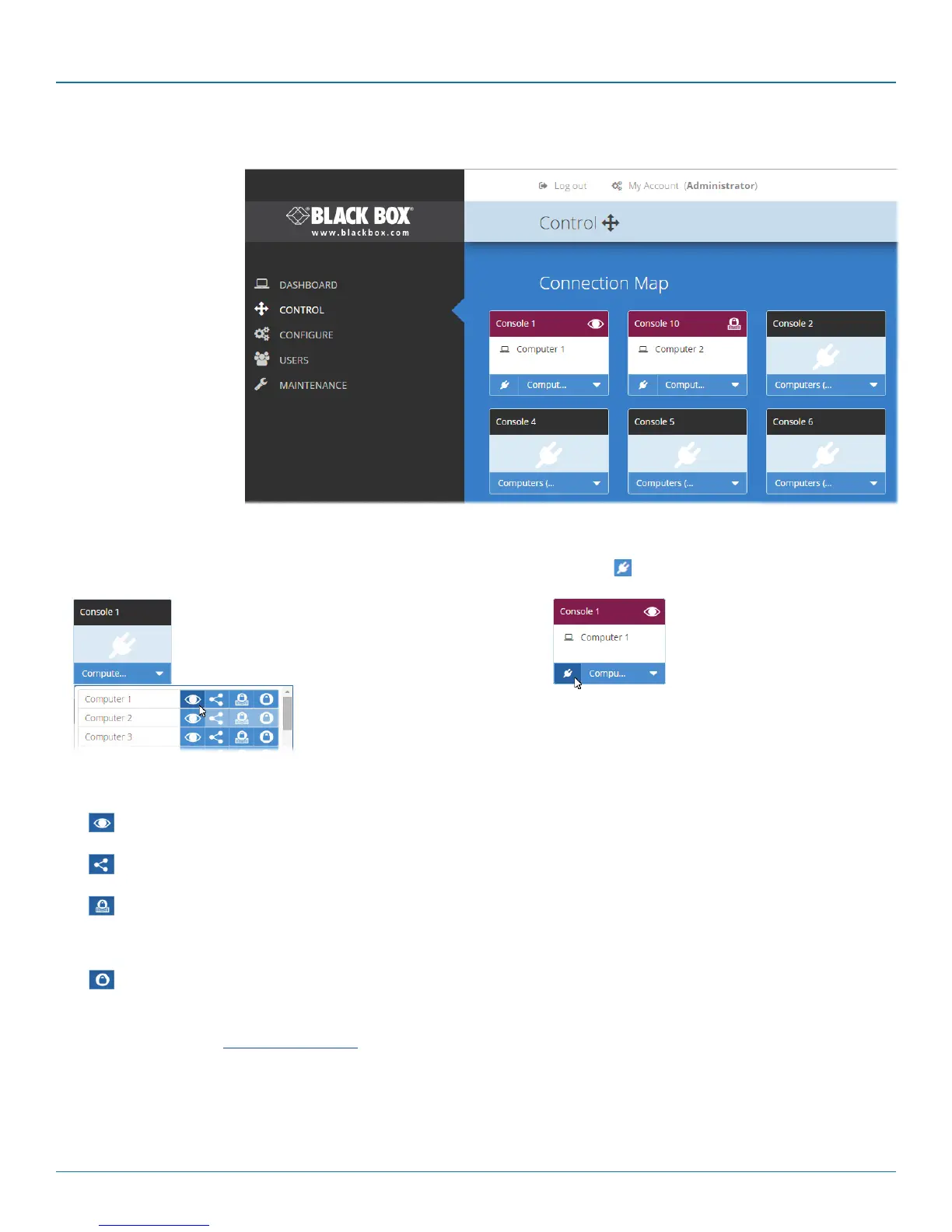
4.4 The Control page
The Control page provides
a Connection map that
allows the admin user to
view and affect how con-
soles are connected to the
various computers. This
page is particularly useful
when managing video-only
installations.
4.4.1 To connect a console
1 Click the down arrow on the console entry to reveal the
list of computers that it is authorized to access.
2 Click the appropriate connection icon adjacent to the
required computer:
•
View only - console user can view a computer’s
output but not alter it,
•
Shared access - console user can view and
control a computer along with other consoles,
•
Exclusive - multiple console users can view a
computer but only one can control it,
or
•
Private - console user can view and control the
computer privately while other users are locked
out.
For further details, see Access permissions.
3 You can change the connection method at any time by
clicking the down arrow again and choosing an alternative
connection option.
4.4.2 To disconnect a console
1 Click the button in the lower left corner of
the console entry that you wish to disconnect.













 To Next Page