Chapter 4: Configuration
724-746-5500 | blackbox.com
Page 31
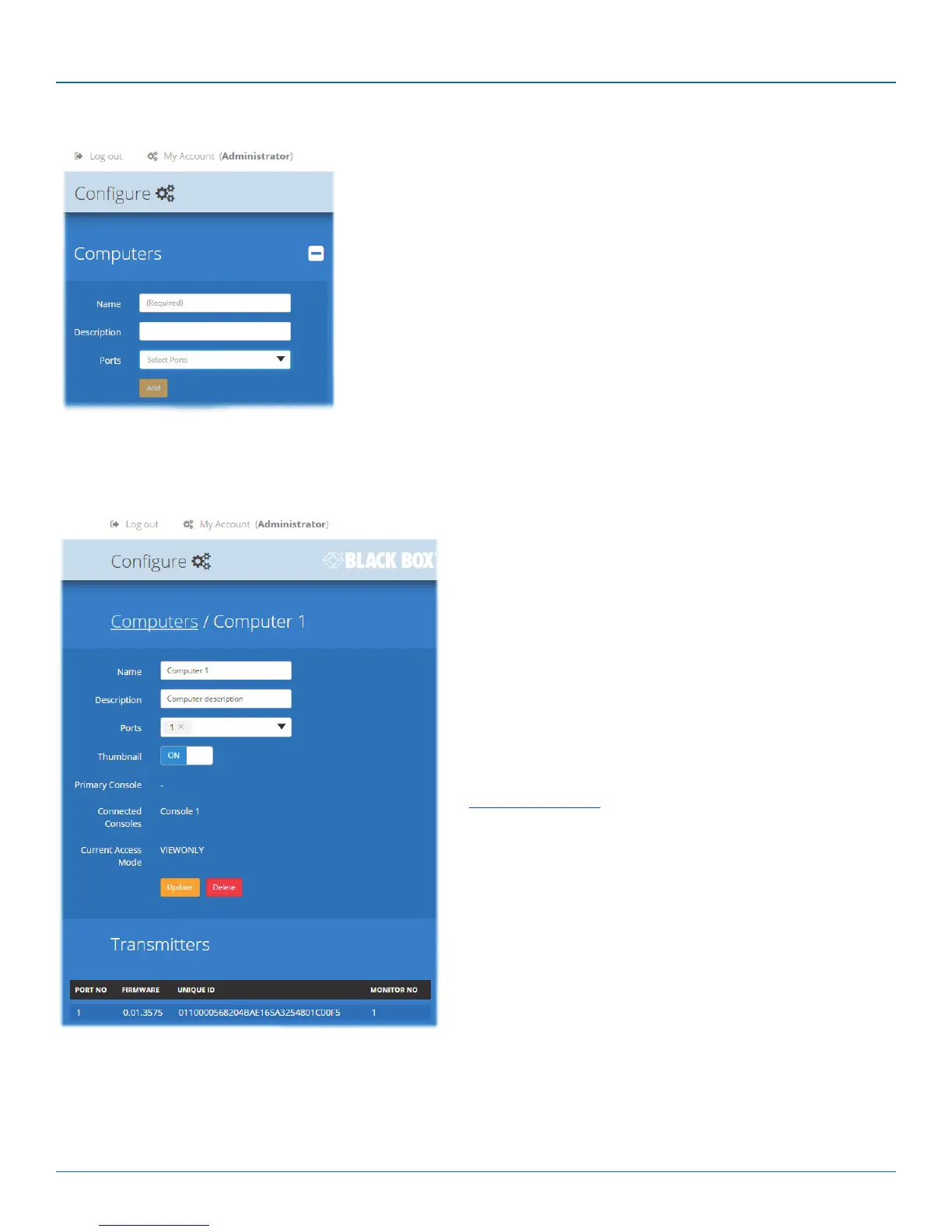
4.8.1 Add new
Click the [+] icon to begin adding a new computer, either before or after connect-
ing the DCX3000 SAM module(s):
• Name - the main identifier for the new computer.
• Description - a further opportunity to add more information about the
computer.
• Ports - Add one or more port numbers used by the DCX3000 SAM module(s)
associated with this computer.
4.8.2 Configure > Computers > Edit an entry
This page allows you to edit the configuration details for a chosen computer.
• Name - the main identifier for the computer.
• Description - a further opportunity to add more information
about the computer.
• Ports - shows the one or more port numbers used by the
DCX3000 SAM module(s) associated with this computer.
For multi-head computers, ensure that the port used by
the primary DCX3000 SAM module (the one linked to the
primary video output) is the first one in the list. It may be
necessary to delete existing (but unused) computer/port
associations in order to free up ports for the additional
module(s). Additionally, three of the user console ports
(21 to 23) can be changed into computer ports, if there
are fewer user consoles within your installation. See
Reallocating ports
• Primary Console - indicates the primary console that is
connected to this computer.
• Connected Consoles - indicates other consoles that are also
connected to this computer.
• Current Access Mode - indicates the access mode (e.g. View
Only, Shared, Exclusive, etc.) that is currently being used for
this computer.
• Transmitters - lists the transmitters (DCX3000 SAM
modules) that are serving this computer.
When you have made your changes, click the Update button.













 To Next Page