48
1.8 7 7. 87 7. 2 2 6 9 BLACKBOX.COM
NEED HELP?
LEAVE THE TECH TO US
LIVE 24/7
TECHNICAL
SUPPORT
1.8 77.87 7.2269
CHAPTER 5: SECURITY APPLICATION
CLI COMMAND
access-list ace 1 next 2 ingress interface GigabitEthernet 1/4 policy 1 vid 4 frametype etype smac 00-00-00-
00-00-11 action deny
exit
interface GigabitEthernet 1/3
switchport trunk allowed vlan 4,5
switchport trunk vlan tag native
!
interface GigabitEthernet 1/4
switchport trunk allowed vlan 4,5
switchport trunk vlan tag native
exit
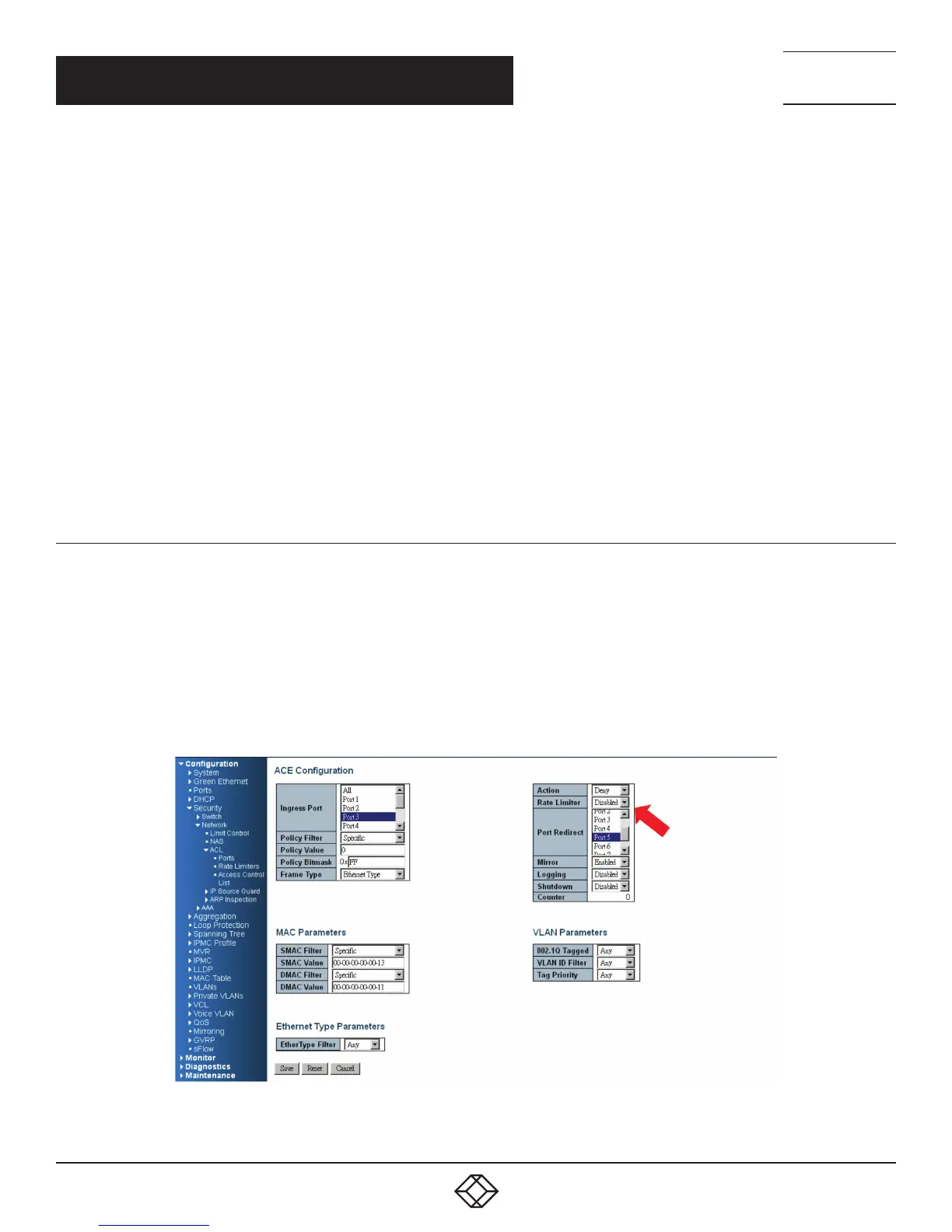
CASE 1E
The User can set the default ACL Rule of a GE port as “Permit”, then bind a suitable profile with “Copy Frame” action for mirror
analyzer used. It means the system will copy frames from a binding GE Port to an analyzer port.
Two directional MAC address with Copy Frame action. (Don’t care VLAN ID, Ether Type)
STEP 1: Create a new ACL Profile. (Profile Name: CopyFrameTest)
STEP 2: Create a new ACL Entry rule under this ACL profile. (SrcMAC: 13 and DesMAC: 11)
STEP 3: Set analyzer port to enable and mirror analyzer port.
STEP 4: Bind this ACL profile to a GE port. (PORT-3)
FIGURE 5-9. CASE 1E SCREEN













 To Next Page