Record Settings 2
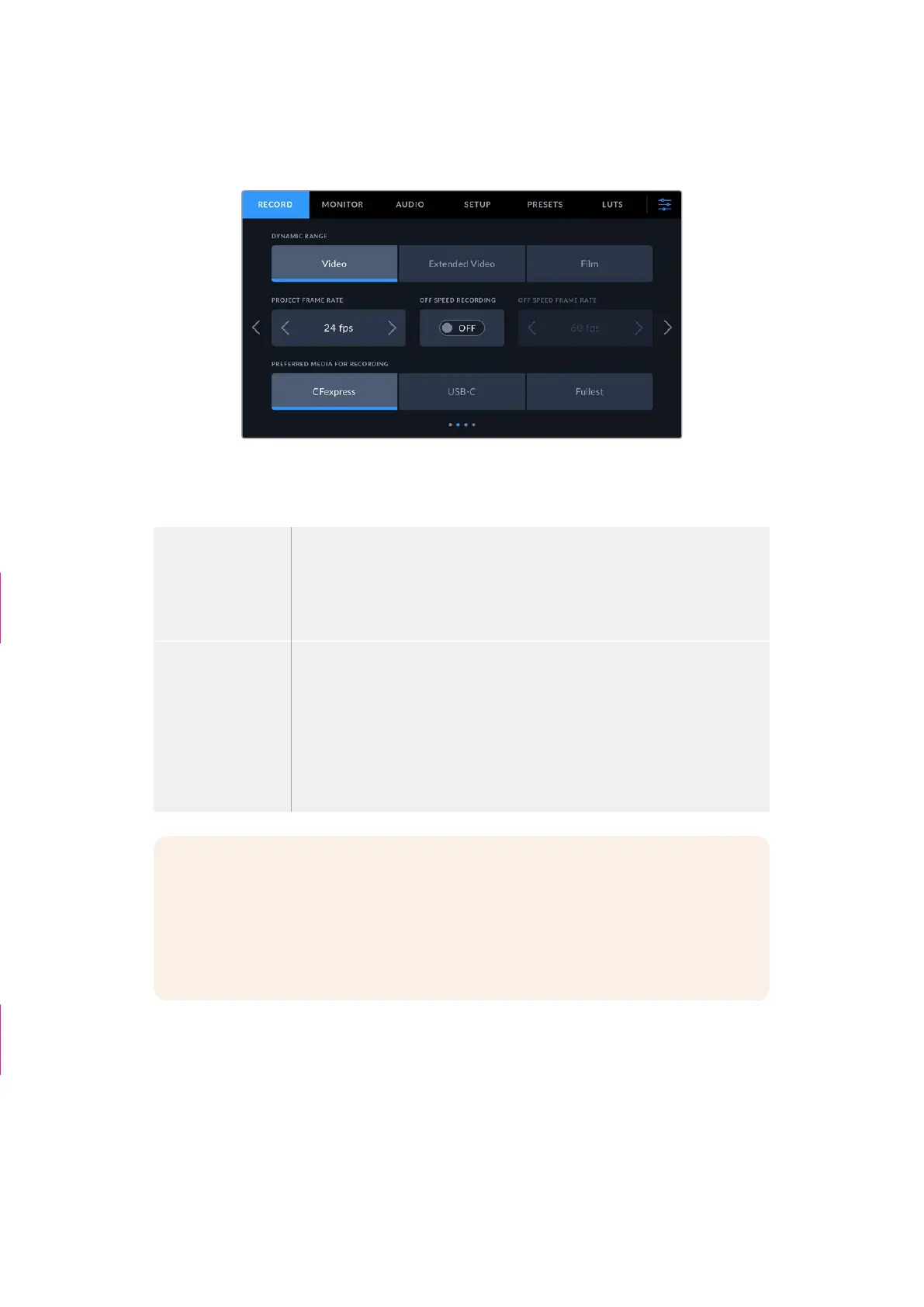
The second page of the ‘record’ settings tab contains the following options.
Dynamic Range
Adjust the ‘dynamic range’ setting by tapping the dynamic range icons. Your camera has three
dynamic range settings:
Video The ‘video’ setting is the best choice for recording to a high contrast, saturated
look suitable for direct delivery or minimal post processing. Video uses
Rec.709 primaries with a pleasing roll off in the highlights. This is a good option
if you want an accurate starting point that still has a pleasing gamma curve with
room for grading if needed.
Extended Video The ‘extended video’ setting is based on Blackmagic Wide Gamut with contrast
and saturation applied. The most notable differences to the video mode come
from the magenta/green axis having less saturation which is more typical of
print film.
Film The ‘film’ setting shoots video using a log curve that allows you to maintain the
greatest dynamic range and maximizes the information in your video signal to
help you get the most out of color grading software, such as DaVinci Resolve.
NOTE When recording Blackmagic RAW using using ‘film’ dynamic range, the image
will appear dull and desaturated on your touchscreen. This is because the image file
contains a lot of data that hasn’t yet been graded to suit a standard display. However,
while recording film dynamic range, you can monitor the video on the touchscreen and
HDMI output using a display LUT, or look up table, designed to simulate a standard
contrast. For more information, refer to the ‘3D LUTs’ section in this manual.
Project Frame Rate
The project frame rate provides a selection of frame rates commonly used in the film and
television industry. For example, 23.98 frames per second. This frame rate is normally set to
match your playback speed and audio sync used in your post production workflow and delivery
requirements.
Eight project frame rates are available, including 23.98, 24, 25, 29.97, 30, 50, 59.94 and
60 frames per second.
Re-ordered rows
“Sensor Area”
paragraphs deleted
54Settings



 To Next Page