Setup Settings 3
The third page of your camera’s ‘setup’ tab contains the following settings.
Set Function Button
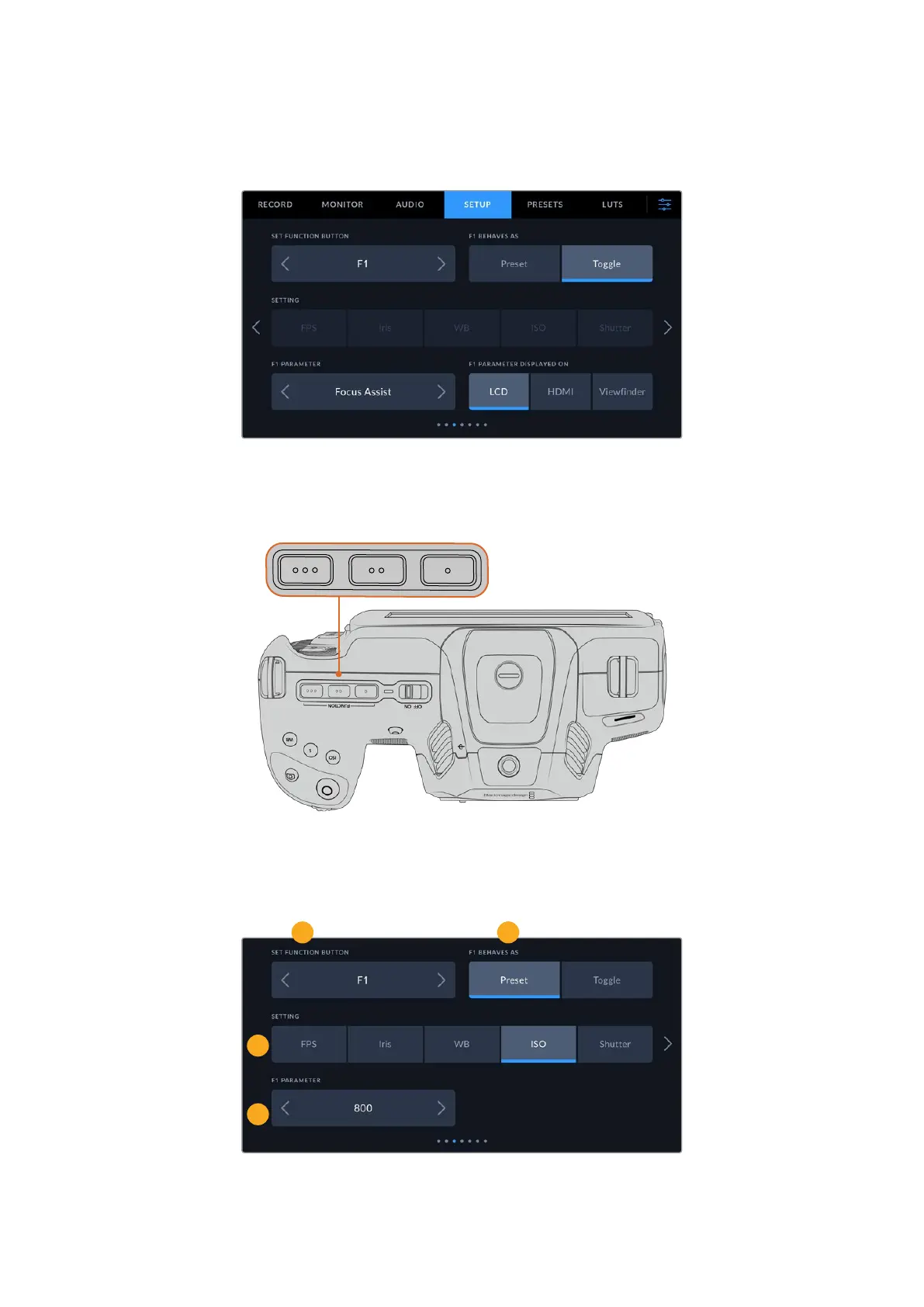
On the top of your Blackmagic Cinema Camera 6K you’ll notice three function buttons. Thedots
on the buttons represent function 1, function 2 and function 3. These can be mapped to
frequently used features and are quickly accessible when using your camera.
The function buttons are represented by dots and are located on the top of
your camera
To set these buttons, select a function button and then the behavior, settings and parameters
you want for that function.
1
3
4
2
1 Button 2 Behavior 3 Setting 4 Parameter
71Settings



 To Next Page