Tally Light LED
Your Blackmagic Cinema Camera 6K has a small LED on the front to indicate the
recording status of the camera.
To enable or disable the tally light indicator, use the ‘tally light LED’ switch.
LED Brightness
To set the brightness of the tally light LED, tap ‘low,’ ‘medium,’ or ‘high.’
Auto Dim Display
Blackmagic Cinema Camera 6K has an option to automatically turn down the brightness of the
LCD touchscreen during periods of inactivity to conserve battery power. Select an option for
‘dim display after’ to set how long to wait before dimming the display. Next time you touch the
LCD touchscreen, it will return to its normal brightness level.
Playback
This setting allows you to select whether to play back a ‘single clip’ or ‘all clips’ on the LCD
touchscreen from CFexpress card or USB-C flash disk. ‘All clips’ plays back through all matching
media sequentially, and ‘single clip’ plays one clip at a time. This also applies for the loop
function. Selecting loop on ‘all clips’ plays through all of the clips on the recording media and
then loop. Selecting ‘single clip’ loops one clip at a time.
Setup Settings 5
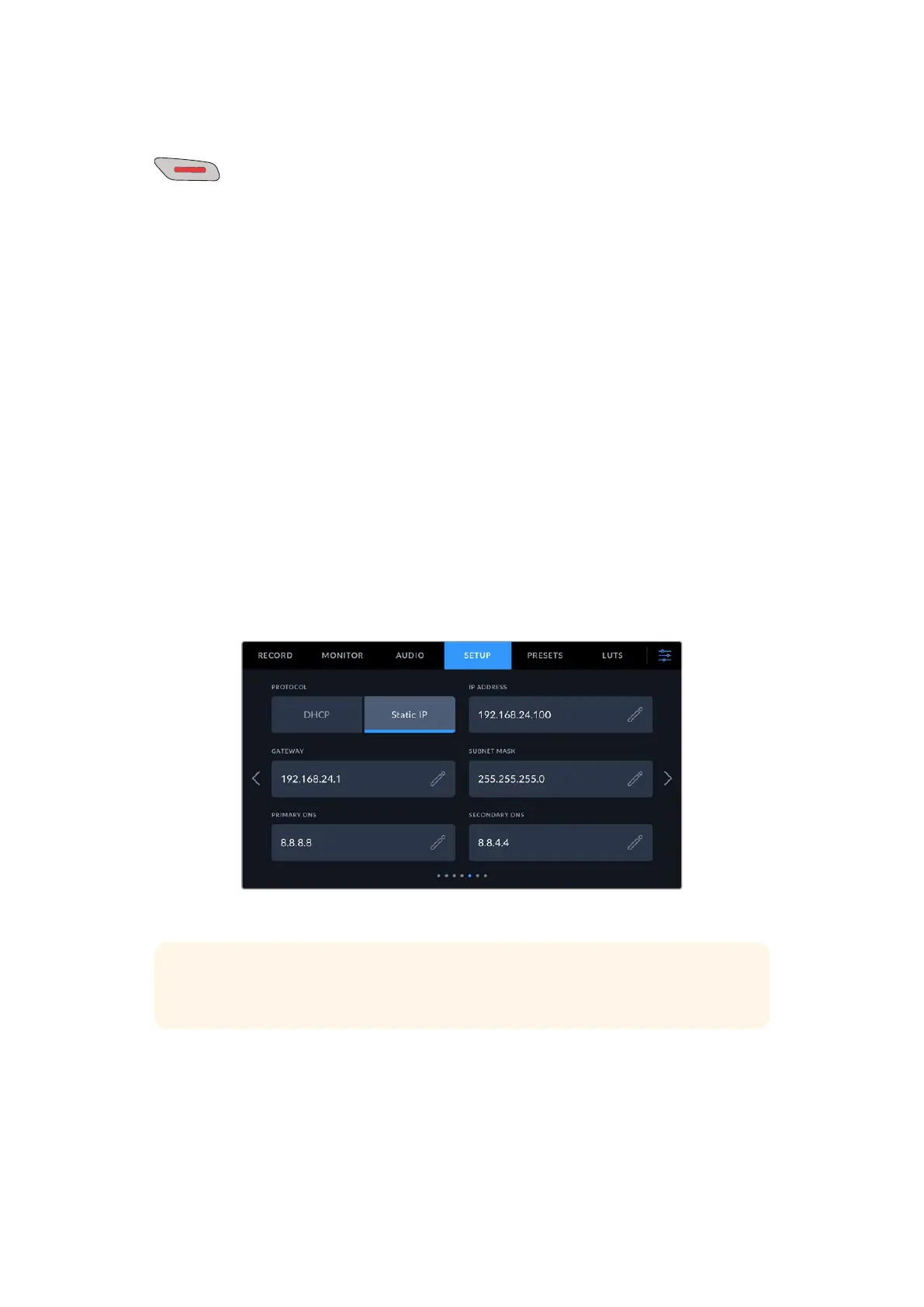
The fifth page of the ‘setup’ tab contains your camera’s network settings.
These settings allow you to configure options such as choosing between connecting to a
network using DHCP or a static IP address.
Connect to a network using DHCP or a static IP address
TIP You can also connect your Blackmagic Cinema Camera 6K to a network using a
USB-C to Ethernet adapter.
73Settings



 To Next Page