Functions and operation
EN
94 bora.com
When the child lock is active, the lock button
lights up after system start
.
After switching off:
If the cooktop was switched on, after switching it off the
fan’s after-run function will start. The display goes out
when the after-run time has lapsed.
If the cooktop was switched on and there are cooking
zones that are still hot, the residual heat indicator
will
be displayed
zones. The display goes out when no more
residual heat is present.
5.4.2
Short-time timer
The short-time timer emits both a visual and an acoustic
signal after a time set by the user and provides the
function of a conventional egg timer.
Activating the short-time timer
u
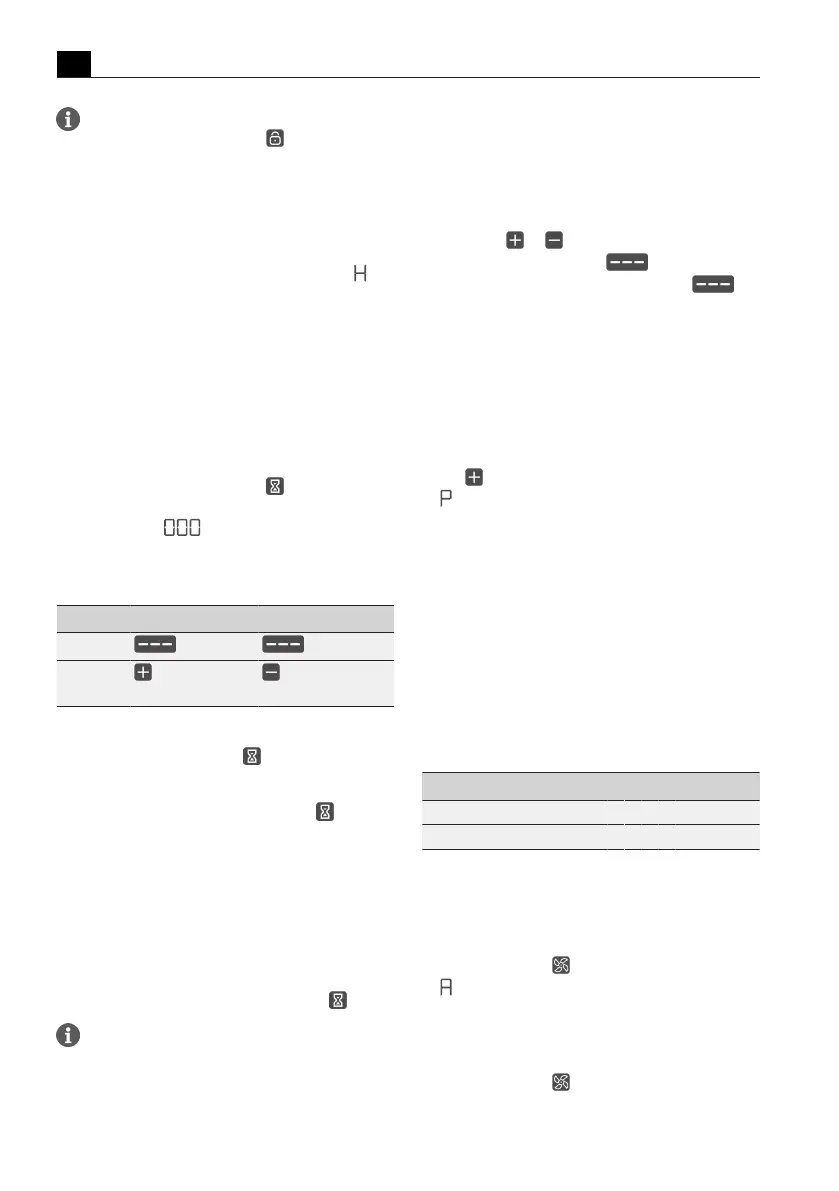
Tap the short-time timer button .
The time flashes in the multi-function display above the
slider in minutes (
).
Setting the time
u
Set the desired time:
Command Increase time Decrease time
Swipe
upwards downwards
Tap
(exact to the
minute)
(exact to the
minute)
Tab.5.3
Setting the time
T
The short-time timer button begins to flash.
Starting the short-time timer
u
Tap the flashing short-time timer button .
The set time starts to count down. The remaining time
is shown on the multi-function display.
Time lapsed
In the last 10 seconds of the countdown, the remaining
time will flash and is displayed down to the second. In
the last 5 seconds you will hear a sound.
Deactivating the short-time timer early
u
Long press on the short-time timer button .
If the appliance is switched off, the short-time
timer will remain active.
5.5
Cooktop extractor
functions
5.5.1
Setting the fan power levels
The fan power levels can be adjusted in different ways:
u
by tapping or
u
adjustment using the slider
u
by tapping a certain position on the slider
5.5.2
Fan power setting
When the power setting is activated, maximum extractor
power is available for a predefined time. After 5
minutes, the power setting is automatically switched
back to power level 9.
Activating the fan power setting
u
Tap when power level 9 is active.
T
appears in the fan display.
Deactivating the fan power setting
The fan power setting is deactivated early if another
power level is set.
5.5.3
Automatic extractor function
The extractor power is automatically adjusted to the
highest power level used on all cooking zones that are
currently in use.
T
If the cooking zone power level is changed, the
extractor power is automatically adjusted. The
extractor power is adjusted after a 20 second delay.
Function Power levels
Cooking level 1 2 3 4 5 6 7 8 9 P
Extractor power 4 4 4 4 5 6 7 8 9 P
Tab.5.4
Extractor power when automatic extractor
function is active
Activating the automatic extractor function for
a cooking session:
u
tap the fan button .
T
is displayed.
Deactivating the automatic extractor function:
u
Swipe to a fan power level.
or
u
tap the fan button .



 To Next Page