Installation
EN
122 bora.com
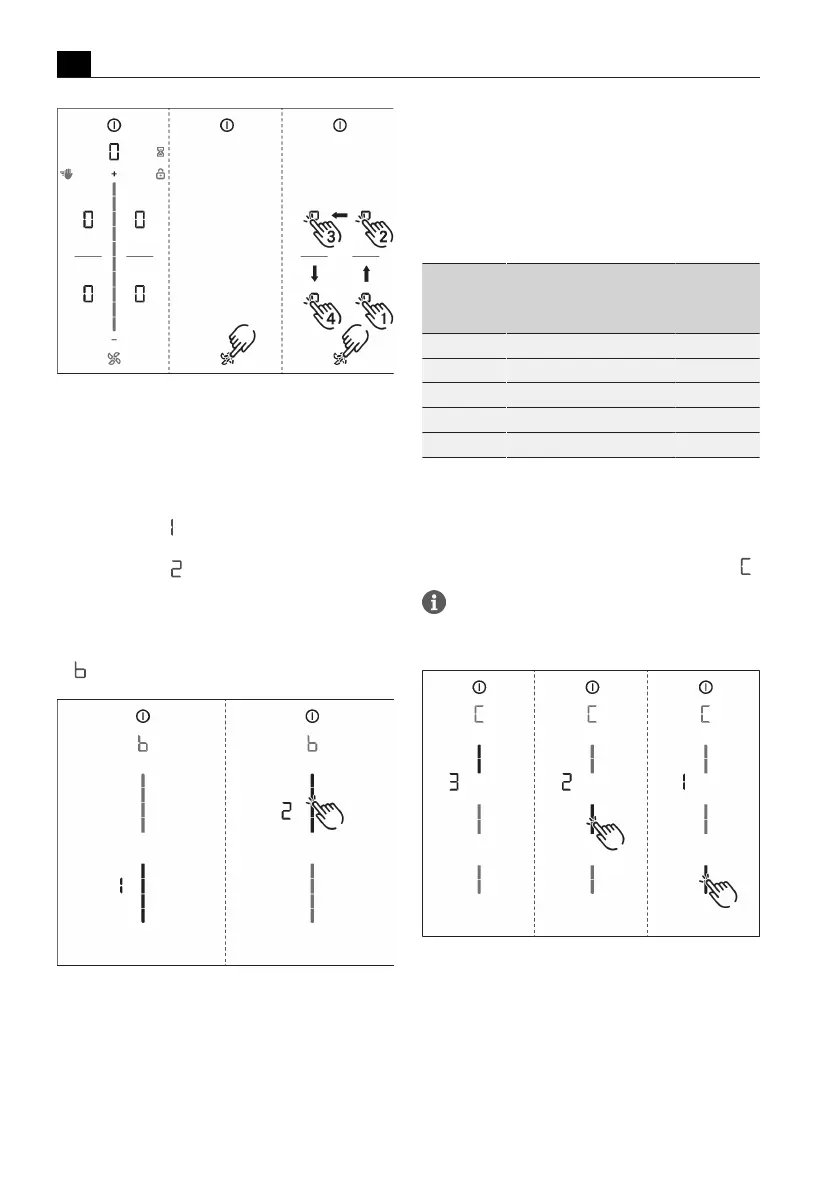
Fig.9.38
Calling up the dealer and service menu
9.9.2
Menu item B: Extraction
system configuration
The extraction system must be configured.
There are two operating modes to choose from:
T
Operating mode : recirculation system (factory
setting)
T
Operating mode : exhaust air system
u
Select the corresponding operating mode (tap the
corresponding segment on the slider ).
u
Confirm and save the setting by moving to the next
menu item (tap the multi-function display/indicator
).
Fig.9.39
Display Menu item B: Configuring the
extraction system
9.9.3
Menu item C: Power
management
The total appliance power can be reduced if the
required electrical power cannot be provided at the
installation site.
There are three operating modes to choose from:
Power
management
Connection
Maximum
power
consumption
Fuse
protection
C3 three-phase 7600 W 3 x 16 A
C3 two-phase 7600 W 2 x 16A
C3 single-phase 7600 W 1 x 32 A
C2 single-phase 4400 W 1 x 20 A
C1 single-phase 3600 W 1 x 16A
Tab.9.4
Power management
u
Select the corresponding operating mode (tap the
corresponding segment on the slider ).
u
Confirm and save the setting by moving to the next
menu item (tap the multi-function display/indicator
).
The cooking zone power restrictions
automatically implemented by the appliance are
determined according to the total power set.
Fig.9.40
Display menu item C: Power management
9.9.4
Menu item D: Demo mode
The appliance can be set to demo mode, which includes
all operating functions, but the heating function of the
cooktops is deactivated.
u
Tap the top slider segment.



 To Next Page