Functions and operation
EN
bora.com 93
5 Functions and operation
u
Observe all safety and warning information
(see"2Safety").
The integrated cooktop extractor must not be
used with other cooktops.
The appliance should only be operated when the
filter replacement cover, stainless steel grease
filter and air inlet nozzle are installed (as well as
the activated charcoal filter in the recirculation
model).
5.1
General operating
instructions
The appliance is operated via a central touch operating
panel. The operating panel is equipped with touch zones
and display zones. Operate the appliance with your finger,
touch controls and swipe gestures (slider operation).
5.2
Touch control
The system recognises different touch commands.
Touch
commands
Applicable to Time (contact)
Tap Buttons + slider 0.3 s
Long press Buttons + slider 1–8 s
Swipe Slider 0.1–8 s
Tab.5.1
Touch control
5.3
Function overview
Features PURMA PURMU
Electronic power adjustment 3 3
Short-time timer (egg timer) 3 3
Cooktop extractor functions
Automatic extractor function 3 3
Automatic after-run 3 3
Power setting 3 3
Filter service display 3
Cooktop functions
Automatic heat up function 3 3
Pan size recognition 3 3
Features PURMA PURMU
Permanent pan size recognition 3 3
Heat retention function 3 3
Bridging function (right cooking zone) 3 3
Automatic bridging function (right
cooking zone)
3 3
Cooking zone timer 3 3
Pause function 3 3
Power setting 3 3
Safety features
Child lock 3 3
Operating lock 3 3
Cleaning lock 3 3
Residual heat indicator 3 3
Safety shut-down 3 3
Overheating protection 3 3
Tab.5.2
Function overview
5.4
Operating the system
5.4.1
Switch on/off
u
Long press on the power button .
Switching on the system:
After start-up, the standard display will appear in the
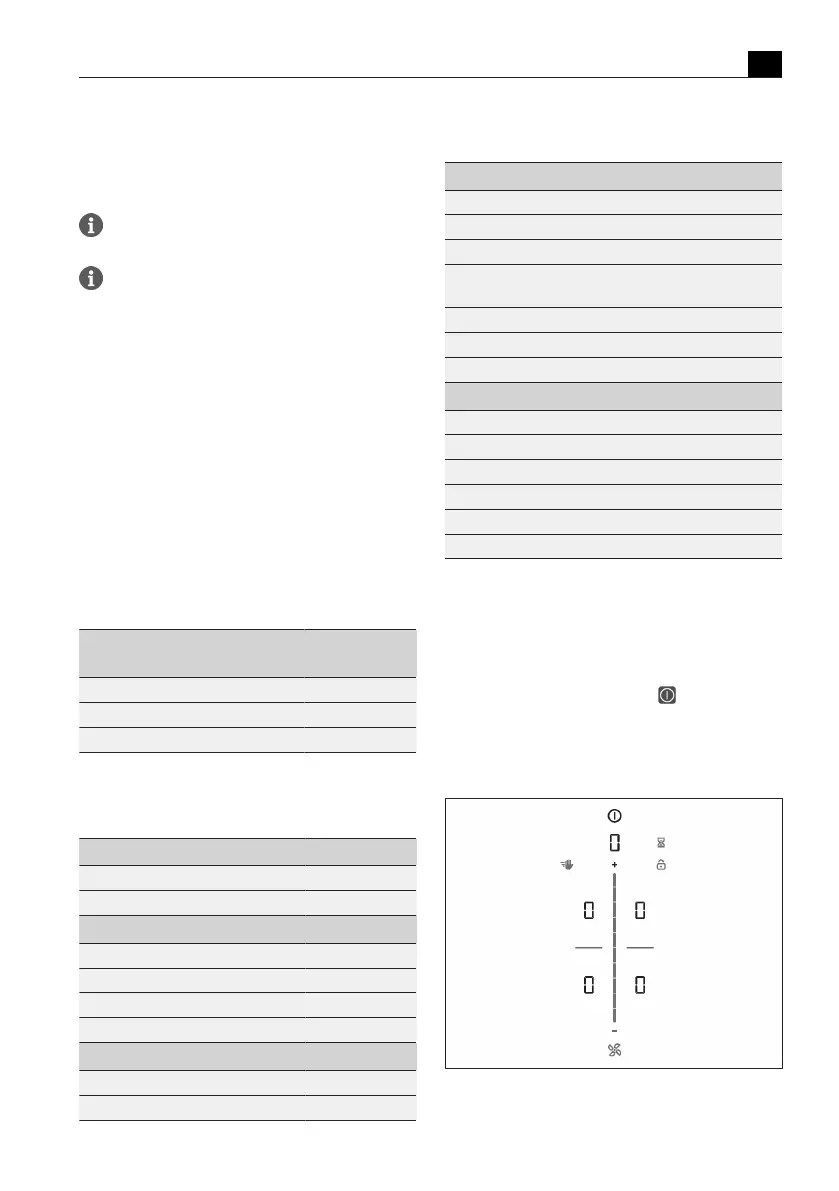
operating panel:
Fig.5.1
Standard display after switching on



 To Next Page