Installation
EN
bora.com 123
T
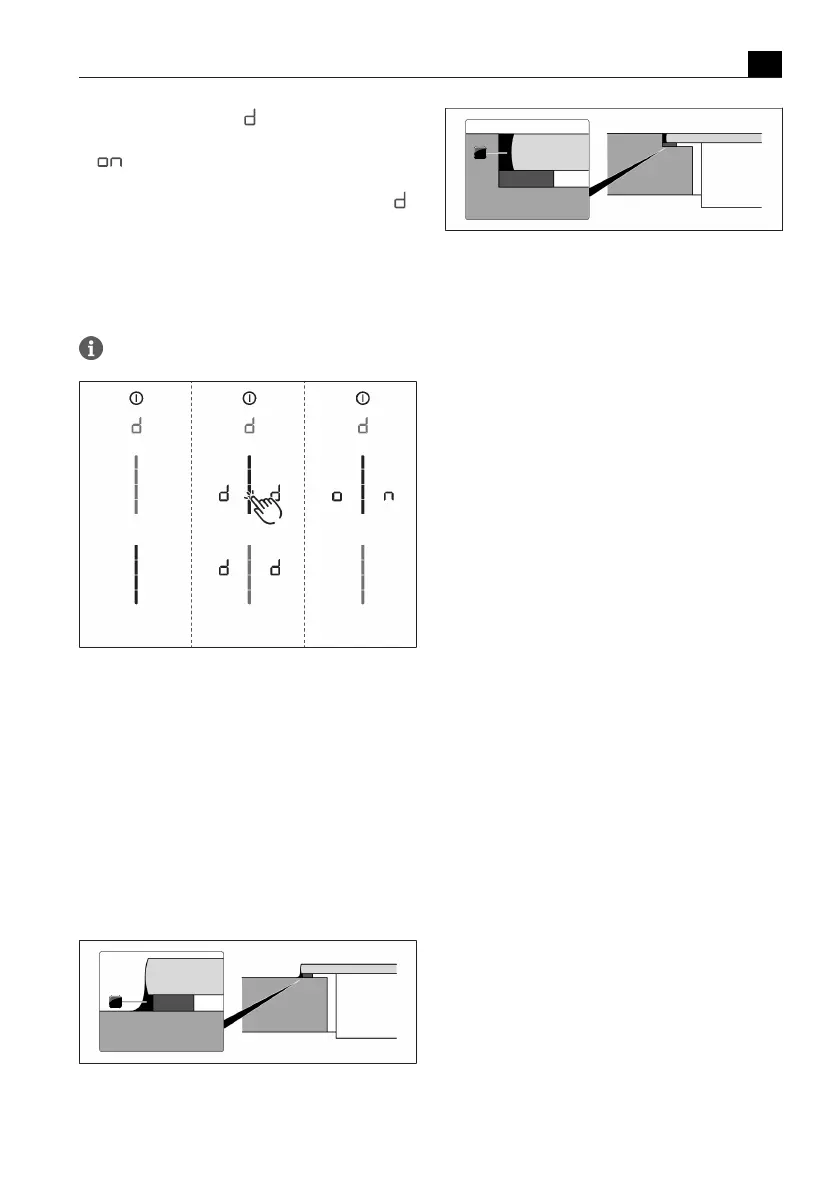
The demo mode symbol is displayed on all
cooking zones for one second.
T
is displayed.
u
Confirm and save the setting by moving to the next
menu item (tap the multi-function display/indicator
).
Closing the dealer and service menu
When you have been through all of the basic
configuration menu items:
u
long press on the multi-function display.
u
The standard display appears.
Pan size recognition is deactivated in demo mode.
Fig.9.41
Display Menu item D: Demo mode
9.9.5
Function test
u
Carry out a thorough function test on all appliances.
u
In the event of error messages, see the
“Troubleshooting” chapter.
9.10
Sealing the appliance
u
Once all of the installation work is complete, seal the
appliance with black, heat-resistant silicone sealant.
u
Make sure that no silicone sealant gets under the
cooktop.
Fig.9.42
Silicone sealant for surface mounting
[1] Black, heat-resistant silicone sealant
Fig.9.43
Silicone sealant for flush installation
[1] Black, heat-resistant silicone sealant
9.11
Handover to user
Once installation is complete:
u
Explain the main functions to the user.
u
Explain all safety-related aspects of operation and
handling to the user.
u
Provide the user with the accessories and operating
and installation instructions, which are to be kept in
a safe place.



 To Next Page