Digital Video Recorder Connections and settings | en 29
Bosch Security Systems User Manual F01U | 1.0 | 2007.11
a
b
c
d
e
f
g
h
i
j
k
l
m
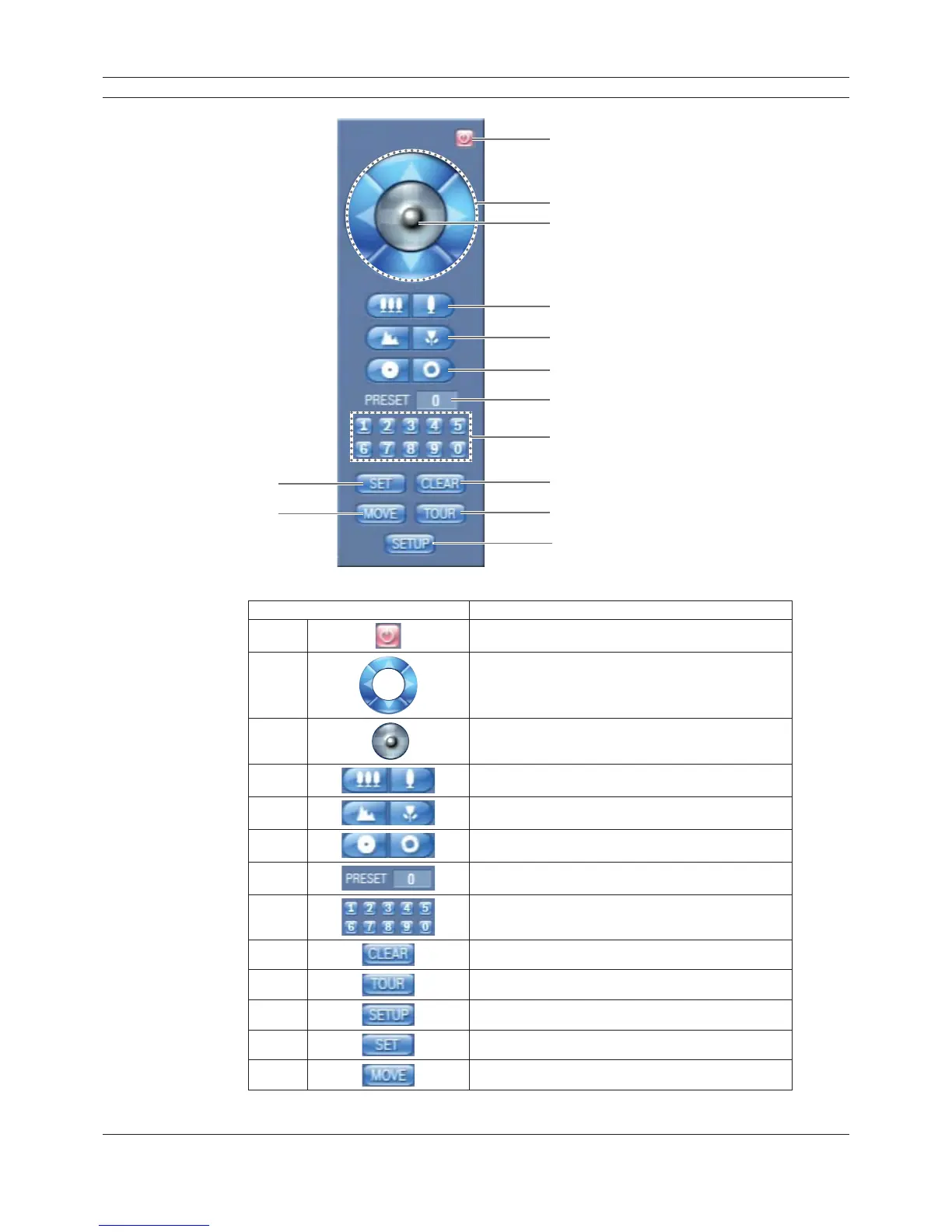
Figure 3.11 The PTZ virtual remote control.
Button Function
a
Remove the PTZ virtual remote control.
b
Use to pan/tilt the camera.
c
Confirm the preset position.
d
Adjust the camera zoom.
e
Manually adjust the focus of a camera.
f
Manually adjust the iris of a camera.
g
Displays the Selected Preset Number
h
Input the preset number.
i
Delete a memorized preset position.
j
Start a preset tour.
k
Display the setup menu of the PTZ camera.
l
Register preset positions.
m
Move the camera to the preset position.
Table 3.5 The PTZ virtual remote control button function table



 To Next Page