46 en | Connections and settings Digital Video Recorder
F01U | 1.0 | 2007.11 User Manual Bosch Security Systems
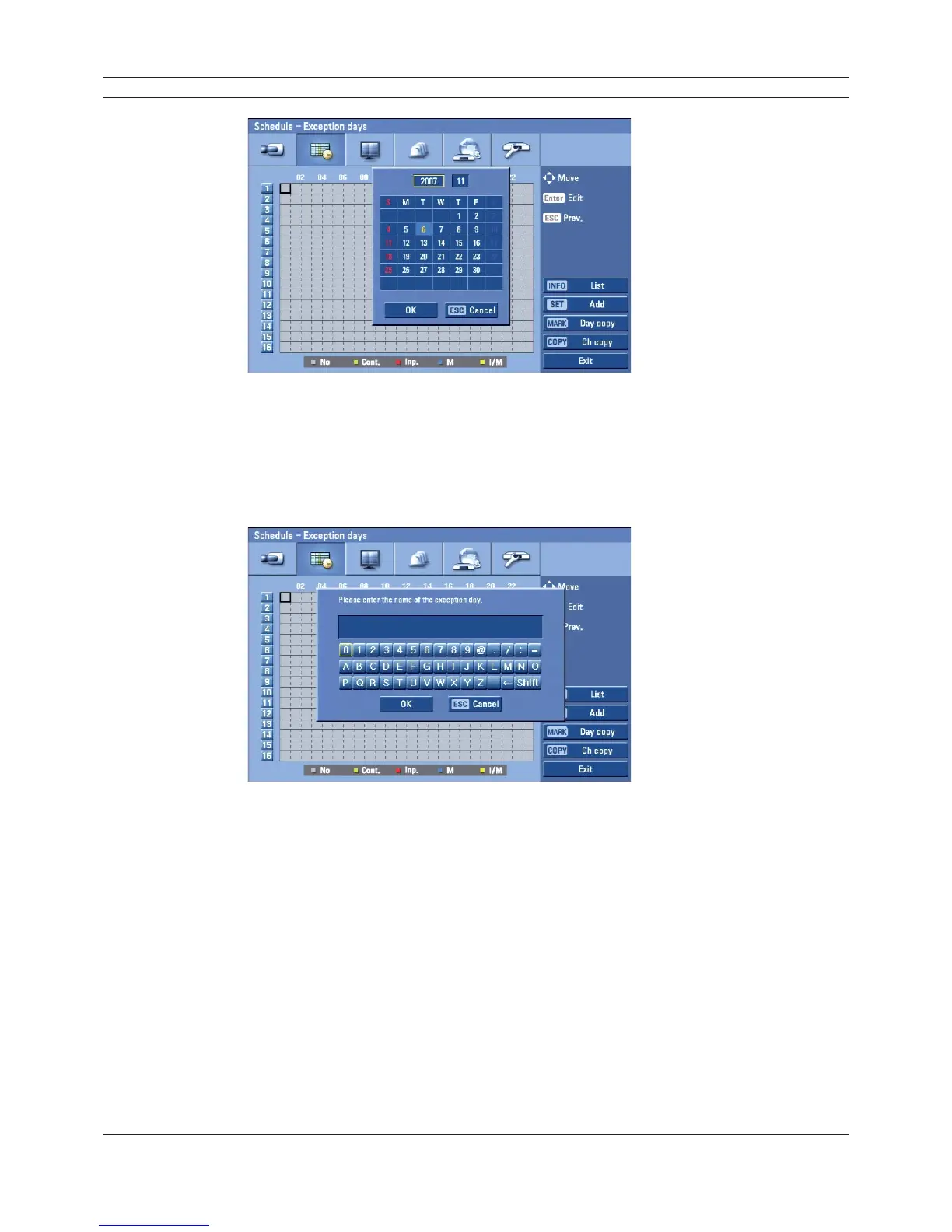
Figure 3.29 Exception days setup menu
4. Enter the necessary information for year, month and date.
• b/B/v/V: Press to move the columns, [OK] or [Cancel] buttons.
• b/B (or left/right mouse button): Changes the value at the current position.
5. Use b/B/v/V to select [OK] button and press ENTER.
The virtual keyboard menu appears.
Figure 3.30 Exception days setup menu
6. Enter the name of the exception day. Use v/V/b/B to select a character then press ENTER to
confi rm your selection.
7. Use v / V to select the [OK] icon then press ENTER to fi x the date of the special day and
return to the special day menu screen.
8. Select the schedule time and set the recording method for each channel.



 To Next Page