Digital Video Recorder Connections and settings | en 63
Bosch Security Systems User Manual F01U | 1.0 | 2007.11
3.24.5 Update
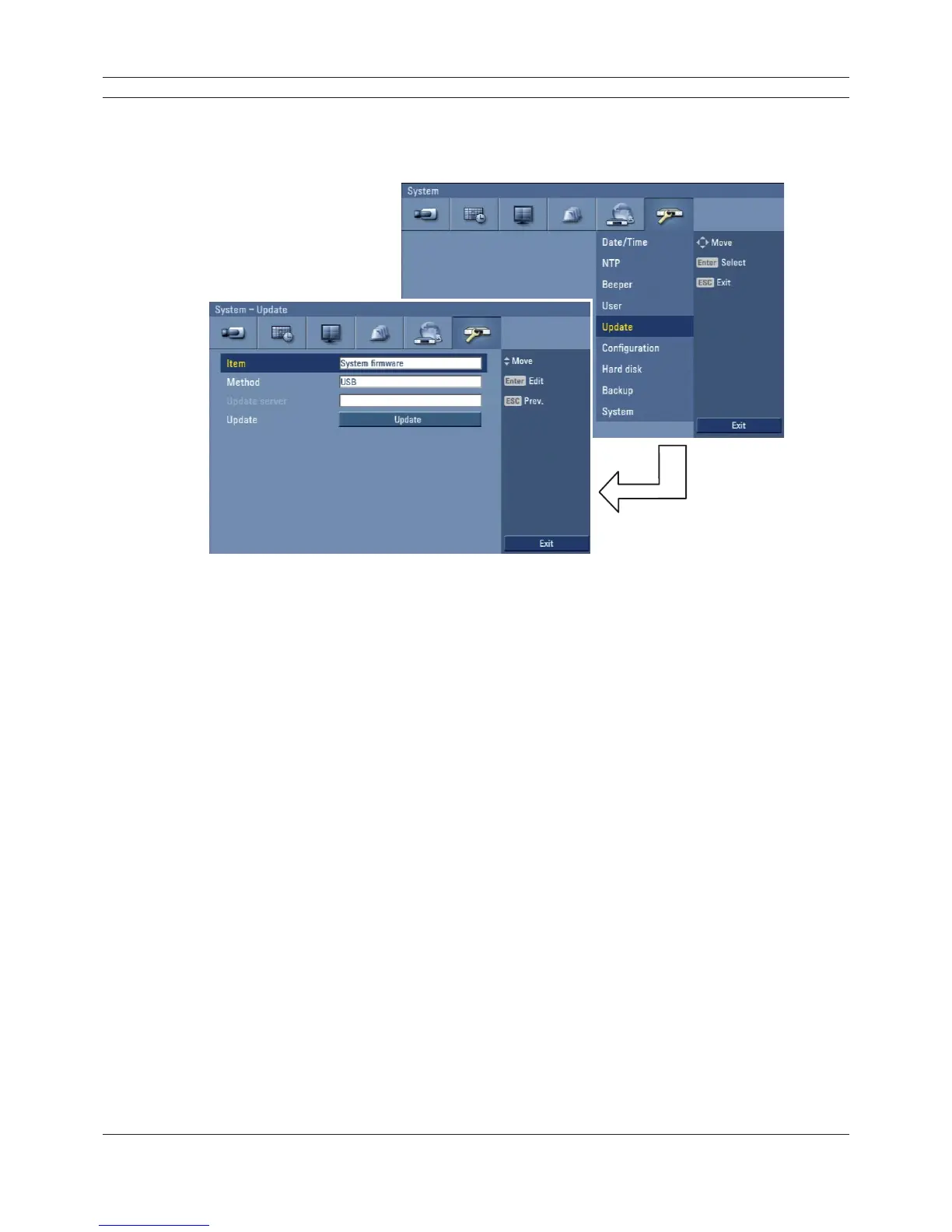
The update feature allows you to upgrade DVR software and add/upgrade PTZ protocols. In this
case, the current DVR settings are not deleted or replaced during the update process.
Figure 3.49 Update setup menu
1. Select one of the following:
• Select System fi rmware to upgrade DVR system software.
• Select PTZ protocol to update the DVR protocols.
2. Choose the media from which to perform the update:
• USB: Select USB, and then insert the USB drive into the DVR. All USB devices must be
disconnected before you can use the USB drive.
• Network: Select Network, and then do the following:
a. Select the update server settings box. The virtual keyboard is displayed.
b. Enter the update server IP address. The DVR network settings must be confi gured and
you must know the update server’s IP address.
3. Select Update to start the update process.
4. Select OK to begin the update process or click Cancel to stop and exit. After the update
process is completed, the system displays the Restart the system dialog box.
5. Click OK to restart the DVR.



 To Next Page