62 en | Connections and settings Digital Video Recorder
F01U | 1.0 | 2007.11 User Manual Bosch Security Systems
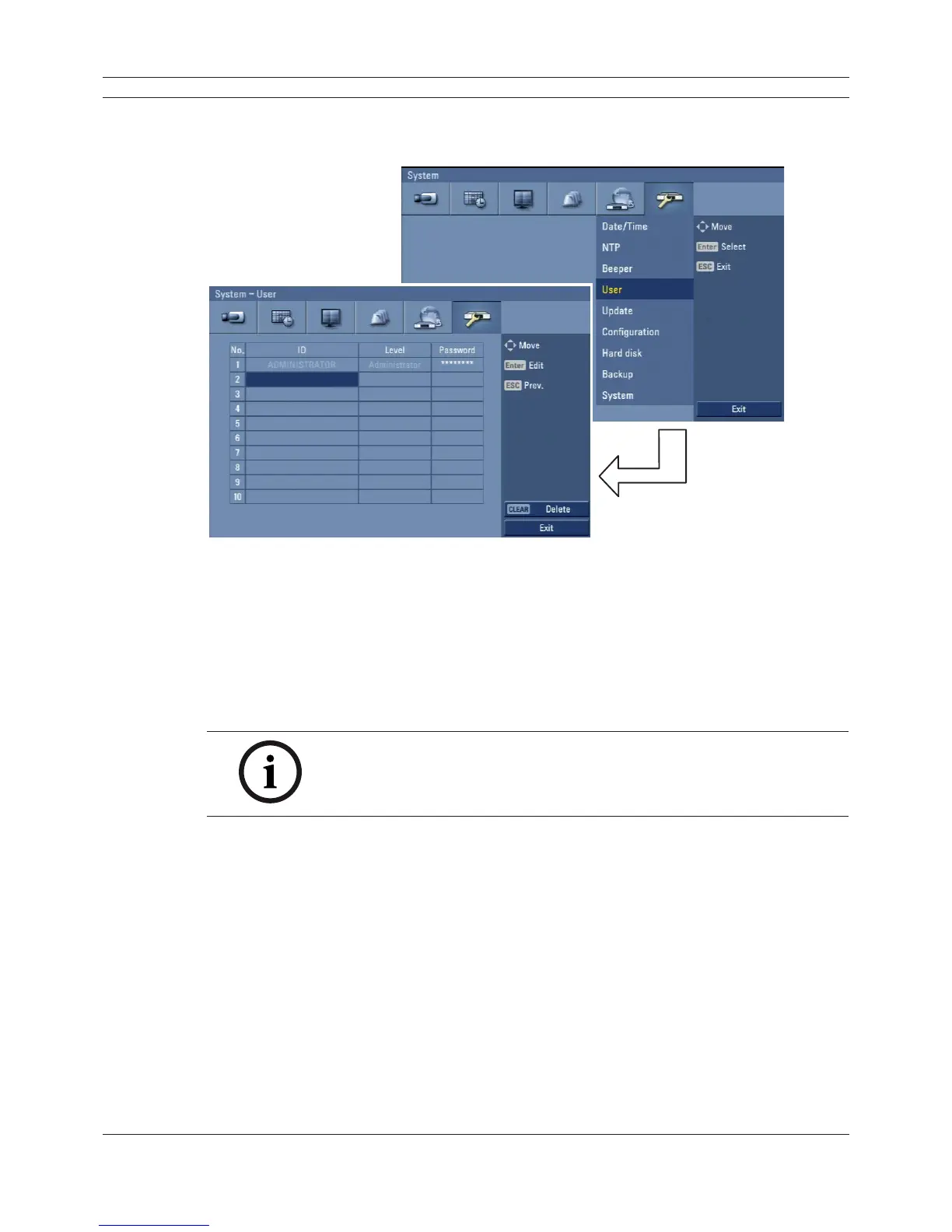
3.24.4 User
You can register a new user with various access rights to the DVR or Control Center.
Figure 3.48 User setup menu
• No.: Displays the user number.
• ID: Enter the new user ID using the virtual keyboard.
• Level: Select the level of the new user.
• Password: Enter or change the password for the user using the virtual keyboard. You can use
the password with number, special character or characters. (minimum length 4, maximum
length 8).
Note:
Remember the password. If you forget the password please contact an
authorized service center or the dealer you purchased the system.



 To Next Page