NurseCall Main Unit Programming | en 29
Bosch Security Systems User Manual F.01U.252.699 | V1.1 | 2012.01
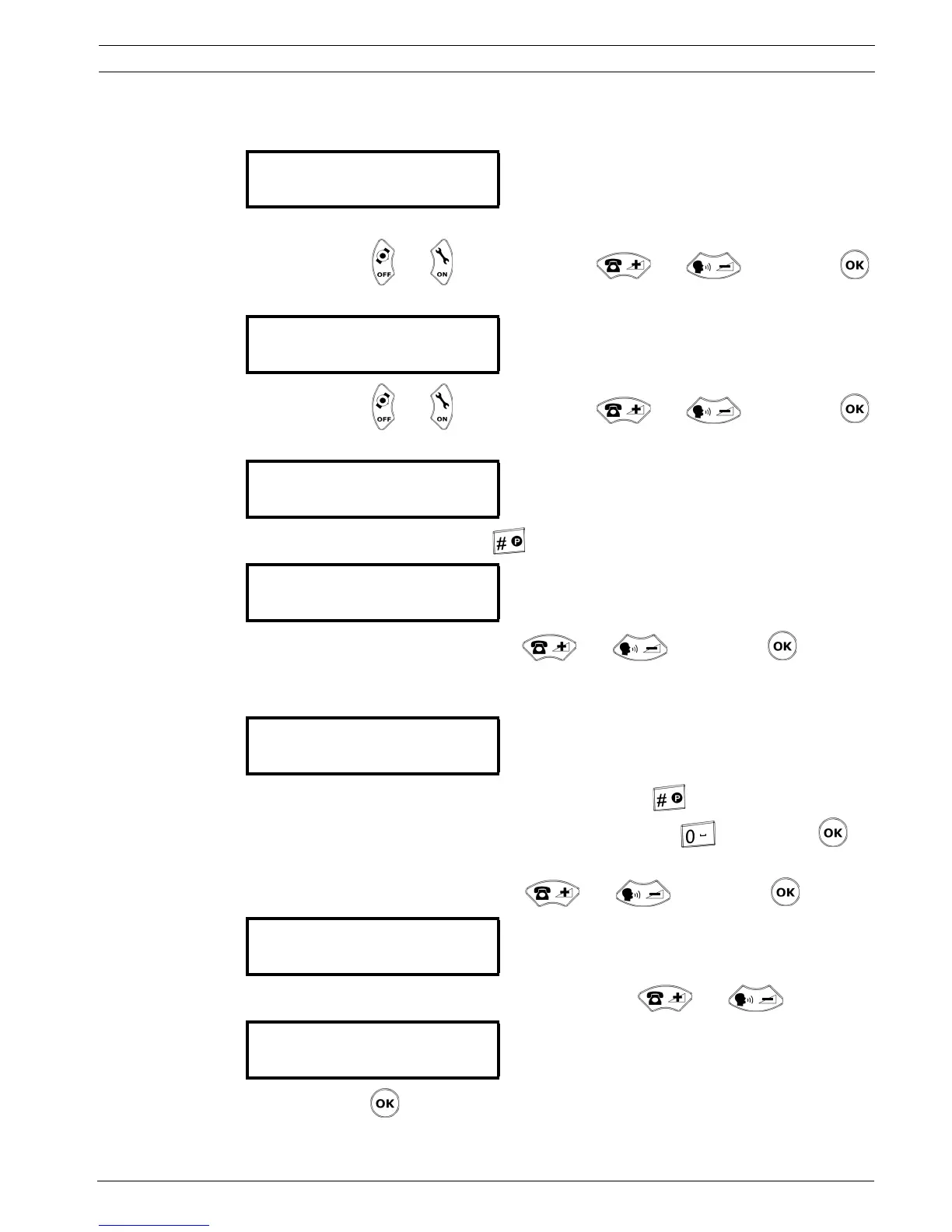
10. Decide how many characters per information (criterion, floor, room, bed, position)
should be filtered to the paging/DECT system. The upper line shows the outcome.
Choose 0 to 11 characters for the criterion, followed by 0 to 9 spaces.
Select a field with and , change a value with and . Confirm with .
11. If the FL,RO,BE display is selected, set the filter. The upper line shows the outcome.
Select a field with and , change a value with and . Confirm with .
12. If the locating mode is activated, set the filtering of the position.
To delete the POS indication, press . This is for pagers with only numeric indications.
Change the number of spaces (0-9) with and . Confirm with .
13. Set the beep codes that will be allocated to each pager.
Default values are, for HELP: 7; for ASSI: 5; for ACKN: 2.
To disable the message that indicates the beep code, press . A hash (#) then appears
instead of a value. To set a value again for the beep code, press . Confirm with .
14. If you have activated the ESPA 4.4.4 protocol and deactivated the RPE 670 system, select
the number of digits (2, 3 or 4) with and . Confirm with .
15. Activate (YES) or deactivate (NO) the mix mode with and .
16. Confirm with .
CRITERI<-
CRIT 07 + 0 SPACES
INFO.: fff rrr 00b
FL:3+3 +RO:3+1 +BE:3
BE POS xyz
SPACES : 1
BE xyz
SPACES : 1
BEEP CODE #=Disable
HELP:7 ASSI:5 ACKN:2
¬ PAGING ESPA 4.4.4.
NB.DIGITS : 3 ¡
¬ PAGING ESPA 4.4.4.
MIX MODE : NO ¡


 To Next Page
 Loading...

