Flags
Accessing a Label Type
92
BMP
®
41 User’s Manual
Flags
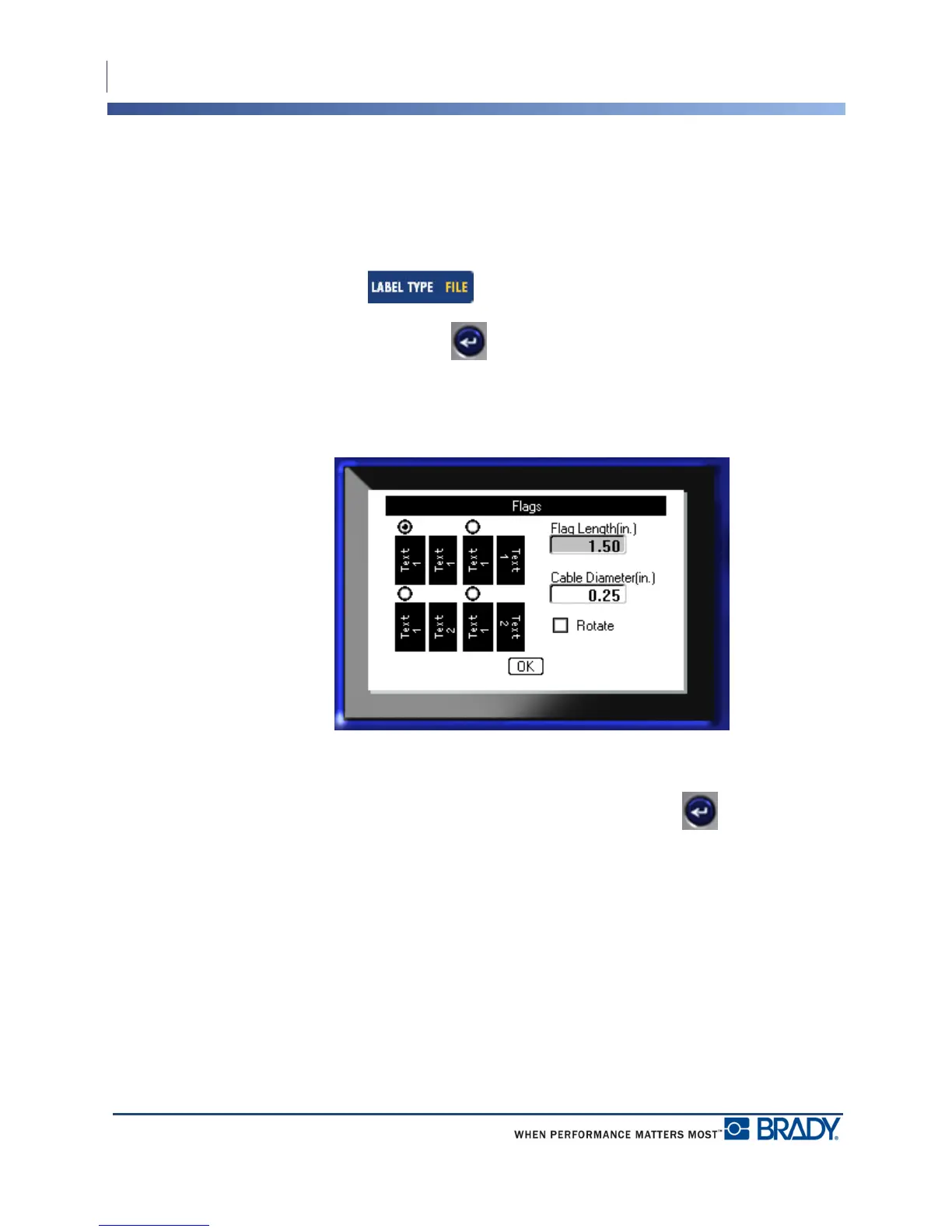
A Flag label wraps around a wire or cable, with the ends joined together to form a flag. The
Flag label type is designed to work with continuous media or specific multi-area die cut labels.
To use a Flag label type:
1. Press Label Type .
2. Choose Flags and press Enter .
A dialog box displays the different Flag layouts, preceded by a radio button.
To select a layout:
3. Navigate to the radio button of the desired layout and press Enter .
4. If continuous media is installed, navigate to the Flag Length field and enter the length of
the flag (the part that contains the text).
5. Navigate to the Cable Diameter field and enter the diameter of the wire/cable to which the
flag will be applied.



 To Next Page