Power Source
Loading the BMP41-BP NiMH Battery Pack
8
BMP
®
41 User’s Manual
Loading the BMP41-BP NiMH Battery Pack
If using a BMP41-BP NiMH battery pack, please consult the instructions enclosed with the
battery pack for charging and discharging the rechargeable battery.
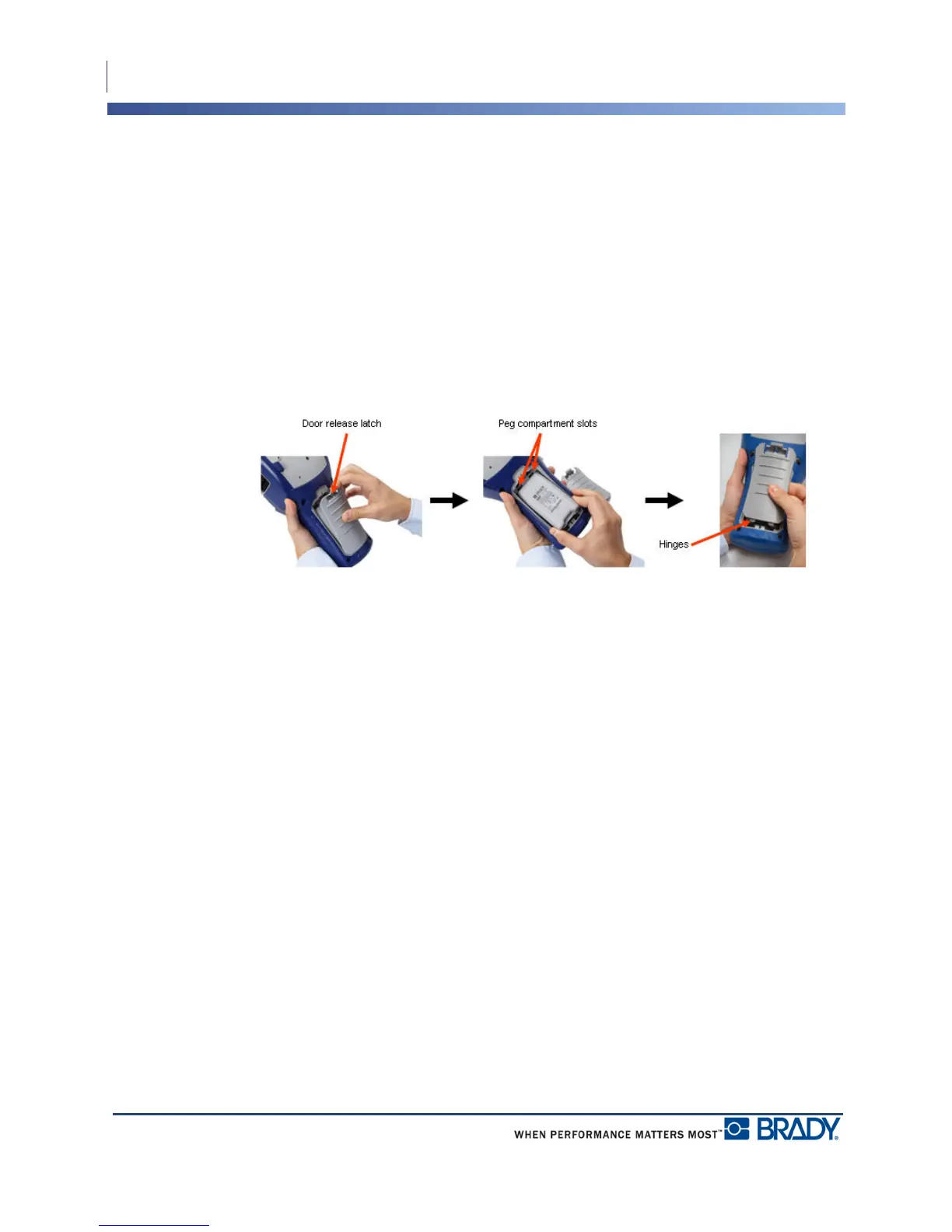
1. On the backside of the
printer, pull the door
release latch downward,
then swing the battery
compartment door up and
out. (The door will come
off.)
2. With the battery label
facing outward, insert the
battery pegs into the peg
slots at the top of the
compartment; then tip the
battery downward into
place.
3. Re-insert the battery door
hinges at the base of the
compartment and swing
the battery compartment
door closed, snapping it
into place.



 To Next Page