Power On
Display Screen
16
BMP
®
41 User’s Manual
Display Screen
The display screen enables you to view font attributes and other formatting features directly on
the screen while you are entering and editing data.
The screen displays one label, or one area on a multi-area label, at a time. For labels with
multiple areas, use Print Preview (see page 81) to view all areas together.
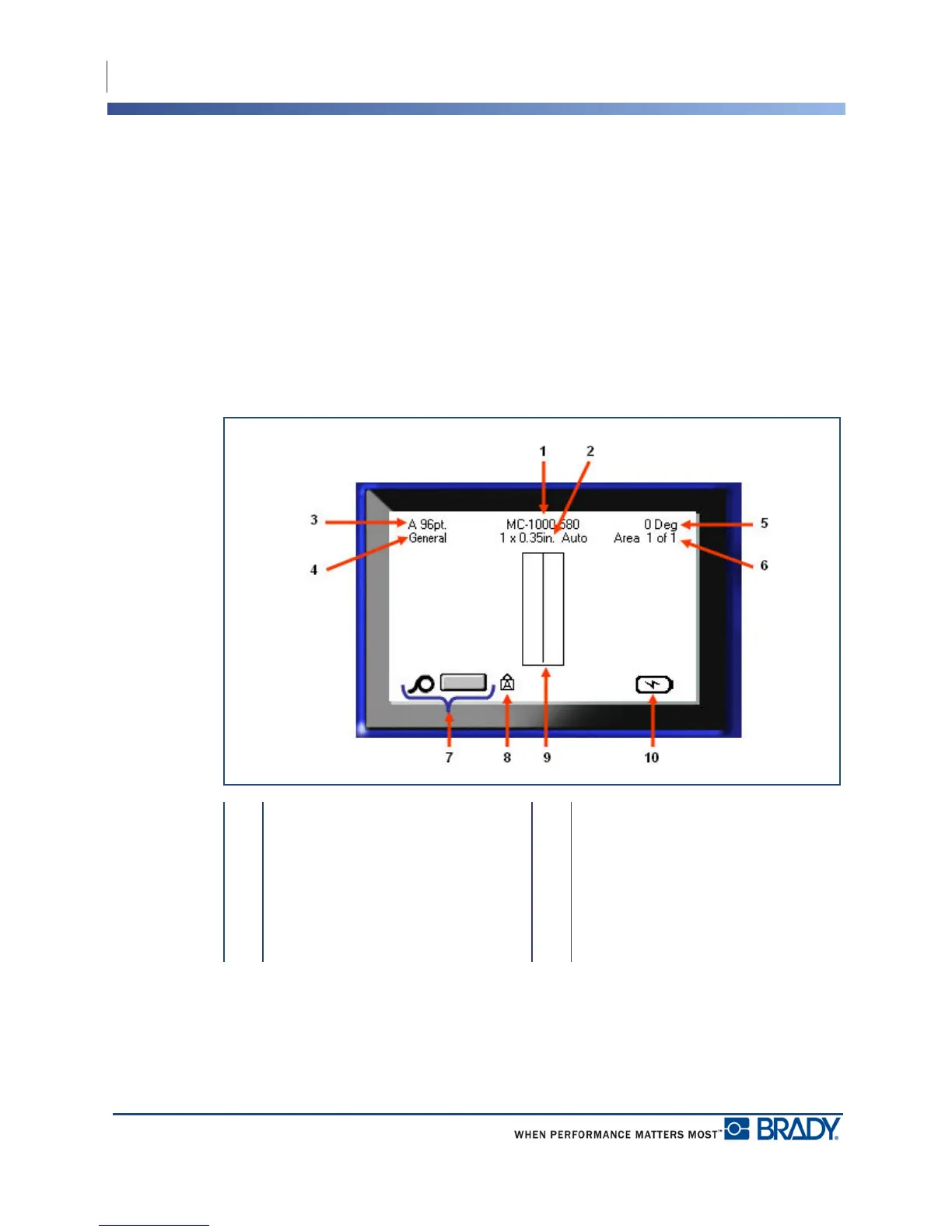
Status Information
A status bar displays permanently at the top and bottom of the screen and contains the
following:
1 Label part number 6 Number of areas on current label
2 Label size 7 Media remaining
3 Font size, with Auto size indicator 8 Indicates CAPS Lock is on
4 Label type 9 Editor window
5 Degree of rotation 10 Battery charging/or charge
remaining



 To Next Page