43
Formatting
Font
BMP
®
41 User’s Manual
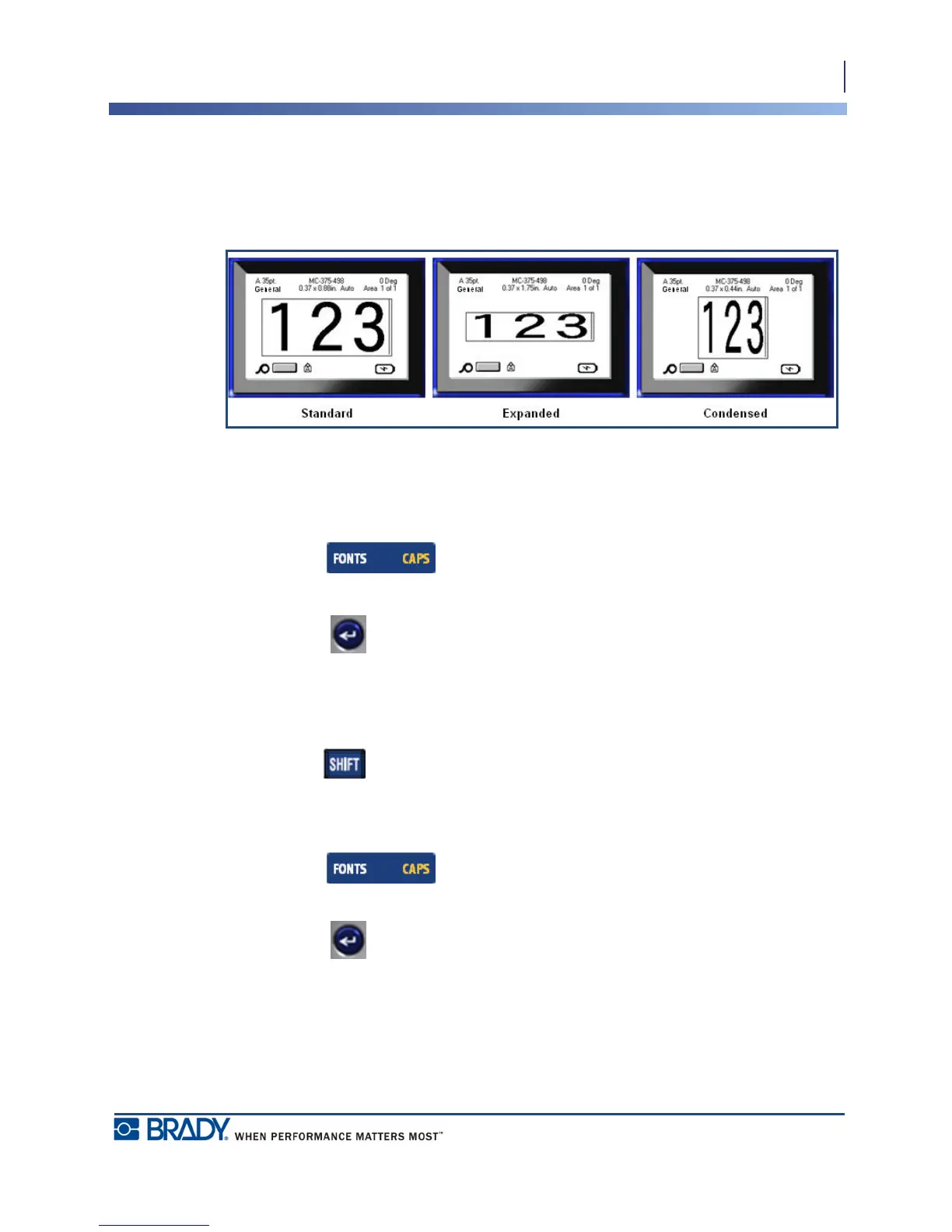
Expand/Condense
Expanding and condensing data affects character width and the spacing between characters in
a word. Data can be expanded or condensed according to predefined percentages.
Figure 14 • Expanded and condensed text
To Expand or Condense data, as it is entered:
1. Position the cursor where Expand or Condense should take affect.
2. Press Font .
3. Choose Exp/Cond>percentage desired.
4. Press Enter .
While entering data, the expand or condense attribute stays on until it is returned to 100%, or
until you move to a new area.
To expand or condense pre-existing data:
1. Hold Shift while moving the cursor across the characters that are to be expanded or
condensed.
This highlights the data.
2. Press Font .
3. Choose Exp/Cond>percentage desired.
4. Press Enter .
All highlighted text takes on the attribute.



 To Next Page