53
Labels and Areas
Rotate
BMP
®
41 User’s Manual
Rotate
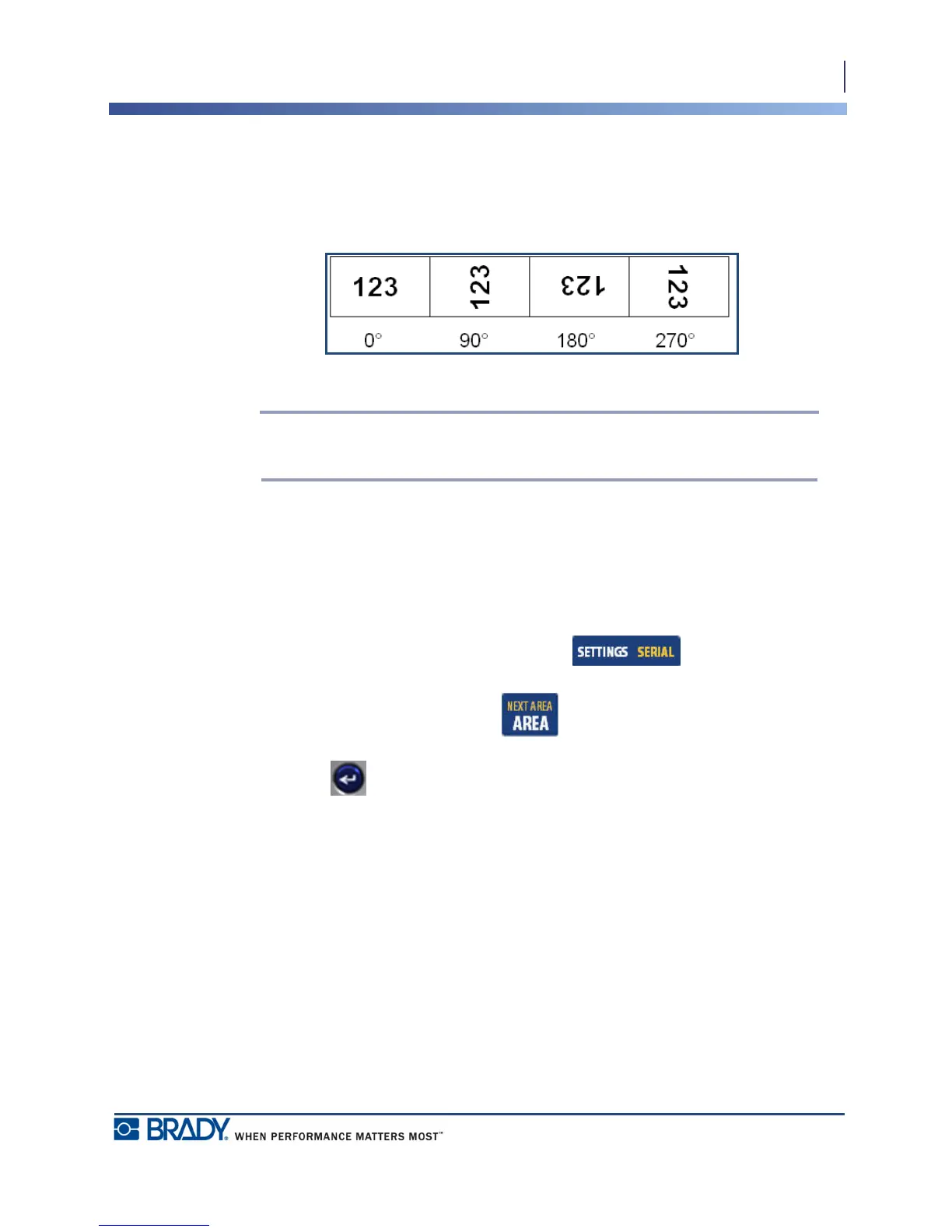
Rotation flips the data on a label, counter-clockwise, at 90° increments. Rotation affects all
data on a label.
Figure 20 • Degrees of rotation on printed label
Note: If rotation is applied individually to areas, you cannot apply rotation to the
entire label.
Data cannot be rotated on a line-by-line basis. When adding a new area, the rotation is the
same as the previous area.
To rotate data:
1. Navigate to the label or area where rotation will take affect.
2. To set rotation for the label, press Label Settings .
OR
To set rotation for an area, press Area .
3. Choose Rotate>degree of rotation.
4. Press Enter .



 To Next Page