Personnel:
n
Operator
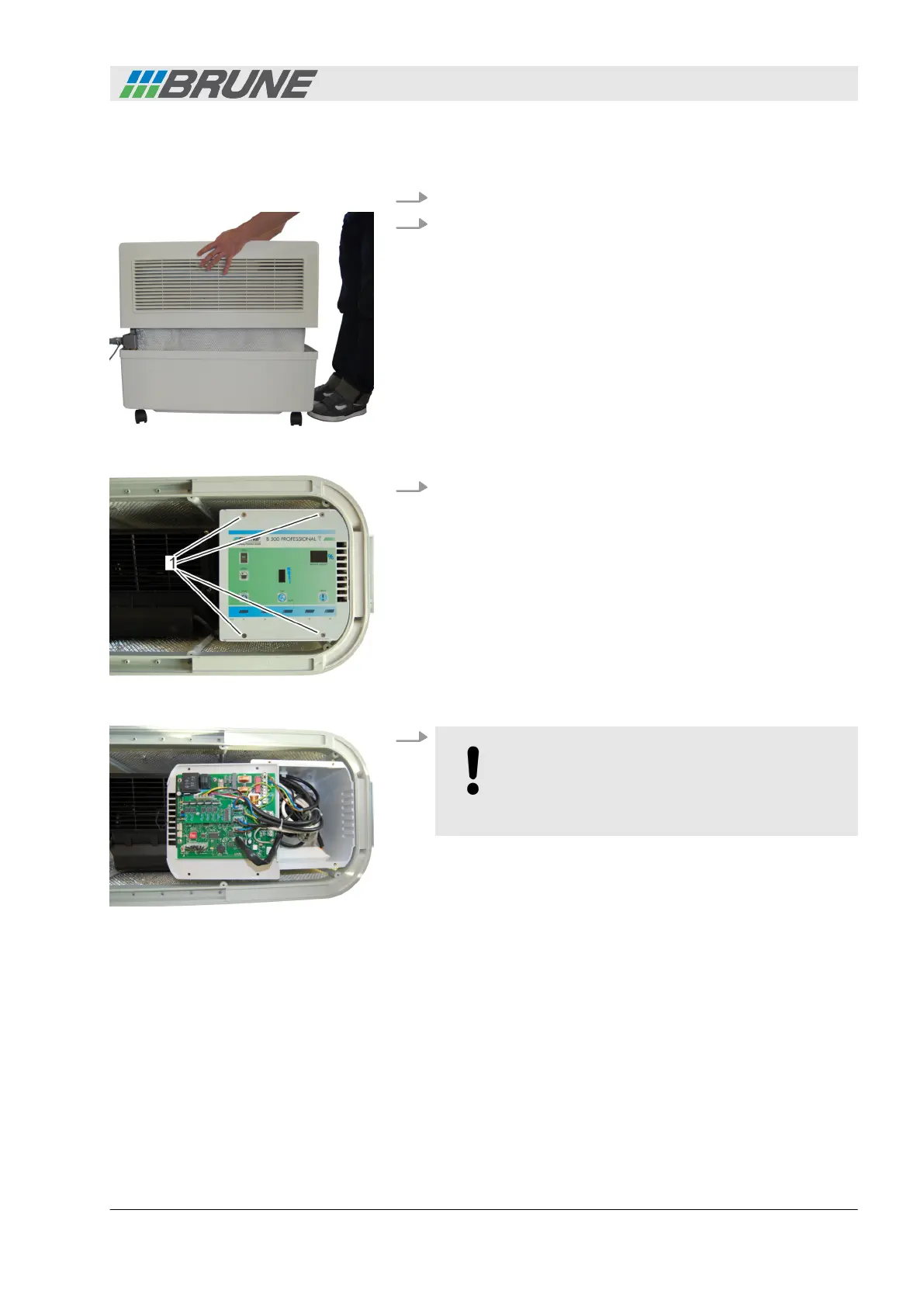
1. Switch off the device and disconnect the power plug.
2. Lift the cover of the humidifier upwards and place it to the
side (Fig. 18).
3. Use a screwdriver to loosen and completely unscrew the four
screws at the top of the control panel (Fig. 19/1) by turning
counterclockwise.
4.
NOTICE!
The electronics of the control panel are very sen-
sitive. Ensure that you do not touch the elec-
tronics and do not damage any components.
Remove the control panel and place on the operating side
(Fig. 20).
Coding the humidifier
Fig. 18: Removing the cover
Fig. 19: Releasing the control panel
Fig. 20: Removing the control panel
Start-up
Evaporation Humidifier B500 Professional 29



 To Next Page