152
Type 8692, 8693
english
DeviceNet
11 CONFIGURATION EXAMPLE 1
The example describes the principle procedure when configuring the device using the software RSNetWorx for DeviceNet
(Rev. 4.12.00).
11.1 Installation of the EDS File
The EDS file supplied on the CD is installed with the aid of the EDS Installation Wizard Tool associated with RSNetWorx.
During the installation procedure the icon also supplied on CD can be assigned (if this does not occur automatically).
11.2 Address Assignment
There are two options of assigning an address to the devices.
On the one hand the address can be set by pressing the operator keys on the device to the required value within the range
0 – 63 (see chapter entitled Settings on the positioner), on the other hand the address can be changed from connected devices
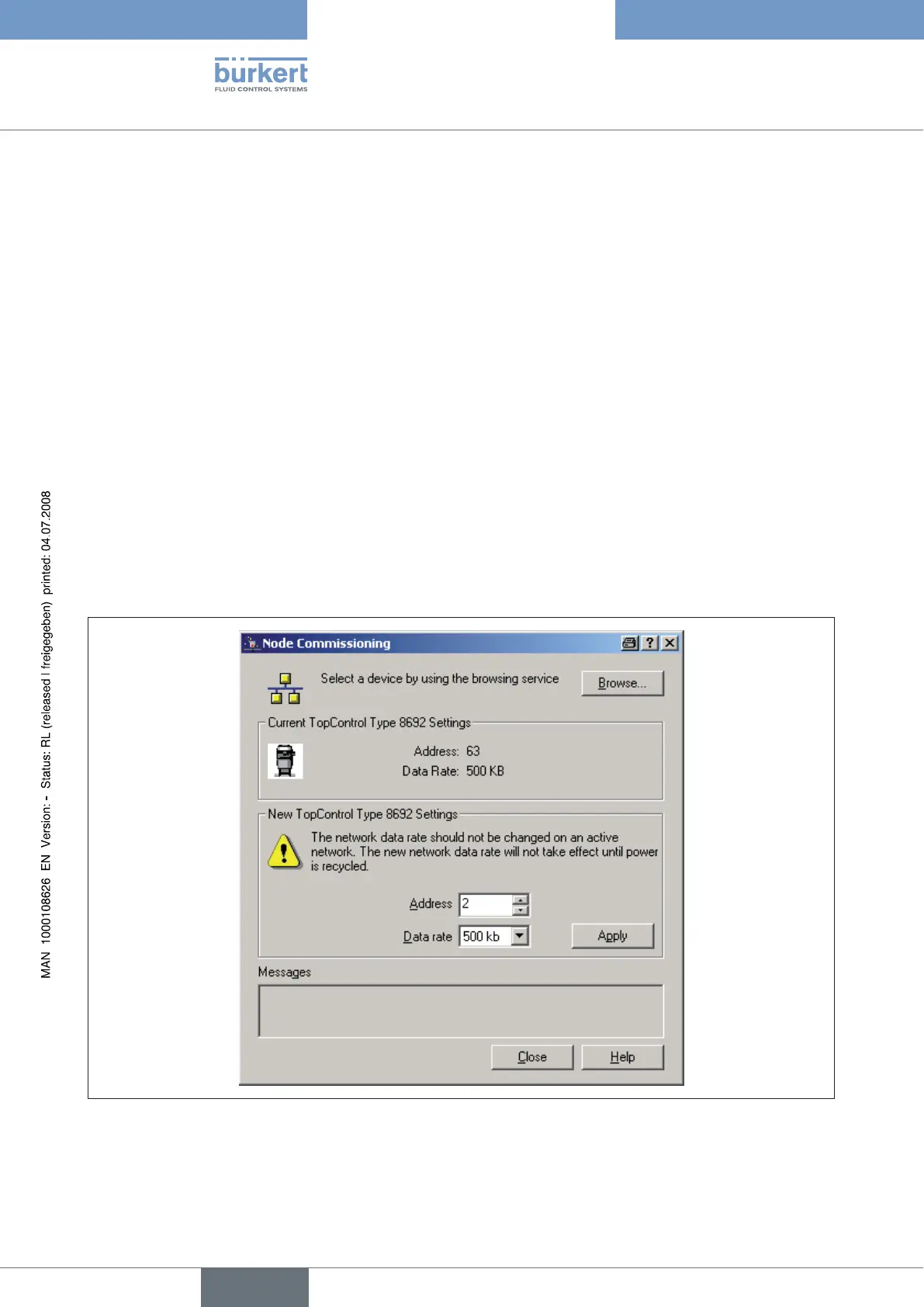
via the bus with the aid of the Node Commissioning Tool associated with RSNetWorx. Therefore devices with the default address
63 can also be inserted sequentially into an existing network without difficulty.
Fig. 7 indicates how the new address 2 is assigned to a device with address 63.
Fig. 7: Screenshot - DeviceNet - Fig. 1



 To Next Page