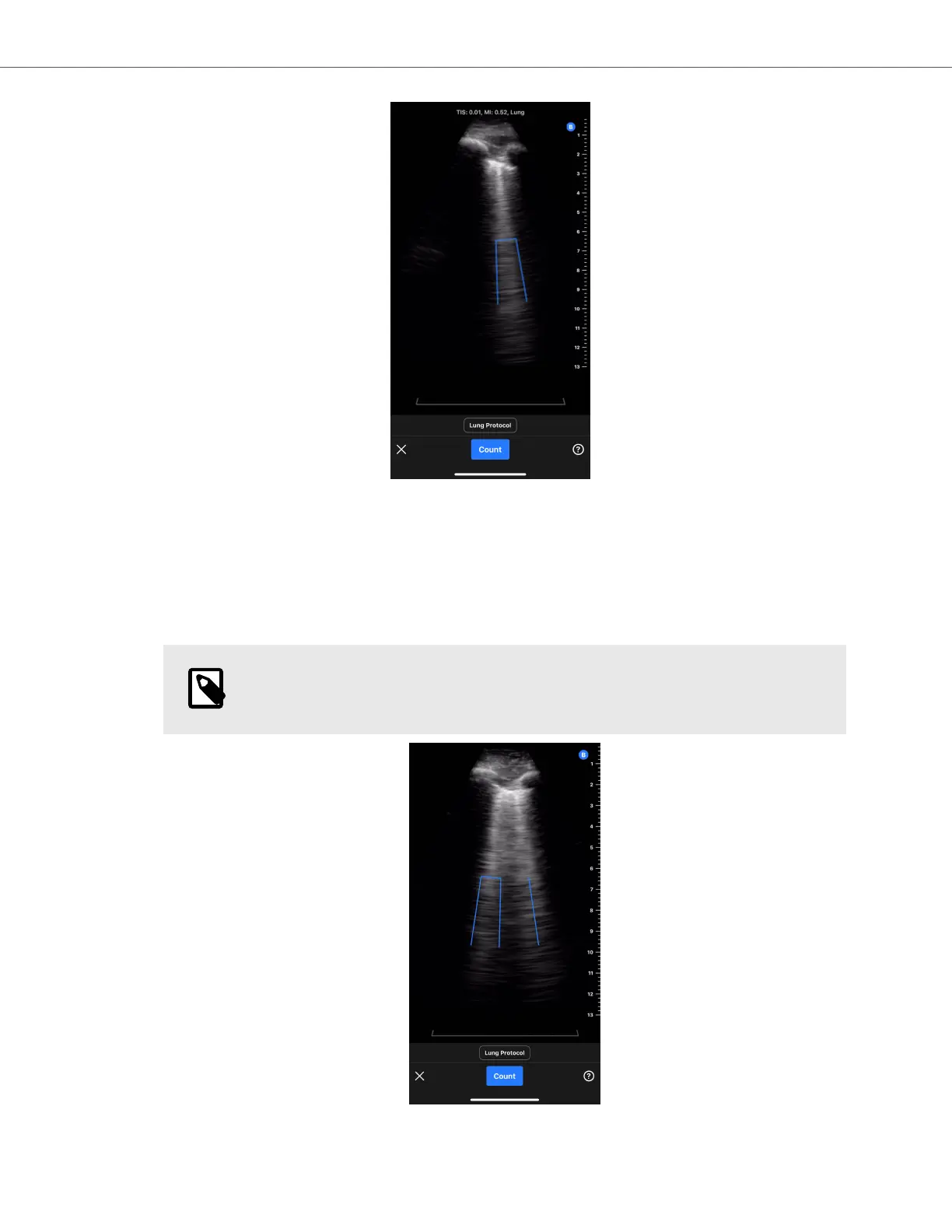
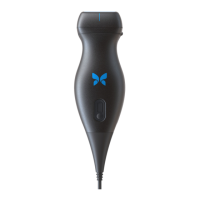
a. A static, 30-degree sector intercostal space indicator is shown at the bottom of the screen that highlights
the area of the image where the B-line count will be measured.
b. Image gain can be adjusted by swiping left and right on the image.
c. Image depth can be adjusted by swiping up and down on the image. The image depth cannot be adjusted
to be less than 8 cm when using the Auto B-line Counter.
d. The locations of any detected B-lines are shown in real-time via blue lines overlaid on the image. A single
blue line represents a discrete B-line and a blue bracket will highlight areas of confluent B-lines.
NOTE
B-line location visualizations should not be used for clinical decision-making.
Butterfly Auto B-line Counter
AI-Assisted Tools 52


 To Next Page