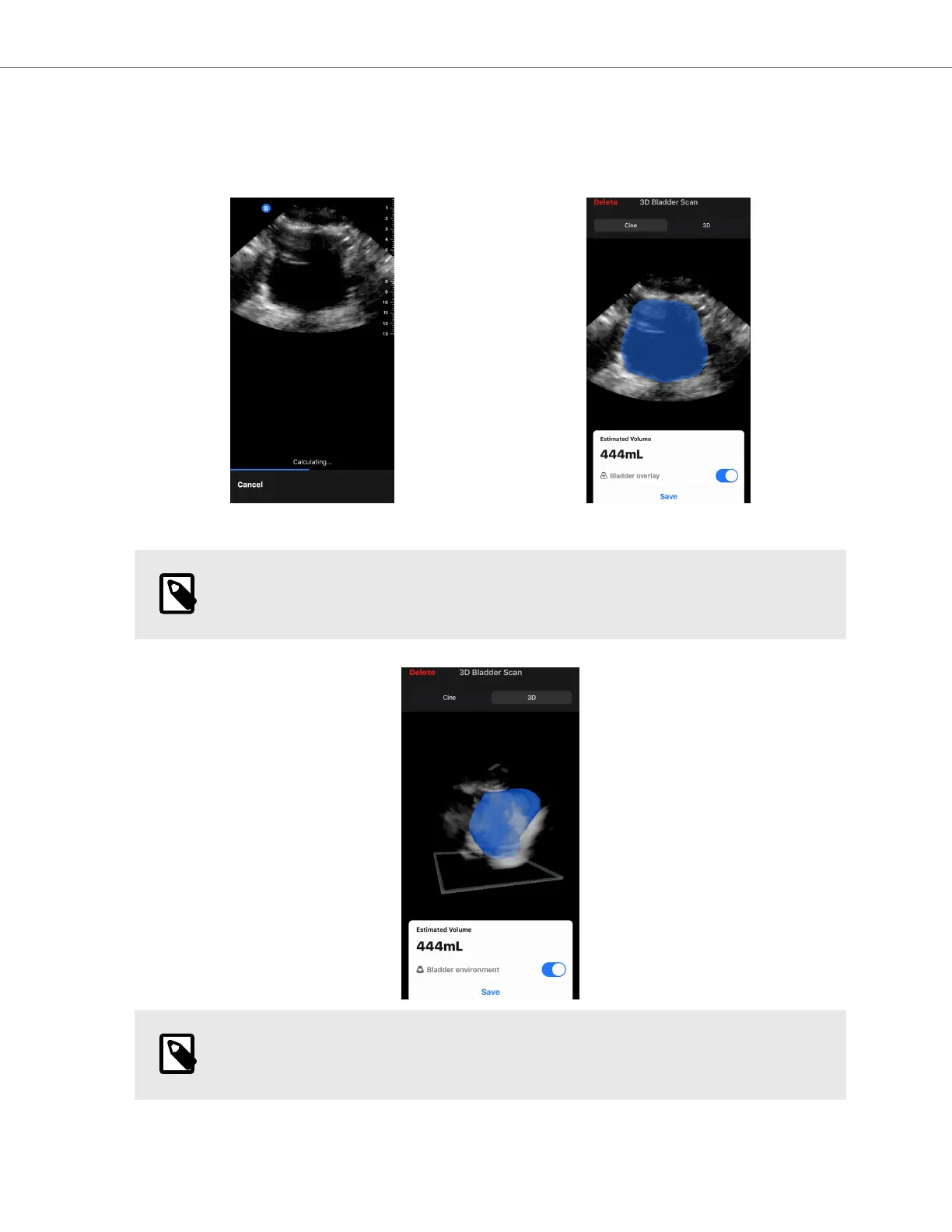
3. Select Calculate. A 3D sweep of the bladder area is automatically acquired. Do not move the probe during the
sweep.
4. After successfully capturing the bladder, a volume is displayed at the bottom of the screen. The cine above the
volume result displays the images and estimated bladder used to calculate the volume.
NOTE
You can disable the blue bladder highlight by tapping the Bladder Overlay toggle.
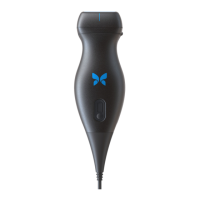
5. Tap the 3D bar to visualize an interactive 3D render of the bladder.
NOTE
The 3D render is not for diagnostic use.
Saving an Automatically Estimated Bladder Volume
Automatically Estimating Bladder Volume
AI-Assisted Tools 63


 To Next Page