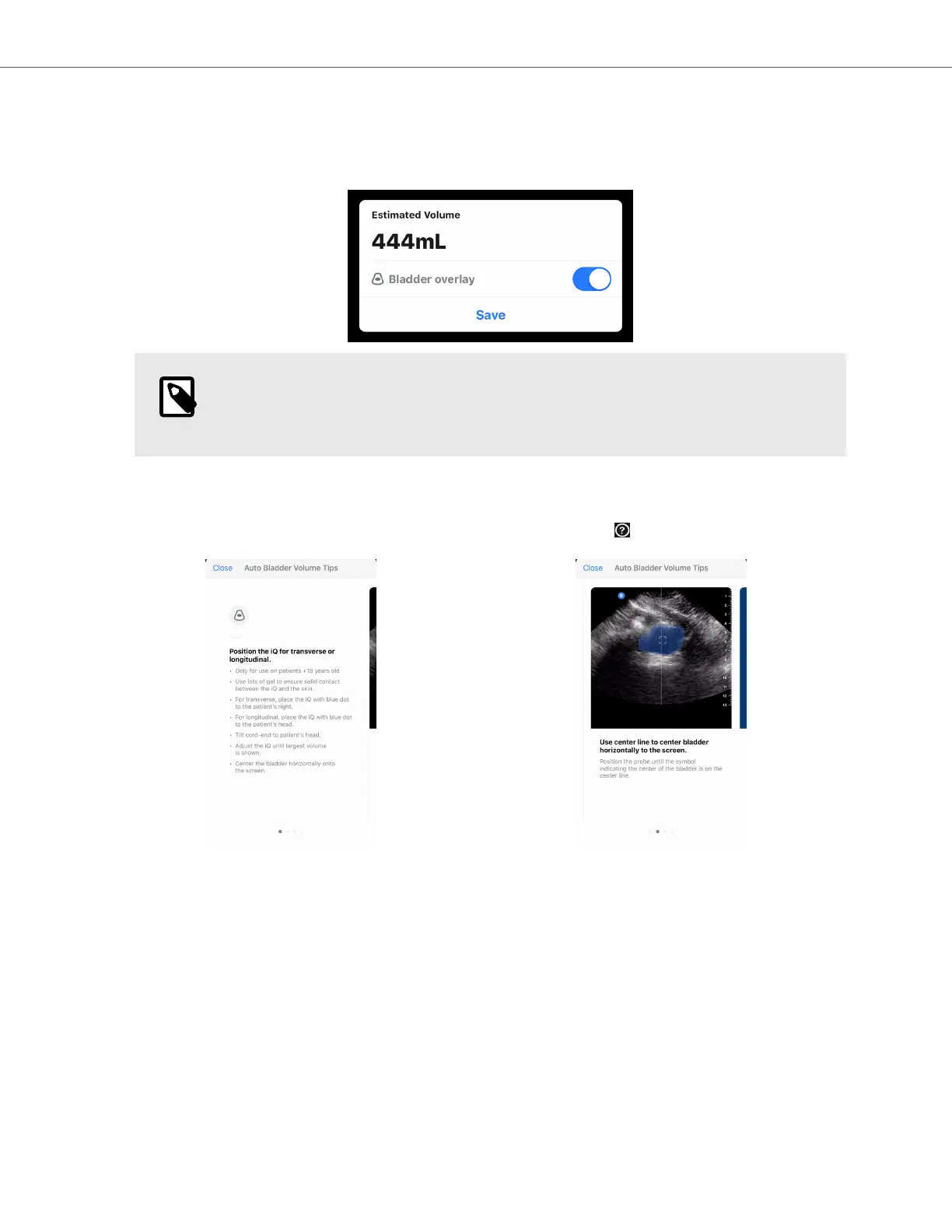
The Auto Bladder Volume tool allows you to save the estimated volume result for review in the Butterfly iQ Mobile
App and Butterfly Cloud.
1. Select Save from the bottom of the Bladder Volume result screen. The captured cine loop with the bladder
volume estimate and bladder out line is saved to the Capture Reel.
NOTE
Selecting Delete deletes both the bladder volume result as well as the cine used to calculate
the result.
User Tool Tips
First time users of the Auto Bladder Volume tool are presented with tips on using the tool. These informational tabs
can be accessed by any Auto Bladder Volume tool user at any time by selecting when in the tool.
Automatically Estimating Bladder Volume
AI-Assisted Tools 64


 To Next Page