81
81
EN
8.14 Fault messages
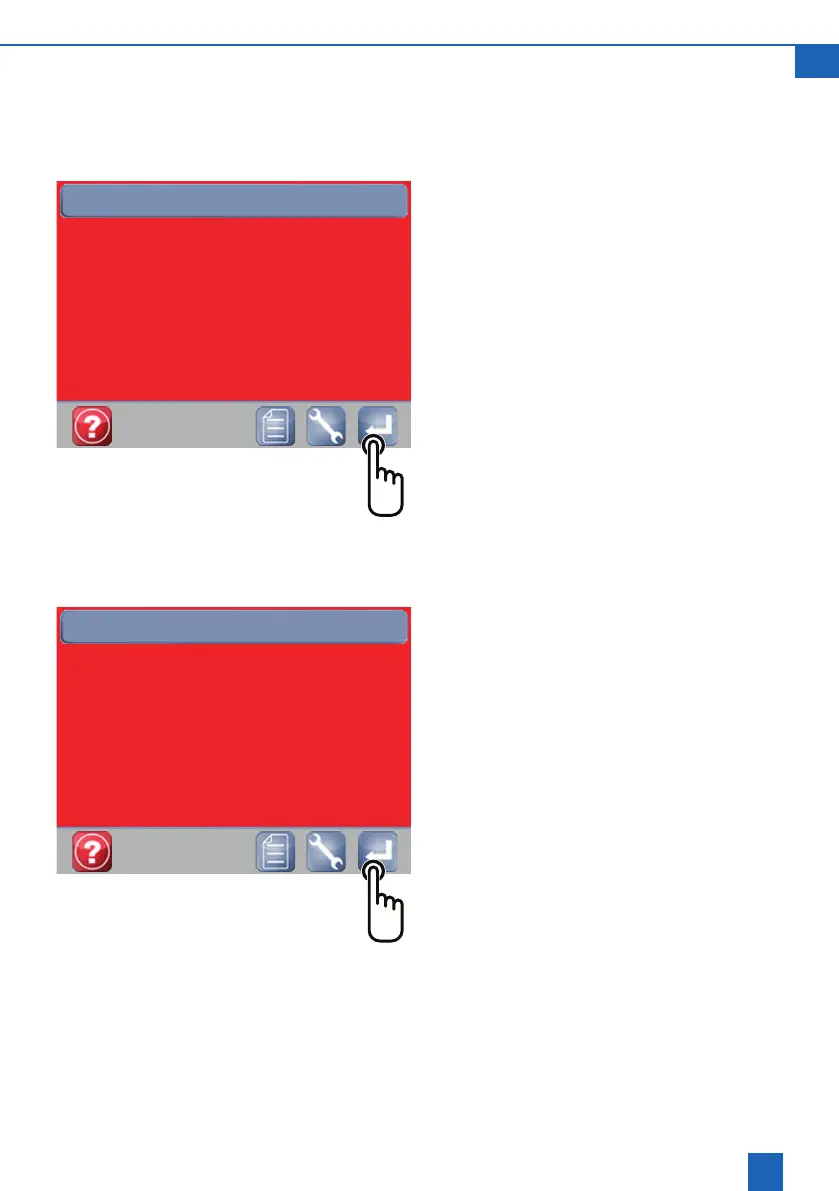
Fault messages are indicated by a red screen and
a short description of the fault.
Example:Overowfault
Acknowledge the fault
If a persistent problem arises, disconnect the mains
plug and turn the handwheel on the Multiblock mod-
ule to close it all the way (this opens the bypass for
thewatersupply).
Contact the after-sales service staff if the fault is
still displayed.
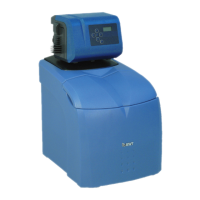
Example: AQA Stop triggered
Theoorsensorhasdetectedwaterorcontinuously
owingwaterhasexceededtheamountspecied.
Resolve the issue.
Drytheoorsensorifnecessary.
Hold down the Enter button for 5 seconds.
Alternatively, remove the mains plug, wait 10 sec-
onds and then plug back in.
The control valve will open again to let water
through.
Fault
01.07.14
10:45:21
Drain2overow
Fault
01.07.14
10:45:21
AQA Stop triggered
Info (Help button)
Press the question mark



 To Next Page