76
EN
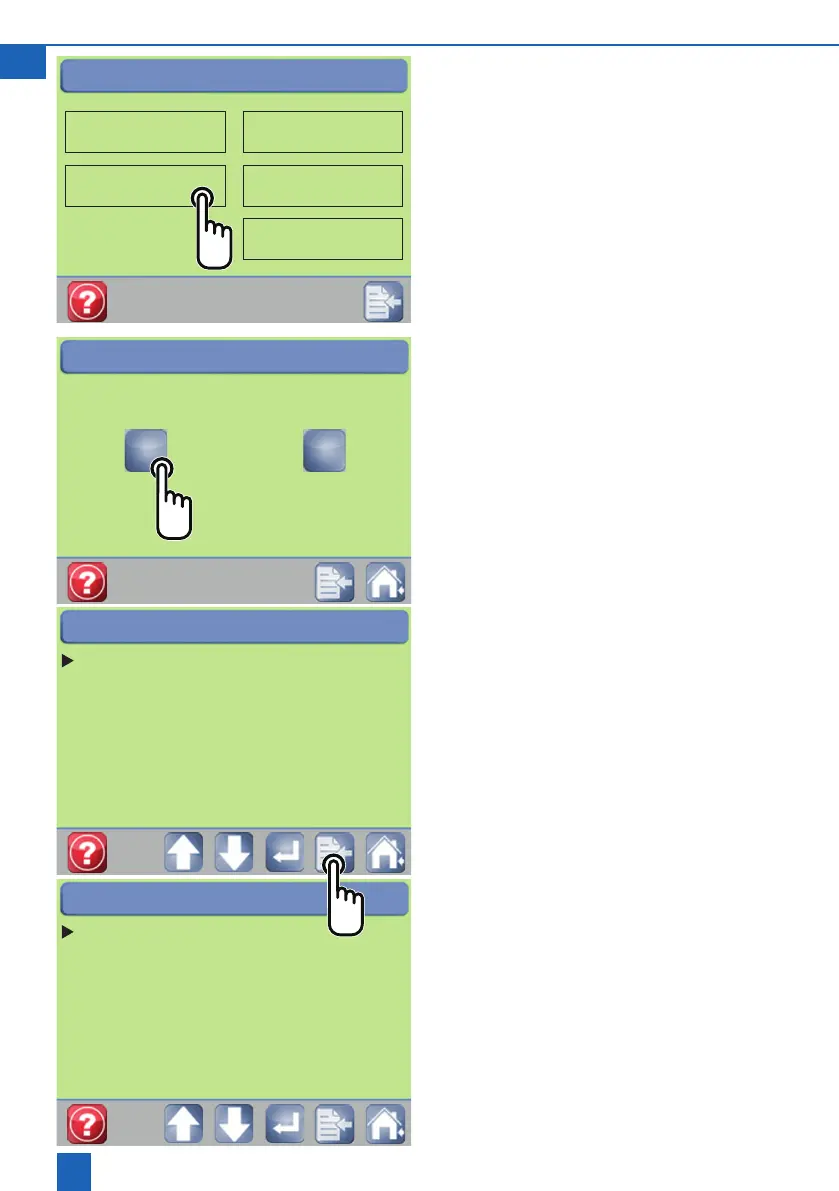
8.8 Setting options on the Unit set-up
screen
The Technician button can only be accessed by
customerservice(passwordprotected)
Changing settings
1. Use the arrow buttons to move the cursor to the
eldyouwishtoedit.
2.PresstheEnterbuttontoactivatetheeld.
3. Use the arrow button to change No / Yes
4.PressEntertoconrm
8.9 Meaning of the different settings
Regeneration time
Only for water softeners with parallel operation
Audible alarm
Alarm tone on/off
Regeneration time
Audible alarm No
High-ow No
AQA Stop Yes
Sensor No
Rinse / Hygiene No
AQA Watch Yes
Filter No
Screensaver
AQA Stop trigger volume 9999 l
Unit set-up - customer
Setting
Time - Date
Unit set-up
Hardness
Installation site
Contact person
Customer
Time / Date
Technician
Regeneration time
Audible alarm No
High-ow No
AQA Stop Yes
Sensor No
Rinse / Hygiene No
AQA Watch Yes
Filter No
Screensaver
AQA Stop trigger volume 9999 l
Unit set-up - customer



 To Next Page