PMW20
121
PMW20
120
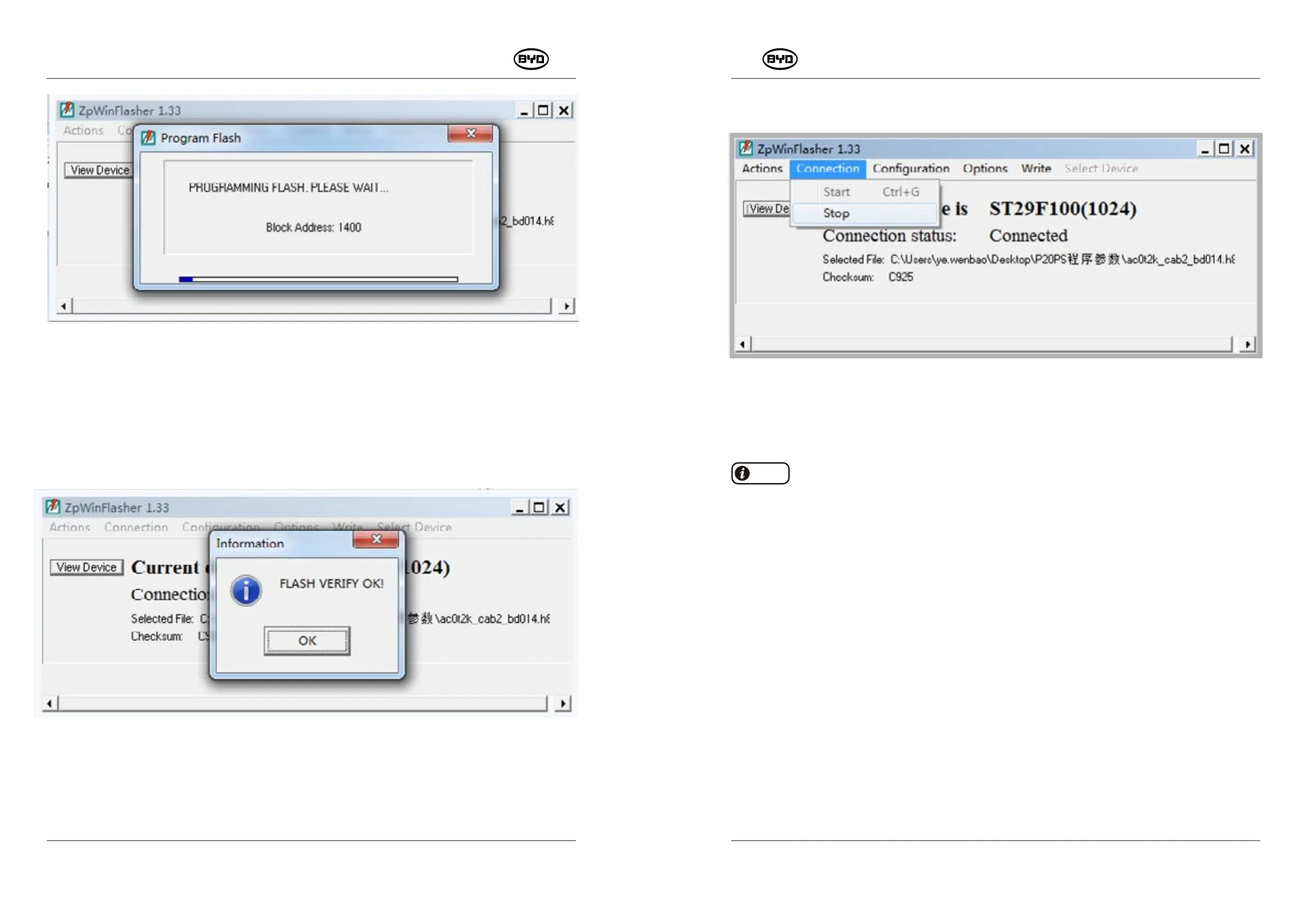
Fig.1.15
After the writing and verification is complete, click the button "OK", as shown in the Fig.1.16.
Fig.1.16
7. Click "connection"→"stop" and then finish the burning, as shown in the Fig.1.17.
Only trained and qualified technical personnels can perform the burning way
of the controller
COMBIACX and AC-0 .
SM-PMW202020001-EN
SM-PMW202020001-EN
Hint
Please pull out the device and then use ZpCanConsole and corresponding CAN box to
import the connection parameters.
Fig.1.17


 To Next Page