7
7-12 Flex Max901e 1GHz Trunk and Bridger Amplifiers 1502154 Rev D
Setting Transponder Levels
The Flex Max901e does not have transponder input and output PADs similar to the OM4100. The
Value Max transponder input range is –20 to 20dBmV, with a nominal input of 0dBmV. The
factory-shipped maximum output level is 40dBmV. An AM protocol transponder output level can be
set to 40, 34, 28, 22dBmV, or auto from the headend using Omni2000. The auto setting adjusts the
return transmitter level automatically to be close to 0dBmV at the MCU/modem card input. An HMS
protocol transponder output level can be adjusted from 40 to 10dBmV in 0.1dBmV steps from the
headend using HMS-based software. If the Flex Max901e forward path has been balanced correctly,
and if the transponder’s forward data carrier level has been set 10dB below the analog level, then
the input into the transponder should be correct. If the Flex Max901e return path has been balanced
correctly, the factory-shipped transponder output level of 40dBmV should be sufficient to achieve a
level of –10 to 10dBmV at the headend. Therefore, if the node is balanced properly, the Value Max
transponder is truly Plug & Play. You should not ever need to adjust the output level of the
transponder.
When setting up a Value Max transponder for the first time, measure the signal level received from
the transponder at the RF modem location with a signal level meter. If the received signal is not
within the appropriate range for your RF modem receiver, monitor the unit through your element
management system and adjust the signal level from the headend to achieve correct levels.
Removing the Transponder
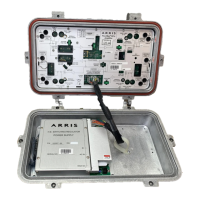
The Value Max transponder is secured by a bracket to the module cover.
➤ To remove the transponder
1. Use a Torx 15 driver to remove the module cover screw securing the bracket of the
transponder from the right of the transponder opening in the module cover. Refer to
Figure 7.5 on page 7-11 for the location of the transponder.
2. Pull the transponder out of the base.
Table 7.3 Value Max Transponder LED Status
LED Sequence Indication
Steady on for 3 to 10 seconds During boot-up immediately following installation.
Single blink every 5 seconds On, but in search mode (RF input is low or receiver is not tuned to forward
data carrier).
Double blink every 5 seconds Registration to forward data carrier frequency may be about to occur or may
be in process.
Burst blink of transmitted data Transponder is sending data to the headend controller.
Blinks every second or so; often in multiple transponder systems.
Blinks on 0.5 second then off 0.5
second
Transmitter constantly on.
Off, stays off Fault/failure
Table 7.4 Value Max Transponder Monitored Parameters
Parameters Activity Operational Range
Temperature Monitor –40 to 85° C, case
Received Forward Data Carrier Power Monitor +20dBmV; 0dBmV; –20dBmV
+24V
DC Monitor +23.5VDC to +24.5VDC
Three Return Switches (T); Two Return Switches (B) Monitor/Control Low atten. (0dB); 6dB; High atten. (30dB)


 To Next Page