7
1502154 Rev D Maintenance 7-7
RF Module Replacement
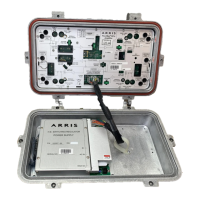
The RF module can be installed in the housing in one of two orientations (refer to Figure 7.3). When
installing fuses, surge terminators, or brass shorting bars to route AC power, note that the power
supply fuses are associated with the RF module ports and not the housing ports.
➤ To remove the RF module
1. Disconnect the power supply plug from the RF module POWER PLUG connector (See
Figure 2.1 on page 2-2).
2. Use a flat blade screwdriver to loosen and release the four captive module hold-down
screws (See Figure 2.1 on page 2-2).
3. Firmly grasp the RF module handles and pull the RF module straight out of the housing.
➤ To install the RF module
1. Verify that the back of the module is clean and dry.
2. Orient the replacement RF module in the housing as required (see Figure 7.3 on page 7-8).
Align the RF module back pins with the receptacles located on the centerseizure
assemblies. If using the Rotated Configuration, cut and remove the tie wrap around the
power supply connector lead so the plug on the connector lead will reach the module
socket.
WARNING Hazardous voltages are present. Use approved safety equipment and
procedures.
CAUTION Arcing between the RF module and centerseizure assemblies will damage
the unit. Disconnect power supply plug before removing the RF module from the
housing.
Note If replacing an RF module with one having a different testpoint loss, modify the
testpoint loss labeling on the housing accordingly. If the testpoint loss is labeled on the
replacement module faceplate, modify or remove the housing label.
Tip If aluminum oxide (white powder) is present on the centerseizure assemblies,
remove it before proceeding.


 To Next Page