4
1502154 Rev D Housing Instructions 4-5
Housing Opening
The electronic components of the Flex Max901e are enclosed in a specialized, diecast aluminum
housing. Proper installation and other housing-related operations are important to ensure the
integrity of the electronics within.
➤ To open the housing
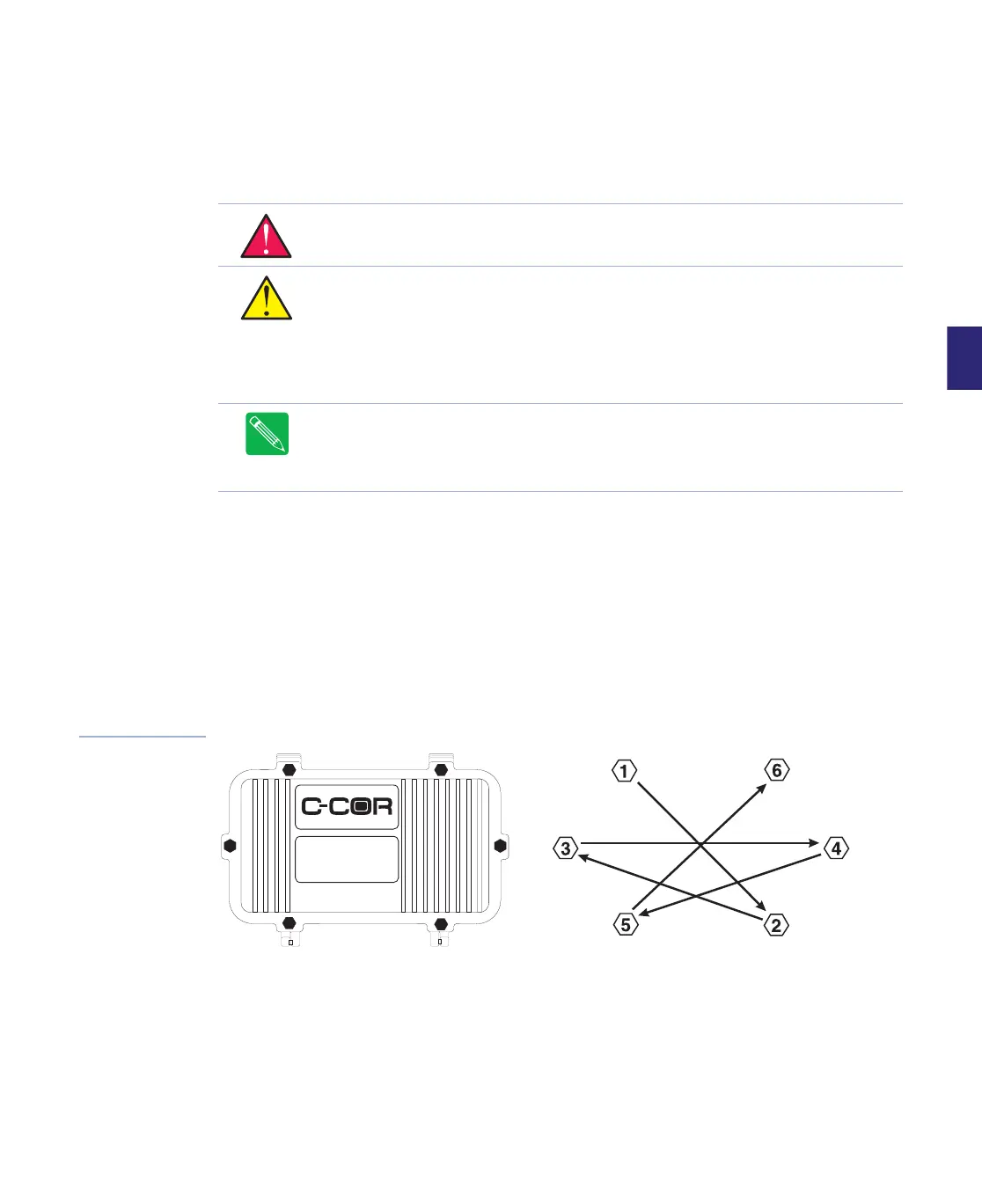
1. Loosen, but do not remove, the six captive lid bolts with a 7/16 inch (11mm) nutdriver
using the sequence shown in Figure 4.3.
2. Hand loosen and release the two bolts next to the lid hinge and then the two bolts at the
ends of the unit.
3. While holding the lid closed with one hand, release the last two bolts, and open (lower) the
lid.
Figure 4.3
Housing Lid Bolt
Loosening Sequence
WARNING Hazardous voltages are present. Use approved safety equipment and
procedures.
CAUTION Amplifier electronic components can be damaged by the environment.
Close the housing whenever it is left unattended to keep moisture out of the station
and to protect the network from RF interference.
CAUTION When opening a housing, a vacuum may exist. If it is necessary to pry
open the lid, do so at the lid bolt bosses which offer additional structural support.
Prying the lid at another location may damage the housing.
Note In 1998, the bypass housing—an expanded version of our standard 6-port
housing— was introduced. A bypass housing provides additional internal port
connections that route your RF signal around (bypass) the RF module which lets you
remove the module for maintenance or replacement without service interruption.


 To Next Page