CALREC Putting Sound in the Picture 67
Security Considerations
The wireless LAN (and therefore the
console) is open to any devices that
can discover the wireless network and
have access to the encryption keys. It is
strongly recommended that the wireless
LAN is configured to use some method
of encryption. WEP is considered to be
insecure so as a minimum you should
select WPA(2)-PSK. This requires both
communicating parties to agree on the
same keyword or passphrase before
access is allowed.
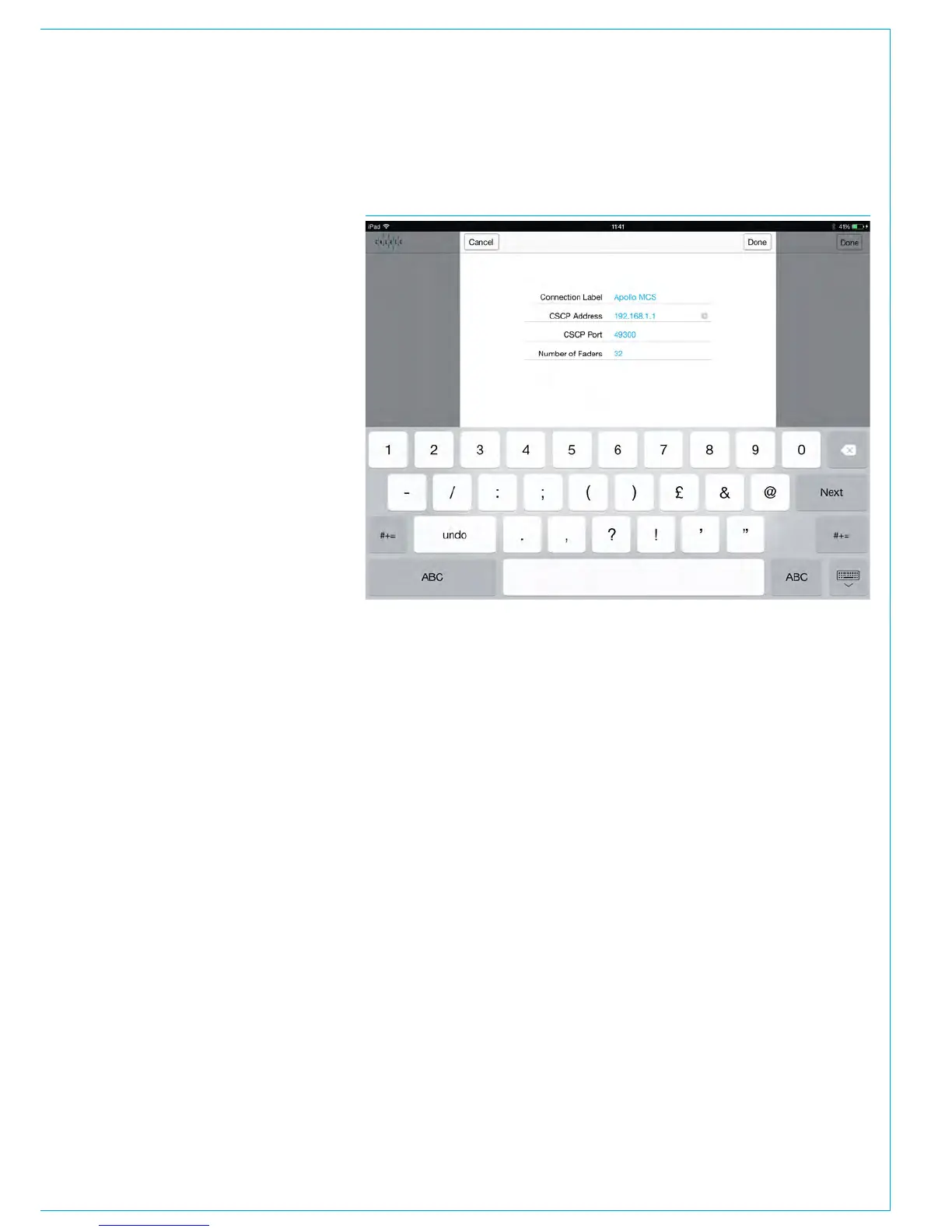
Assist Application Configuration
Assist applications should be configured
with a CSCP IP address of 192.168.1.1 to
connect to the primary control processor
or 192.168.1.2 to connect to the
secondary control processor. The CSCP
port number should be set to 49300.
To access these settings, launch one of
the Assist apps on an iPad and tap NEW
in the top right hand corner to add a new
connection. Enter your settings, as shown
here, then press DONE. (The number
of faders should reflect the number of
faders on your desk and the 'Connection
Label' can be customised to reflect your
particular connection.)
FIGURE 4 - ASSIST APP CONFIGURATION



 To Next Page