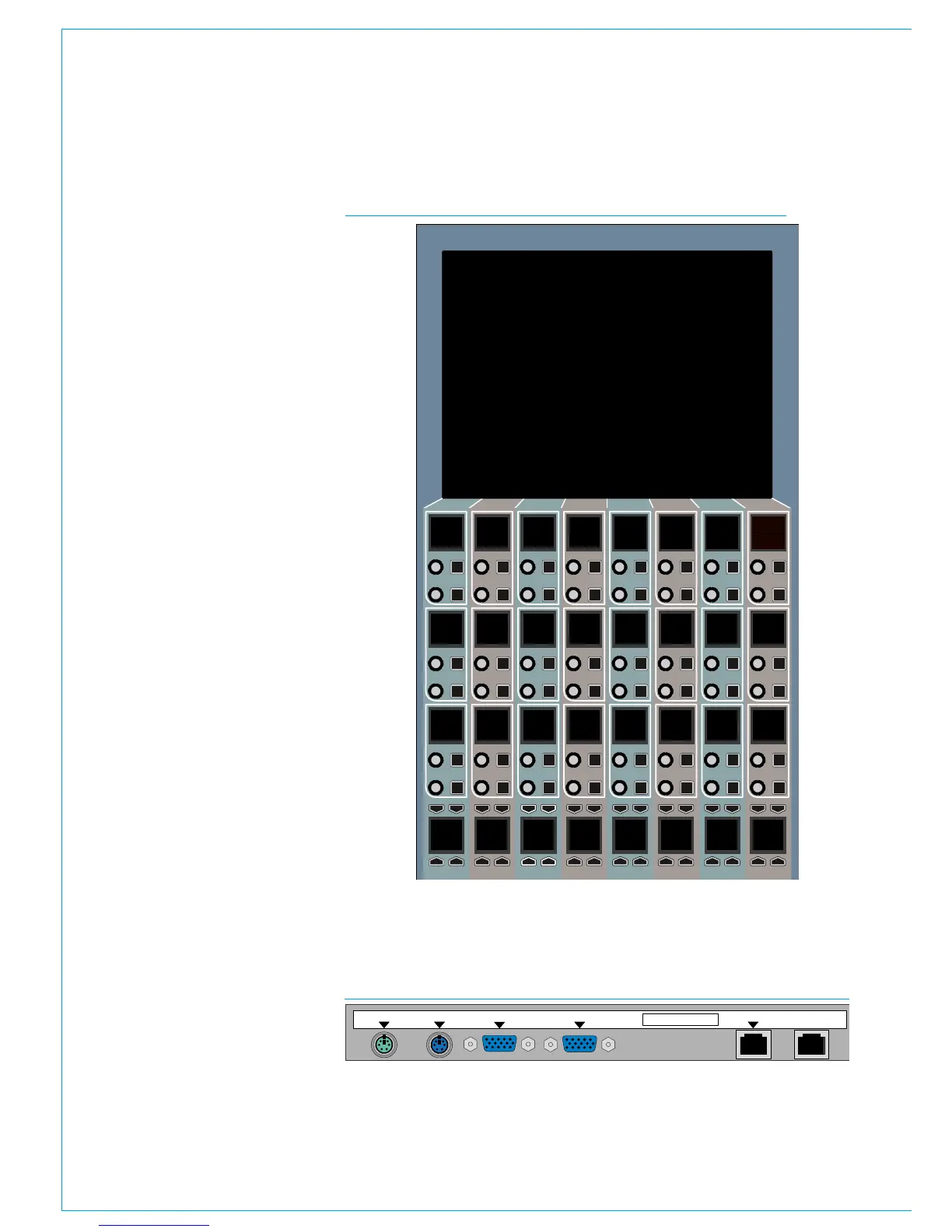
96 APOLLO Digital Broadcast Production Console Panel Options
ASSIGNABLE CONTROL PANEL - CA5700
Assignable control panels can quickly
switch between 4 main operating
modes, giving access to the majority
of operational functionality and
can also be used in 'wilds' mode to
provide inline control functions for the
fader directly below each strip.
An assignable panel needs to be located
above a fader panel in order for it to be
fully functional and for mode selection to
be performed. Multiple assignable panels
can be fitted in order to provide multiple
modes of control parameters at the
same time, as well as giving control to all
functions from various physical locations
across the console and also to provide
control to multiple operators working on
the same console at the same time.
Connections
A single RJ45 connection labelled CTRL
SYSTEM provides all data and power for
this panel type.
A second, unlabeled RJ45 is unused.
Keyboard, Mouse and VGA connectors
are for factory configuration.
CA5700 Serial No.
MOUSE TFT VGA
KBD
OLED VGA
CTRL SYSTEM
CONNECTOR LAYOUT
CA5700 - APOLLO ASSIGNABLE CONTROL PANEL



 To Next Page