92 APOLLO Digital Broadcast Production Console92 APOLLO Digital Broadcast Production Console
User Logs
The logging files are written to:----------->
These logs can be found on each of
the MCS cards and in order to view
the files the user can access them via a
Web-Browser at the following address:-
<MCS IP address>:8080/UserLogs
where the MCS IP address can be found
from Program Updater so in this example:-
192.178.1.0:8080/UserLogs
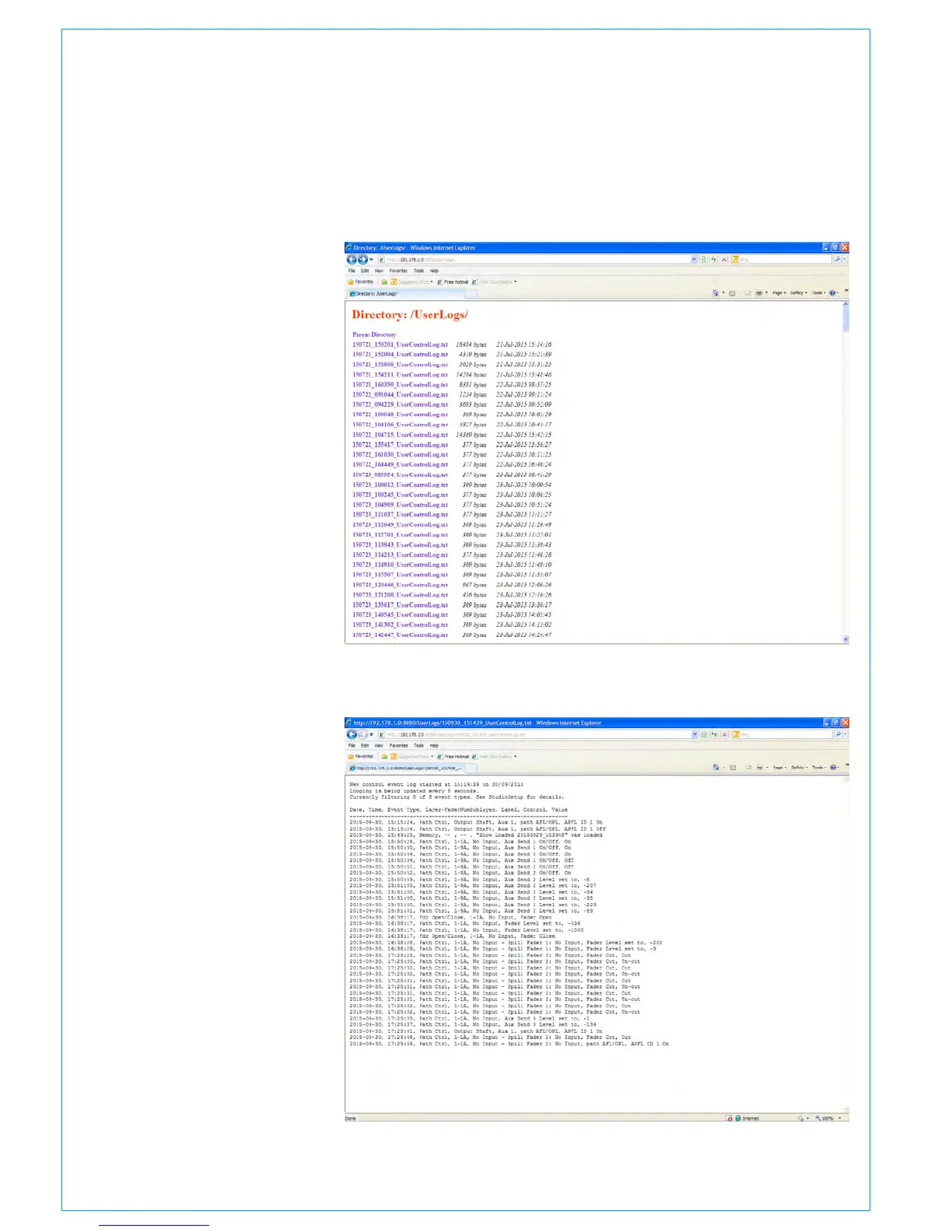
Once accessed the directory of user logs
appears as shown right:
The logs are saved as .txt files and has
a naming convention that allows easy
sorting of oldest to newest:---------------->
e.g. if started at 30th September 2015 at
15:14:39 then this becomes:
150930_151439_UserControlLog.txt
Once the selected log has been accessed
the data appears as a formatted
table showing Date, Time, Event Type,
Layer-Fader Number Sub Layer, Label,
Control and Value all ordered by earliest
timestamp first as shown right:
The table can then be searched and
analysed to find out the sequence of
events that occurred around the time of
interest.
/home/MasterControl/Jetty/webapps/root/UserLogs
<YearMonthDay_HoursMinutesSeconds>_UserControlLog.txt



 To Next Page