CALREC Putting Sound in the Picture 81
USING TONE
Use of the console's internal oscillator
helps to verify connectivity and
configuration during installation.
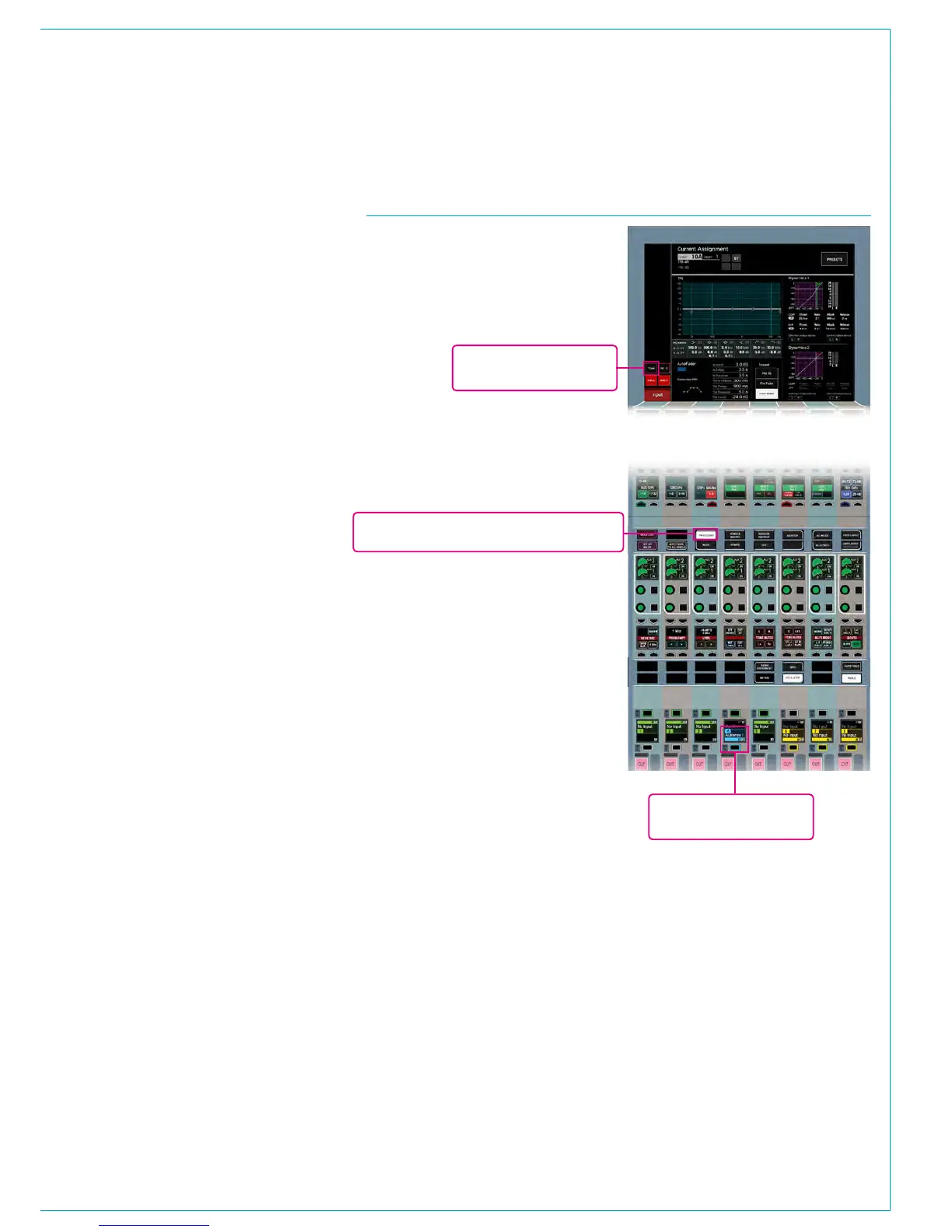
Tone can be selected to path inputs from
the PROCESSING panel mode.
The tone to input select button is located
on the left side of the TFT screen.
Selecting this switches tone onto the
currently assigned path's input.
Selecting the Tools>Oscillator menu
on any fader panel brings up oscillator
controls on the row above to allow
adjustment of tone level, frequency and
idents.
The Tone Clear button in this menu will
cancel all tone to path selections across
the console.
Select the Send / Route panel mode to
route the currently assigned fader to bus
outputs from the TFT touch screen above.
Note, tone can only be selected to faders
that have a DSP path assigned (see
previous page).
**Select PROCESSING mode**
Currently assigned path
(highlighted blue)
Select tone to currently
assigned path input
FIGURE 1 - TONE SELECTION - CONSOLE PANEL



 To Next Page