
 Need help?
Do you have a question about the Camus Hydronics ProtoNode FPC-N34 and is the answer not in the manual?
Details on how to contact Camus Hydronic Ltd. for technical support.
Instructions to record the unique part number of the ProtoNode unit.
Information on the maximum number of points the ProtoNode can support.
Guide to matching baud rate, data bits, stop bits, and parity for communication.
Instructions on using DIP switches to select the communication protocol for the ProtoNode.
Configuration of network settings like MAC address, Device Instance, and Baud Rate.
Explanation of how the BACnet Device Instance is calculated using Node ID and offset.
How to set the baud rate for BACnet MS/TP using DIP switches.
Wiring instructions for connecting these Camus devices to the ProtoNode.
Wiring and programming guide for connecting DynaMaxHS to the ProtoNode.
Steps to connect DynaFLO to the ProtoNode and configure Modbus settings.
Wiring instructions for connecting Valiant devices to the ProtoNode BMS terminals.
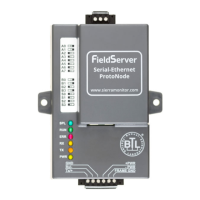
Diagram and labels for all connection ports on FPC-N34 and FPC-N35 models.
Details on connecting serial devices using the ProtoNode's connectors.
How to enable biasing on the RS-485 network for proper communication.
Instructions for using the EOL termination switch for RS-485 networks.
Guide for wiring the 3-pin RS-485 connector on FPC-N34 to the RS-485 network.
Instructions for connecting LonWorks devices to the ProtoNode's LonWorks terminal.
Information on power requirements and how to apply power to the ProtoNode.
Guide for establishing an Ethernet connection between a PC and the ProtoNode.
Steps to configure the PC's IP address to match the ProtoNode's subnet.
How to access the ProtoNode's web-based configuration interface.
Guide for selecting device profiles within the Web Configurator.
Instructions for setting the IP address for the ProtoNode's Ethernet port.
How to configure the Node_Offset to assign unique BACnet Device Instances.
Steps to reset and clear existing configurations on the ProtoNode.
Overview of the commissioning process for ProtoNode on a LonWorks network.
Steps to generate and upload the XIF file for LonWorks commissioning.
How to use the BACnet Explorer to discover devices on the network.
Steps to view detailed information and parameters of discovered BACnet devices.
Guide on modifying the 'Present Value' field of a BACnet device using the Explorer.
Troubleshooting steps for issues with the ProtoNode's IP address.
How to access and view diagnostic and error information for the ProtoNode.
Guidance on checking wiring and configuration settings for communication issues.
Explanation of ProtoNode LED indicators for diagnosing communication problems.
Instructions for performing a diagnostic capture for troubleshooting.
Specific steps for capturing diagnostics with older FieldServer firmware versions.
Instructions for updating the ProtoNode's firmware.
How to assign unique network numbers for multiple ProtoNodes on the same subnet.
Guide on enabling and managing passwords for the ProtoNode's FS-GUI.
List of supported web browsers and firewall requirements for the GUI.
Mapping table for Sola device Modbus RTU registers to other protocols.
Mapping table for DynaFLO device Modbus RTU registers to other protocols.
Mapping table for Valiant device Modbus RTU registers to other protocols.
List of lockout codes and their descriptions for Sola devices.
List of alert codes and their descriptions for Sola devices.
List of pump status codes and their descriptions for Sola devices.
Tables showing DIP switch configurations for MAC addresses.
Technical specifications for ProtoNode FPC-N34 and FPC-N35 models.
Requirements for UL compliance when operating the ProtoNode.
 General
| Brand | Camus Hydronics |
|---|---|
| Model | ProtoNode FPC-N34 |
| Category | Controller |
| Language | English |

 To Next Page