10-12
Maintenance
Replacing the Toner Cartridge
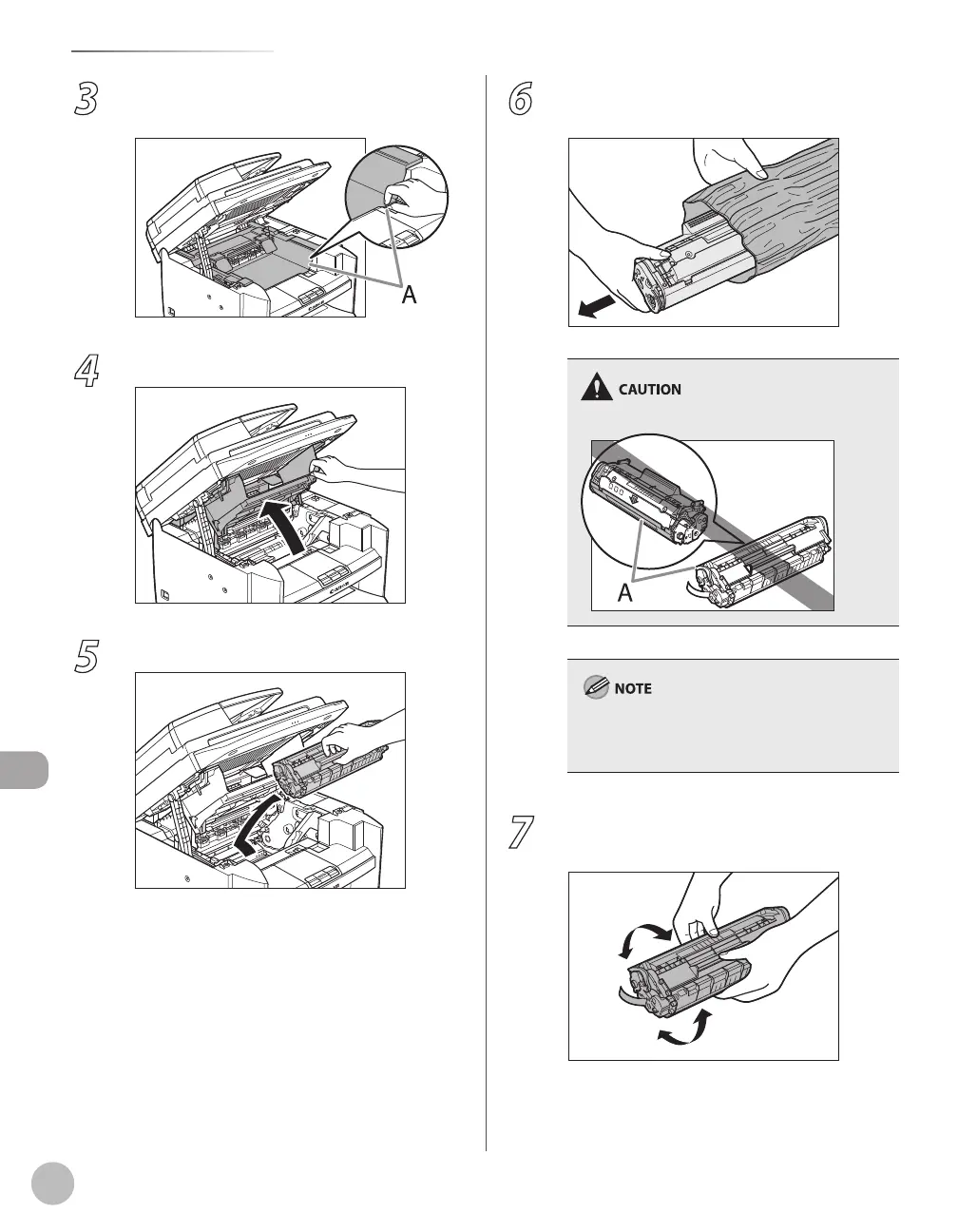
3
Hold the grip (A) on the right front side of
the toner cover.
4
Open the toner cover.
5
Remove the toner cartridge.
6
Remove the new toner cartridge from the
protective bag.
Do not open the drum protective shutter (A).
Save the protective bag. You may need it later
when you remove the toner cartridge from the
machine.
7
Gently rock the toner cartridge several
times to evenly distribute toner inside.















 To Next Page