16
Place Documents
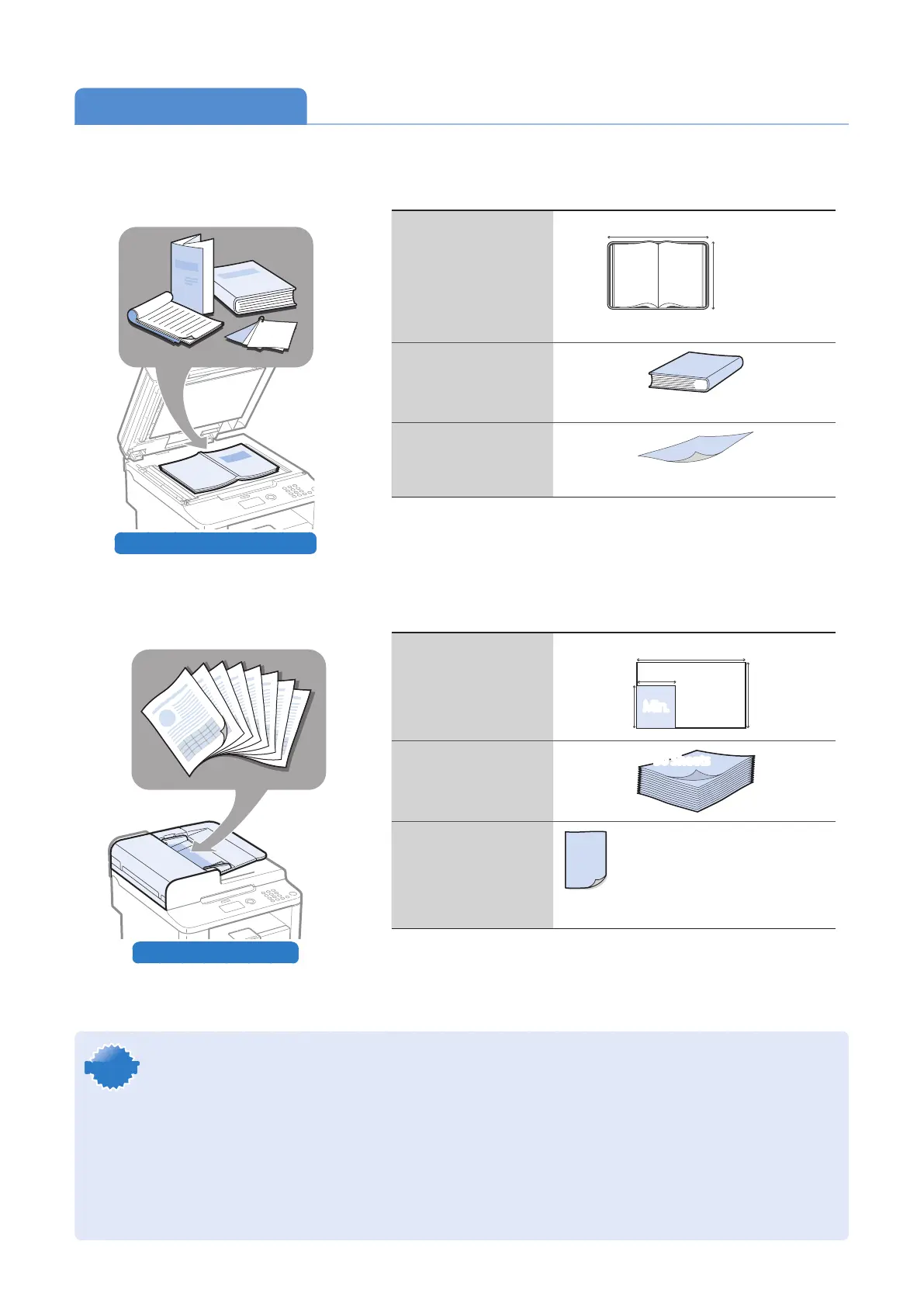
Choose the appropriate way to place documents according to the document’s type.
Check available documents
Size (Width X Length)
8 1/2"
(215.9 mm)
11 3/4" (297 mm)
Maximum
Weight
Maximum 4.4 lb (2 kg)
Capacity
1 sheet
Check available documents
Size (Width X Length)
5 1/2"
(140 mm)
5 1/2"
(140 mm)
8 1/2"
(216 mm)
8 1/2"
(216 mm)
5" (127 mm) 5" (127 mm)
14" (356 mm)14" (356 mm)
Min.
Max.
Capacity (For 21 lb
Bond (80 g/m²))
Weight
1-sided documents
13.3 to 27.9 lb Bond (50 to 105 g/m²)
2-sided document
16.0 to 27.9 lb Bond (60 to 105 g/m² )
* D530 is not equipped with the feeder.
When placing non-standard documents such
as heavy paper, small paper, or booklets:
Use the platen glass (→p.17).���
When placing multiple documents of plain
paper in the same size, thickness, and weight:
Use the feeder (→p.17).���
IMPORTANTIMPORTANT
•Place a document after glue, ink, or correction uid on the document is completely dry.
•To prevent paper jams in the feeder, place a document on the platen glass when using the following types of
paper:
- Wrinkled or creased paper
- Carbon paper or carbon-backed paper
- Curled or rolled paper
- Torn paper
- Thin paper
- Documents with staples or paper clips attached
- Transparency
50 Sheets















 To Next Page