32
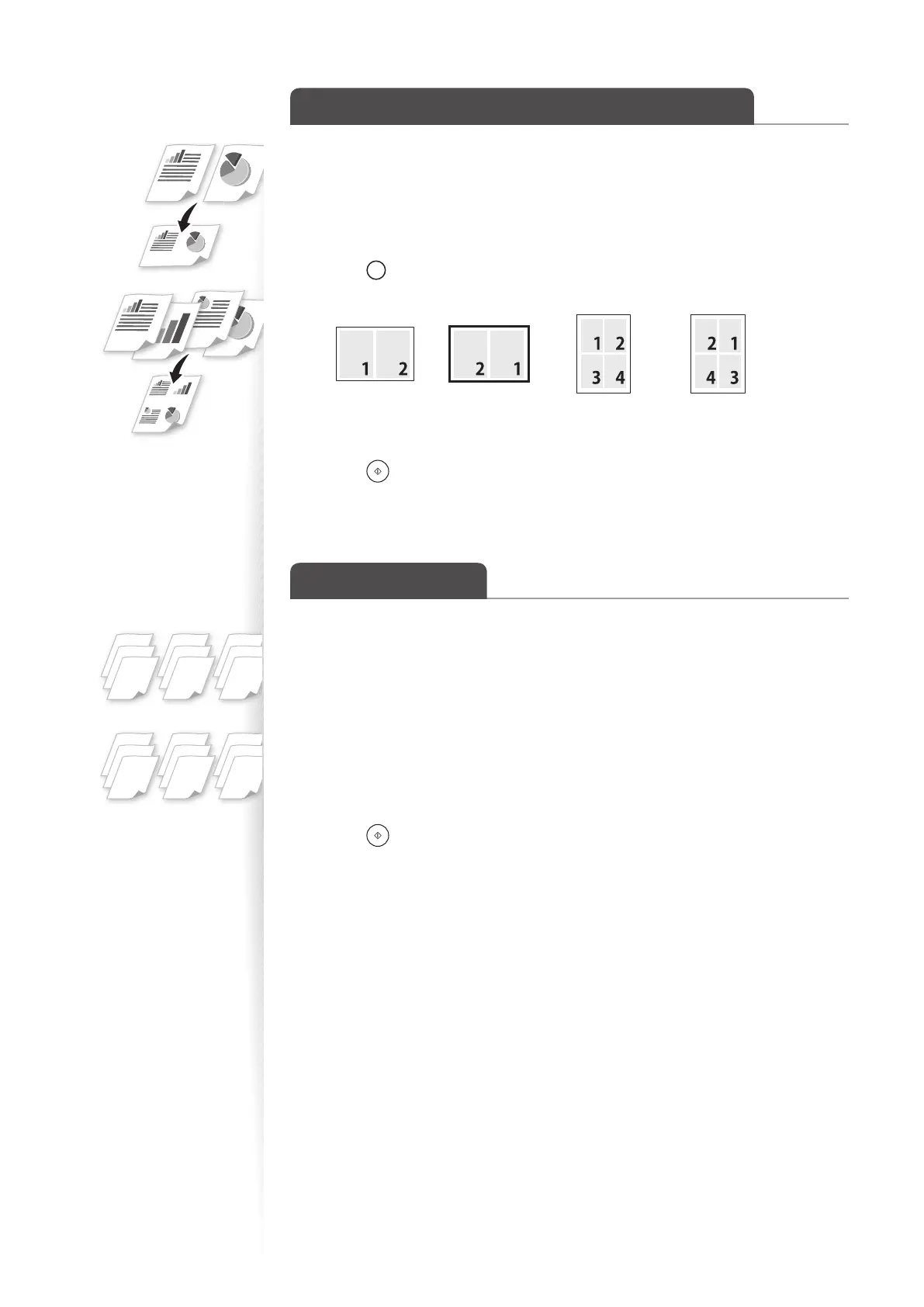
Copy Multiple Pages onto One Sheet
You can combine multiple pages (two or four pages) onto one copy sheet.
1
Place your documents (→p.16).
2
Switch to the Copy mode (→p.13).
3
Press [ ] (N on 1) until the indicator of desired format is lit.
•
To specify the page layout, press [OK], and then select <Select Layout>.
<2 in 1(1)> <2 in 1(2)> <4 in 1(1)> <4 in 1(2)>
• To specify the scan size, press [OK], and then select the desired scan size.
4
Press [ ] (Start).
Collate Copies
You can arrange copies into sets arranged in page order by using the <Collate> function
when making multiple copies of multiple documents.
1
Place your documents (→p.16).
2
Switch to the Copy mode (→p.13).
3
Press [▲] or [▼] to highlight <Collate>, and then press [OK].
4
Press [▲] or [▼] to highlight <On>, and then press [OK].
5
Press [ ] (Start).
1
2
3
1
2
3
1
2
3
1
1
1
2
2
2
3
3
3
<ON>
<OFF>















 To Next Page