9
Basic Operation
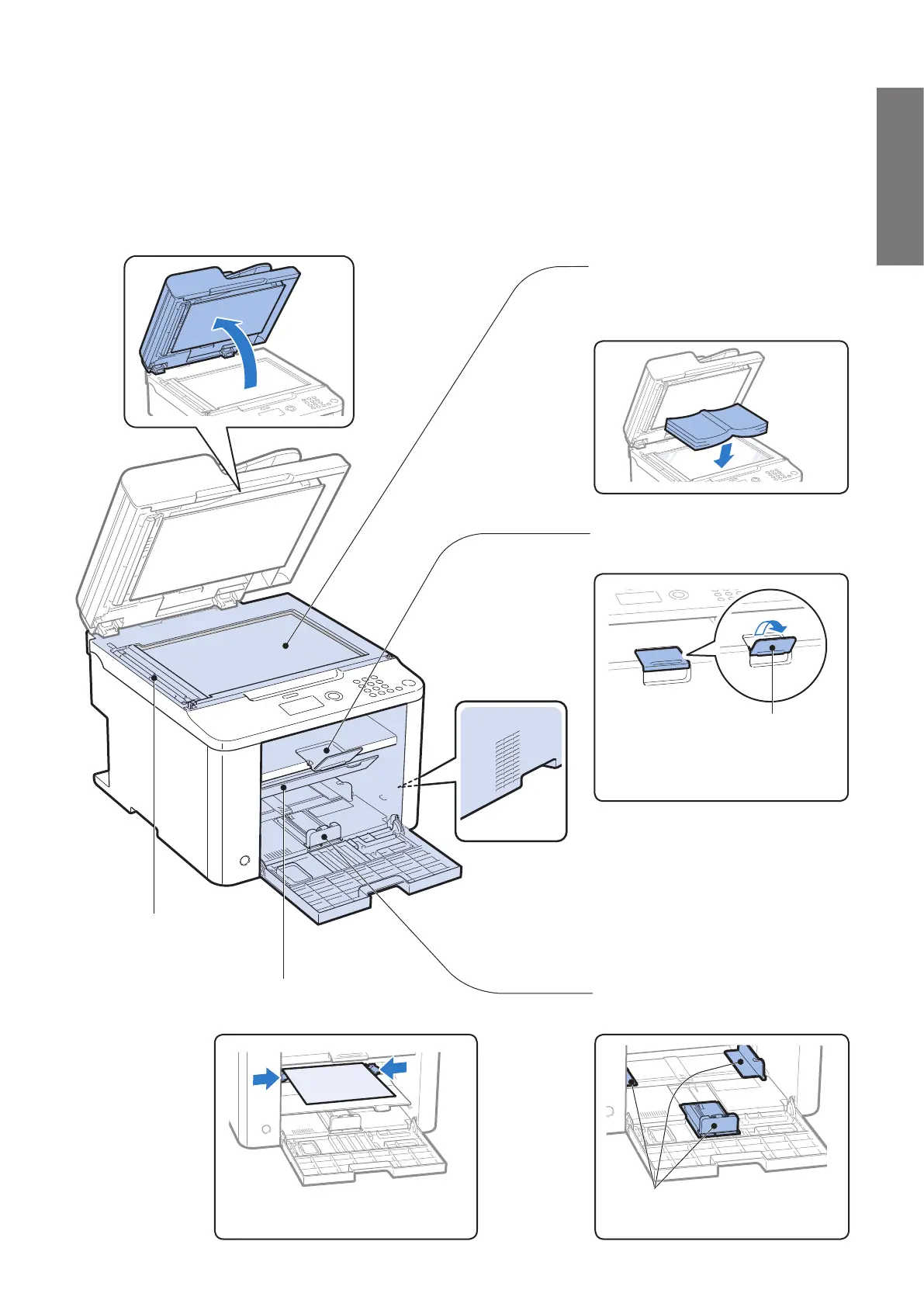
Scanning area
Scans documents
from the feeder.
Platen glass
Used to scan non-standard size paper
or books, as well as standard size paper
(
→P.17 ) .
Ventilation slots
Allows heat to escape
from inside of the
machine. Leave more than
4” (10 cm) of space around
the machine.
Output tray
Printed documents are output here.
Paper stopper
Use the paper stopper to prevent
pap
er from falling out of the
output tray.
Paper cassette (Auto)
Load paper here (→P. 2 0 ) .
Paper guides
Adjust these guides to t the paper.
Multi-purpose tray
Load paper one by one manually (→P. 21) .
Paper guides
Adjust these guides to t the paper.















 To Next Page