8
D560
D530
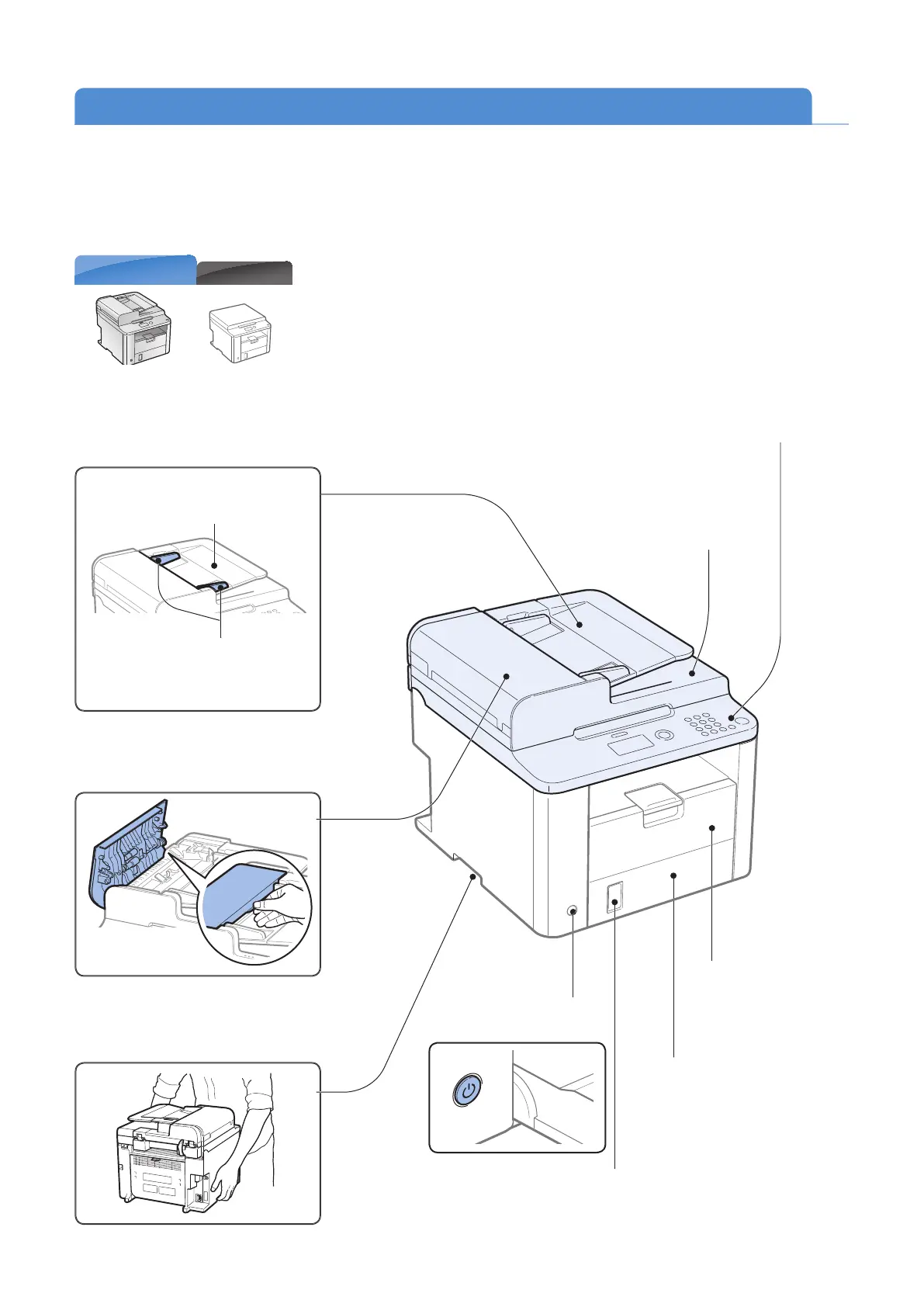
Learn the Names and Functions of Each Part of the Machine
Front Side
Power button
Turn the power ON or OFF.
Lift handles (left, right)
Hold these handles to lift or transport
the machine.
Operation panel
Use the panel to control
the machine (
→P.12 ) .
Front cover
Open the cover to load
paper.
Lower front cover
Open when using paper that is
larger than LTR size.
Paper level indicator
Shows the remaining amount of paper.
Document return tray
(D560 only)
Returns documents after
scanning.
Feeder cover
(D560 only)
Open this cover to clear paper jams
(
→P.17 ) .
Document feeder tray
Place your documents in this tray.
Document guides
Adjust these guides to t the
doc
ument.
Feeder
(D560 only)
Automatically feeds documents into
the machine (
→P.17 ) .















 To Next Page