20
Loading Paper in the Paper Cassette
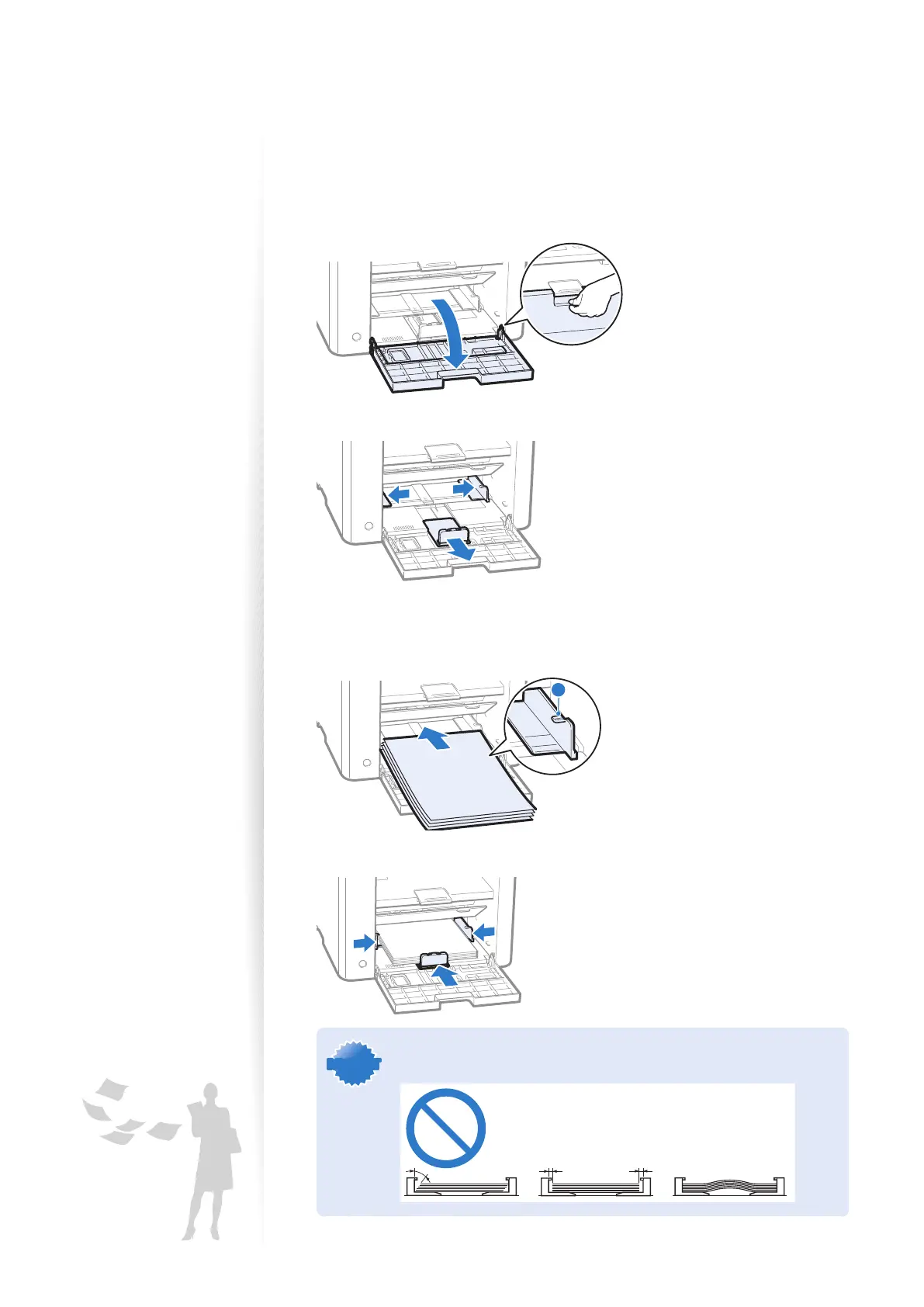
This section describes how to load letter paper in the Paper Cassette. When loading
envelopes or paper with a letterhead, see ”Loading Envelopes or Paper with a Letterhead”
(
→p.22).
1
Open the front cover and the lower front cover.
2
Spread the paper guides a little wider than the paper size.
3
Gently load the paper into the paper cassette with the print side face up,
until the edge of the paper stack meets the back of the paper cassette.
•
Make sure that the paper stack does not exceed the load limit guides (A).
A
4
Adjust the paper guides tightly to the width and length of the paper.
IMPORTANTIMPORTANT
If the paper guides are too loose or too tight, this may result in misfeeds
or paper jams.















 To Next Page