38
Print Multiple Pages onto One Sheet
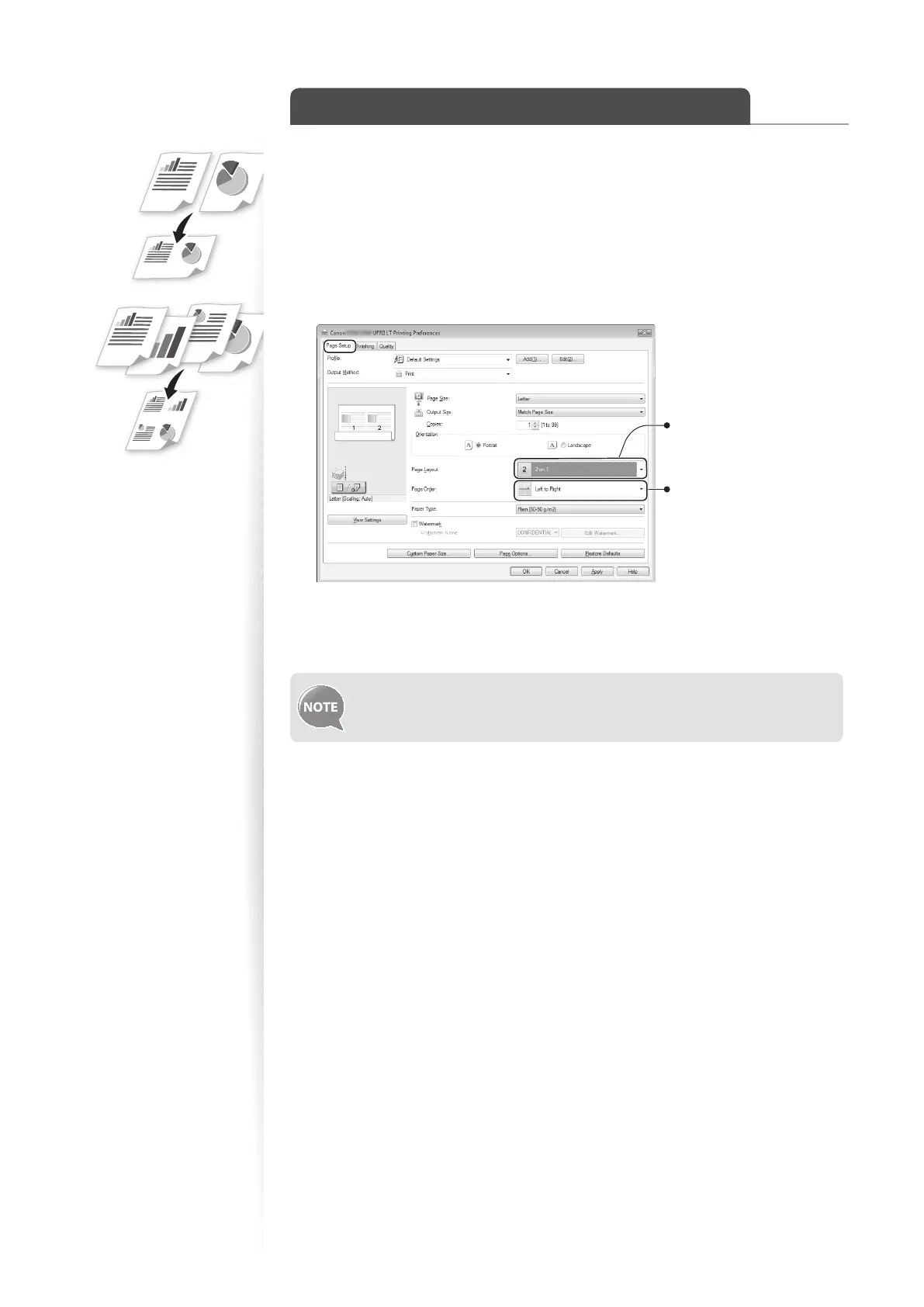
You can reduce and print 2, 4, 6, 8, 9, or 16 pages of an original document onto a single
sheet of paper. This feature allows you to save paper or to view several pages at once.
1
Open a document from an application, and then open the Print window.
2
Select your printer, and then open the Printing Preferences window.
3
Click the [Page Setup] tab, and then specify the number of pages and a
page layout.
Select the number of pages
to print on a single page.
Select the page layout.
4
Click [OK] to return to the Print window.
5
Click [OK] to start printing.
You cannot enlarge or reduce the documents manually when using this
function.















 To Next Page