44
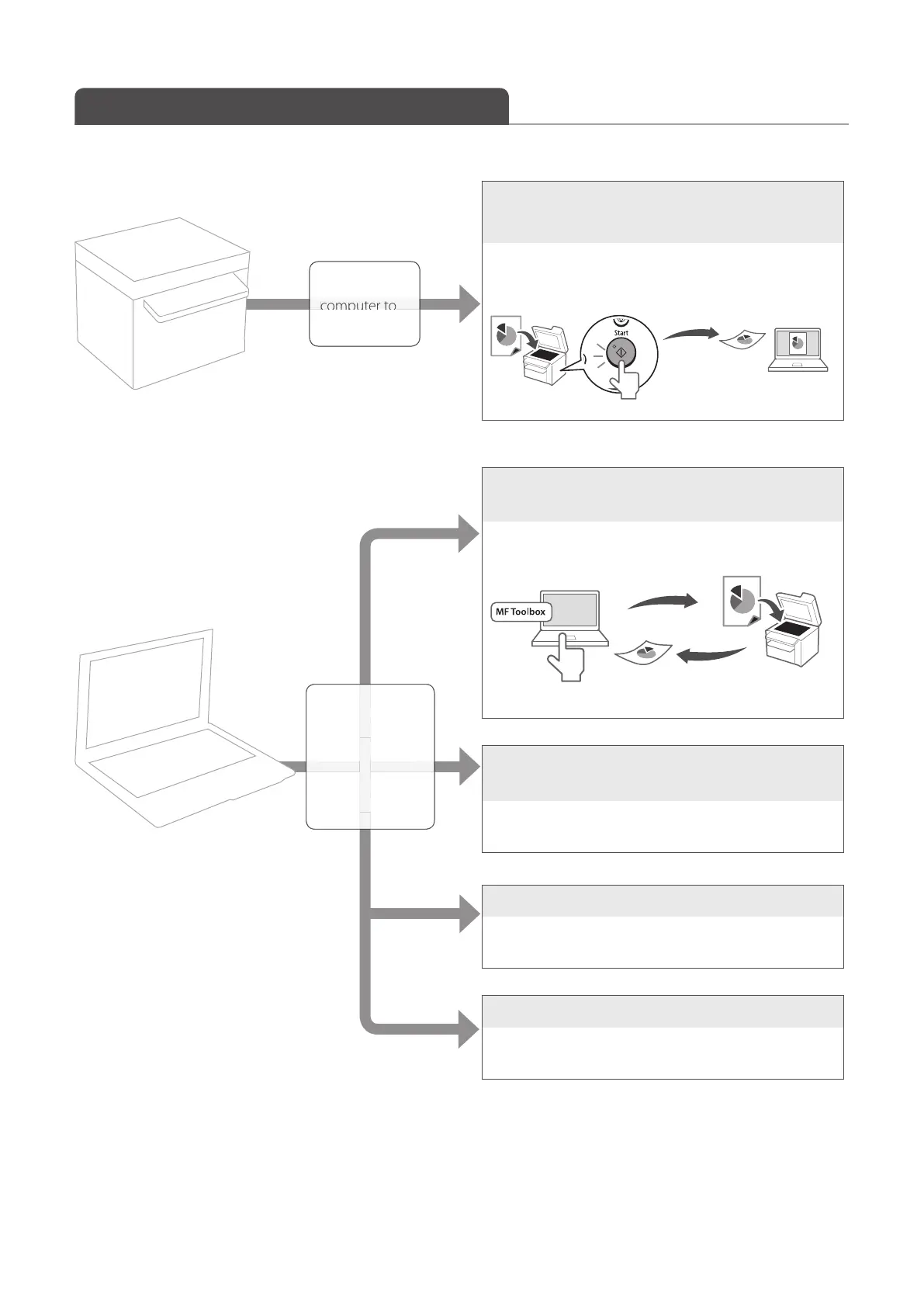
Understand the Scanning Method
Various scanning methods are provided.
onnect your
e mac
ine.
Basic
Method
Scan a Document with the Operation
Panel (
→p.45).
You can use the operation panel to scan an image, and
then send the image to a computer.
Scan a Document with the MF Toolbox
(
→p.46).
You can set the various scan settings with the MF
Toolbox.
Scan a Document with the Scanner Driver
(
→p.50).
You can set the various scan settings with the scanner
driver (ScanGear MF Window).
Scan a Document using WIA driver
For more details, see [Scanning] [Scanning Using the
WIA Driver (Window XP/Vista/7 Only)] in the e-Manual.
Scan a Document using the TWAIN driver
For more details, see [Scanning] [Scanning an Image
from an Application] in the e-Manual.
Scanning with
Detailed Scan
Settings
(Use a driver from a
computer)
t
t
e
c















 To Next Page