22
Loading Envelopes or Paper with a Letterhead
This section describes how to load envelopes and paper with a letterhead.
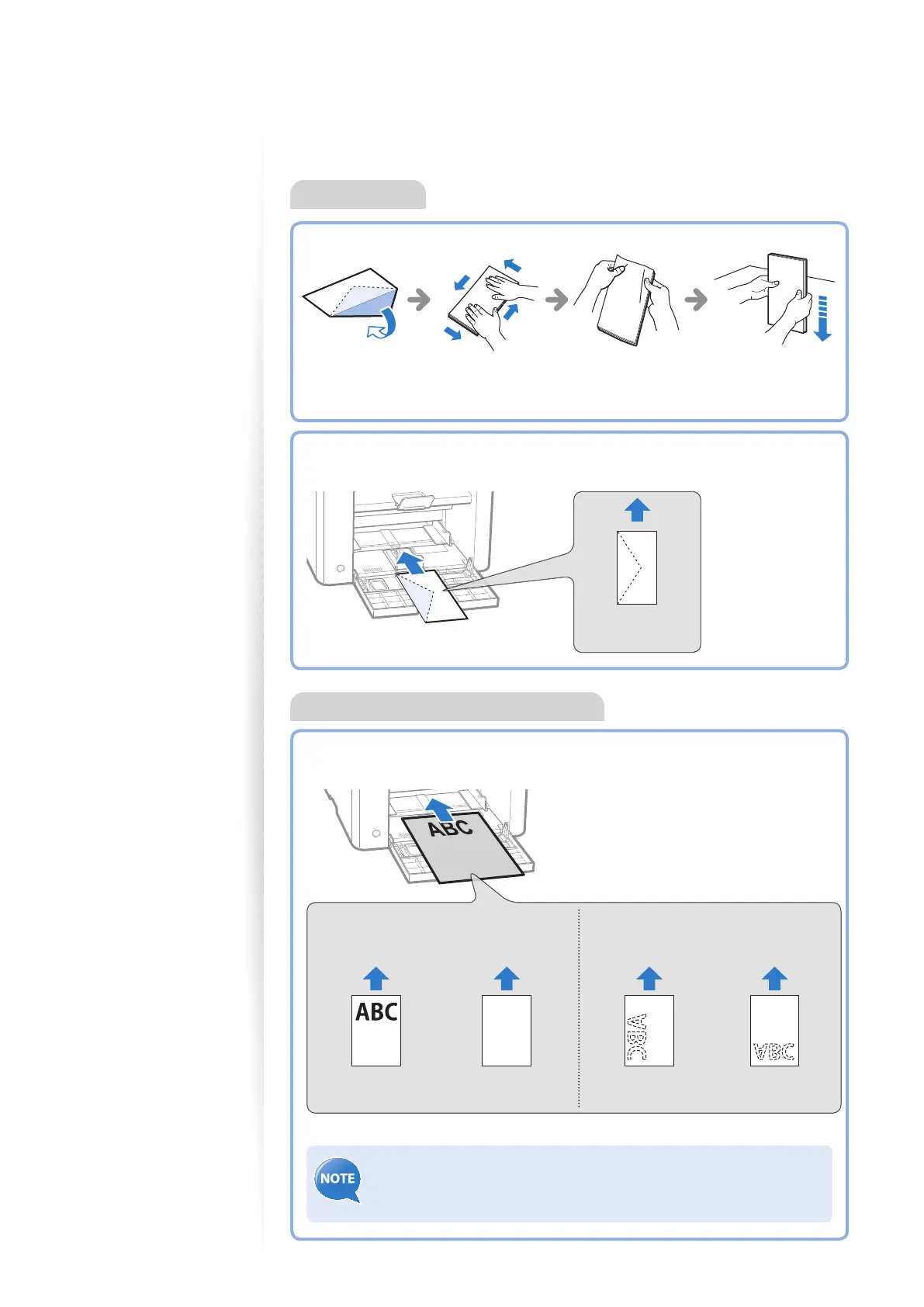
Envelopes
Loading Orientation
Load the paper properly by following the instructions below.
1-sided printing
Load the paper with the printed
side face up.
2-sided printing
Load the paper with the printed side
face down.
When printing with
portrait layout
When printing with
landscape layout
When printing with
portrait layout
When printing with
landscape layout
ABC
If <Print Side Priority> is selected, load the paper with the printed
side face down regardless of 1-sided or 2-sided printing. For details, see
[Basic Operation] [Select the Print Side] in the e-Manual.
Paper with a Letterhead or Logo
Before Loading
Loading Orientation
Load the envelopes with the aps face up.
Envelope
No.10, DL, ISO-C5
Flatten envelopes
to release any
remaining air.
Loosen any sti corners of the
envelopes, and atten any
curls, as shown in the gure.















 To Next Page