21
Basic Operation
5
Close the front cover and the lower front cover.
6
Specify the loaded paper size and type (→p.23).
Loading Paper in the Multi-Purpose Tray
1
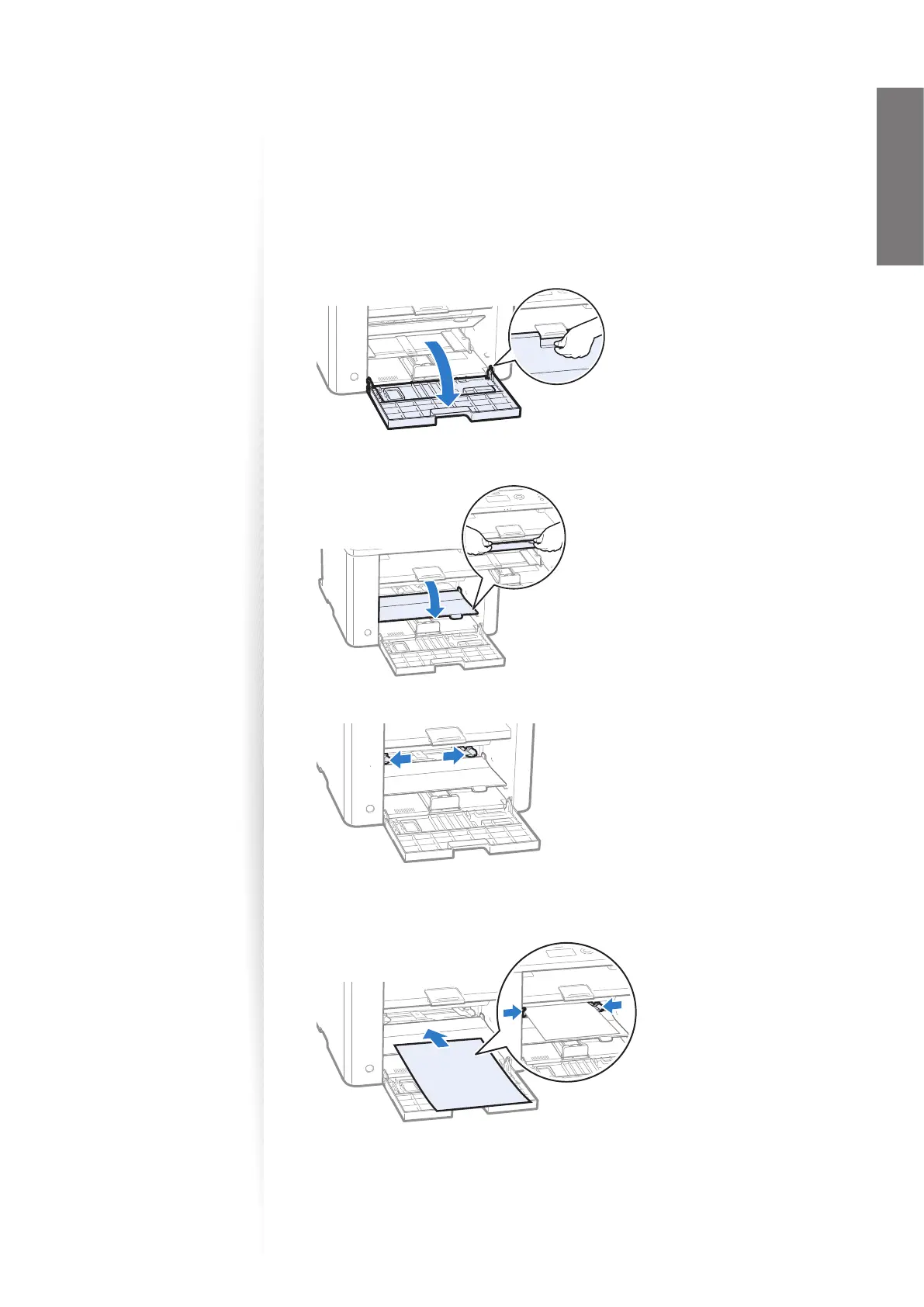
Open the front cover and the lower front cover.
2
Push down and lower the multi-purpose tray.
3
Spread the paper guides a little wider than the paper.
4
Gently load the paper into the multi-purpose tray with the print side face
up, and adjust the paper guides tightly to the width of the paper.
5
Specify the loaded paper size and type (→p.23).















 To Next Page