18
3
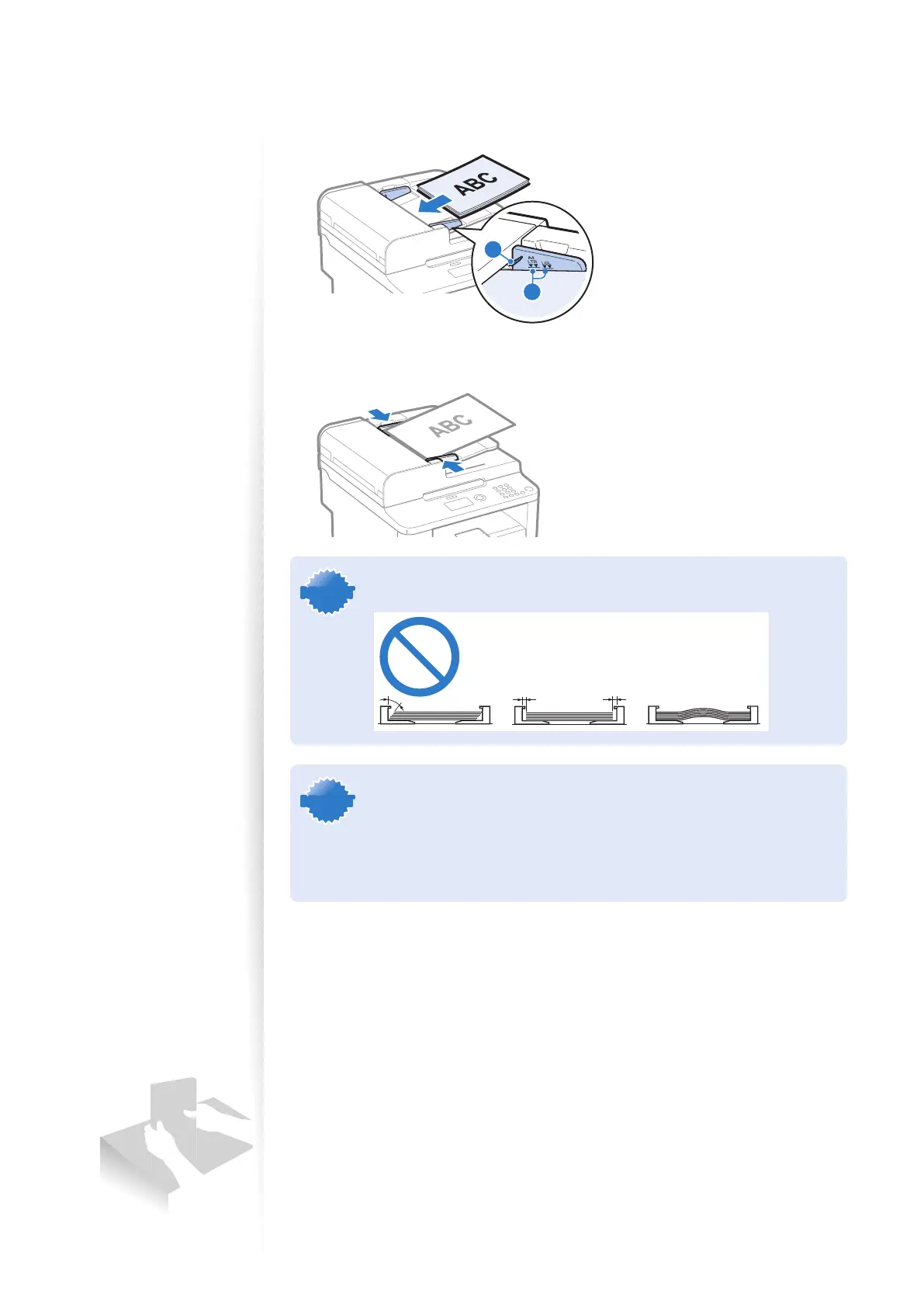
Neatly place the documents face up.
•
Do not exceed the load limit guides (A).
• Make sure that the paper stack does not exceed the load limit marks (B).
A
B
4
Align the document guides tightly to the width of the document.
IMPORTANTIMPORTANT
If the document guides are too loose or too tight, this may result in
misfeeds or paper jams.
IMPORTANTIMPORTANT
• While scanning documents, do not add or remove documents.
• When scanning is complete, remove the document from the document
return tray to avoid paper jams.
• Do not scan the same document more than 30 times. When a document
is scanned repeatedly, the paper can become wrinkled, earmarked, or
torn, which may result in paper jams.















 To Next Page