Fax
5-8
Introduction to Using Fax Functions
M A N U A L
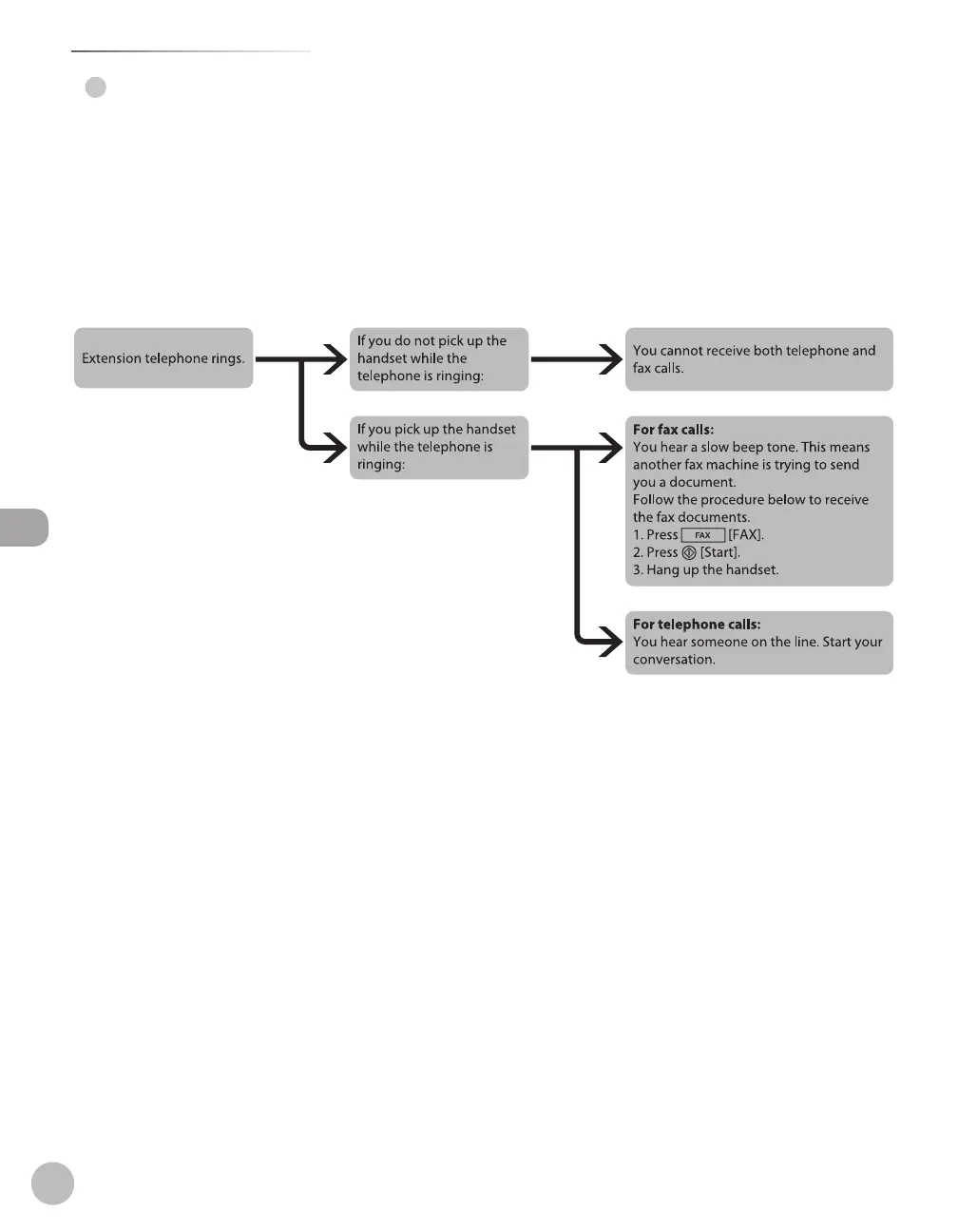
In this mode, you can monitor all incoming calls by picking up the handset each time your telephone rings.
This mode is a suitable option if you expect to use the machine mainly as a telephone, and only occasionally
receive fax documents.
Before using this mode
Make sure to do the following:
Connect your external telephone to the machine. (See “Make Fax Settings,” in the Starter Guide.)
Set the receive mode to <MANUAL>. (See “Selecting the Receive Mode,” on p. 5-10.)
When an incoming call is received
*If <REMOTE RX> is set to <ON>, you can also start to receive fax documents by dialing from your telephone.
(See “Receiving Documents Manually with an External Telephone (Remote RX),” on p. 5-36.)
●
●
–
–
●













 To Next Page